Chroma Subsampling Explained: Why Some JPEGs Blur Thin Red Text and Fine Lines
Summary
Notice blurred colored text in a sharp JPEG? That's chroma subsampling, a hidden compression trick most quality sliders never mention or expose to you.
Turn a JPEG's quality slider all the way up and thin colored text or fine colored lines can still look slightly soft, in a way that plain black text does not.
This is not a quality-setting problem, it is chroma subsampling, a separate compression decision baked into most JPEG encoders that most quality sliders never expose directly.
What Chroma Subsampling Actually Does
Human vision is far more sensitive to changes in brightness (luma) than to changes in color (chroma). JPEG encoding exploits this by storing full-resolution brightness data but reduced-resolution color data, a technique called chroma subsampling.
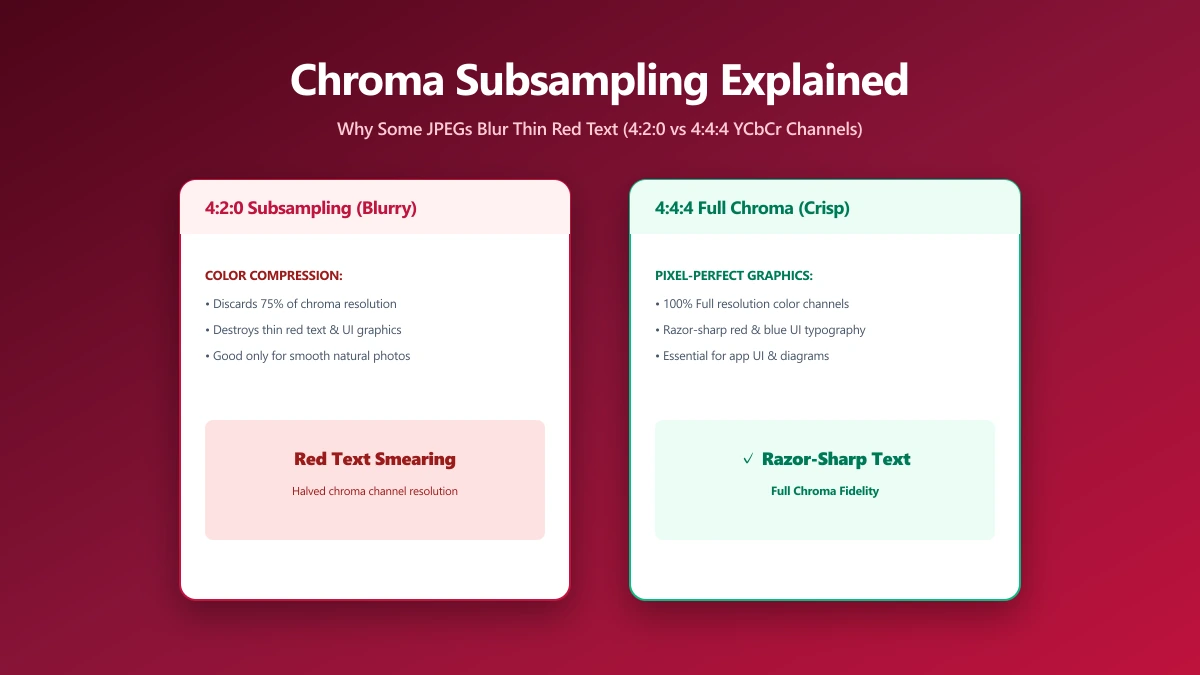
The most common setting, called 4:2:0, keeps full luma detail but samples color at half resolution both horizontally and vertically, a 75% reduction in color data with only modest impact on how most photos look.
| Mode | Color resolution | Typical use |
|---|---|---|
| 4:4:4 | Full color resolution, no reduction | Screenshots, graphics, text-heavy images |
| 4:2:2 | Half horizontal color resolution | A middle ground, less common |
| 4:2:0 | Quarter color resolution (half horizontal, half vertical) | Most photographic JPEGs, the default in most encoders |
Why This Blurs Thin Colored Text and Lines
For a typical photograph, 4:2:0 subsampling is nearly invisible, natural images rarely have sharp color transitions at a fine scale.
But thin colored text, a red line on a diagram, or fine colored UI elements in a screenshot have exactly the kind of sharp, small-scale color transitions that 4:2:0 handles poorly.
The color data simply was not captured at high enough resolution to represent a one-pixel-wide red line precisely, so it blurs into the surrounding pixels.
This is why screenshots with colored text, diagrams, and UI elements are often better saved as PNG, or as JPEG with 4:4:4 subsampling specifically enabled, rather than a default JPEG export, even at maximum quality.
What You Can Actually Do About It
- ●For photos, 4:2:0 is almost always fine, and is what most compressors use by default. No action needed.
- ●For screenshots and diagrams with fine colored detail, PNG avoids the issue entirely, since it is lossless and does not subsample color at all.
- ●For JPEGs specifically needing sharp colored text, some advanced encoders let you force 4:4:4 subsampling, at the cost of a larger file size.
The Bottom Line
Chroma subsampling is a mostly-invisible trade-off for photos and a real, visible problem for fine colored text or lines.
If you are compressing a screenshot or diagram rather than a photo, reach for PNG, or the image compressor with a format suited to the content, instead of assuming JPEG at maximum quality will always look sharp.
Try it now: compress a JPEG, free, entirely in your browser.
Frequently asked questions
What is chroma subsampling?
Why does my JPEG have blurry colored text even at high quality?
Should I use PNG instead of JPEG for screenshots?
Does chroma subsampling affect regular photos?
What is 4:4:4 subsampling?
Sources & references
This article was researched and written by Nikola, drawing on the following primary sources and documentation:
Ready to try it?
All tools run entirely in your browser, no uploads, no account required.
Compress JPEG