
Crop Image Online for Free
or drop files here
Drag to select any area, pick a preset ratio, or crop freely to any dimensions. Runs entirely in your browser, no upload ever.
Three steps. Done in your browser.
Drop your image
Drag any JPEG, PNG, or WebP onto the crop zone, or click to browse from your device. No file size limit.
Select your crop area
Drag handles to define your selection. Pick a preset ratio like 1:1, 16:9, or 4:3, or crop freely to any dimensions.
Save the cropped image
Click Crop and save your result instantly. Same format, full quality, no upload required.
When to crop an image.
Cropping removes unwanted areas, reframes composition, and adjusts aspect ratio without scaling or degrading the retained pixels.
Social media profile pictures
Instagram, LinkedIn, and most platforms display profile photos as squares. Cropping to 1:1 before upload ensures the important part is centred, not auto-cropped by the platform.
YouTube thumbnails
Thumbnails must be 16:9 ratio (1280x720 recommended). Cropping to the exact ratio before uploading prevents automatic cuts that could remove your subject from view.
Product photography
Platforms like Amazon and Shopify require images with specific aspect ratios. Cropping to a square with the product centred gives you full control over the final display.
Removing distracting backgrounds
Photos of documents, whiteboards, or artwork often include unwanted surroundings. Cropping removes the distraction and focuses attention on the content that matters.
Passport and ID photos
Government and visa applications specify exact crop ratios, often 35mm x 45mm with the face centred. Cropping to spec before printing avoids rejection at the counter.
Blog and CMS featured images
Most CMS platforms display featured images at a fixed aspect ratio. Cropping before upload prevents the platform from making poor automatic crops of your carefully framed shots.
How cropping works under the hood.
When you drag a crop selection, the tool tracks the bounding rectangle you define in pixel coordinates relative to the original image. On click, it uses the browser's Canvas API to draw only the selected region onto a new canvas at the original resolution, then exports it as a Blob URL for saving.
No pixels are scaled or resampled during this process. The retained area comes out at exactly the same resolution as the source, and no data ever leaves your device.
Questions answered.
Can I crop to an exact pixel size?
What aspect ratios are available?
Does cropping reduce image quality?
Can I crop to a custom aspect ratio?
What happens to the file size after cropping?
Does cropping affect EXIF metadata?
Can I undo a crop?
Is my image uploaded to a server?
More tools you might need.
Related Guides & Tutorials
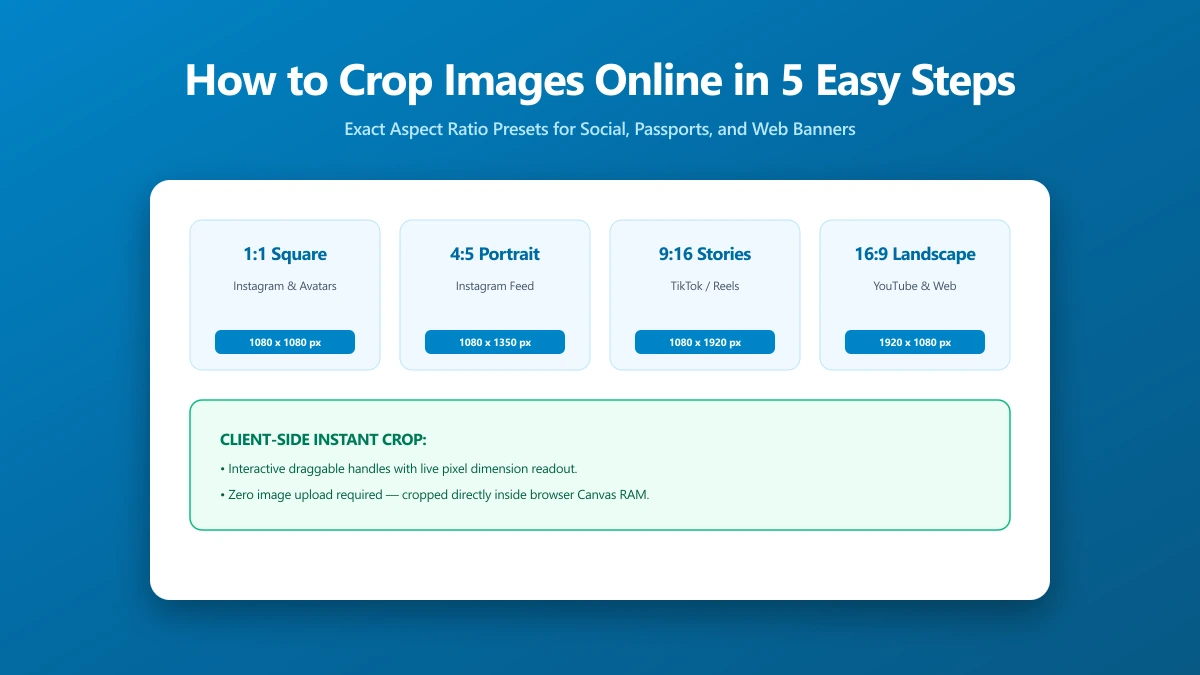
How to Crop Images Online in 5 Easy Steps
Cropping removes distracting edges, tightens composition, and sizes to exact social ratios. All in-browser, no upload, no sign-in, no software to install.
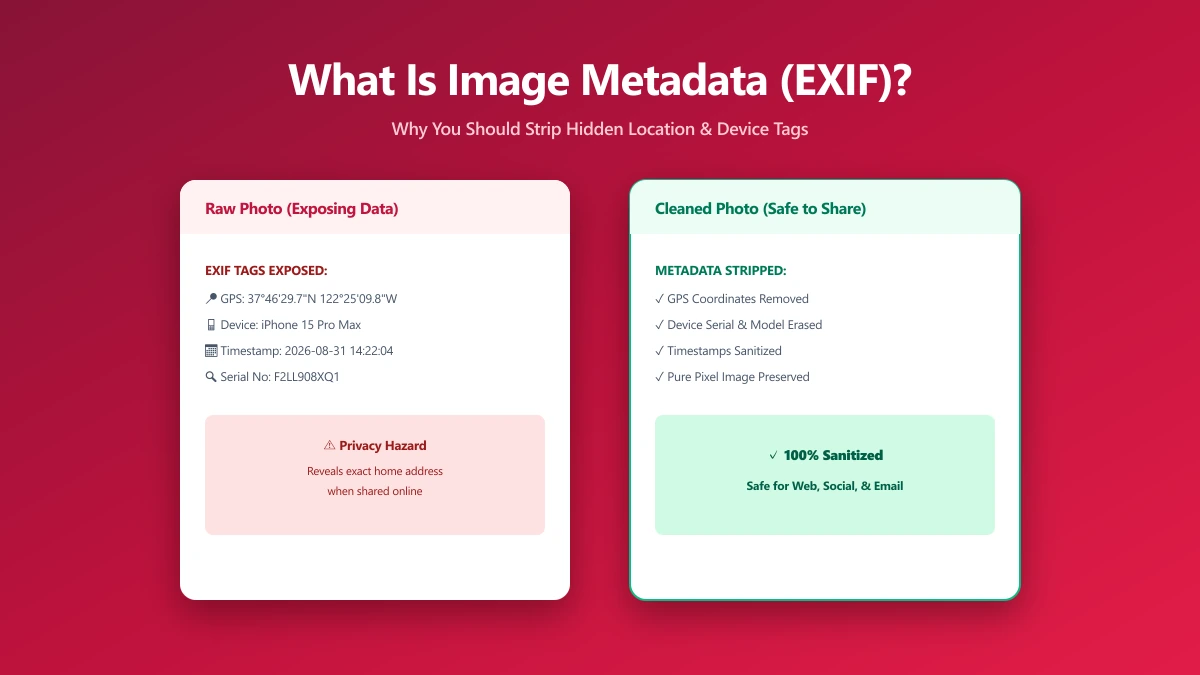
What Is Image Metadata? (And Why You Should Remove It Before Sharing)
Every JPEG you share embeds hidden EXIF data, GPS location, device model, timestamp. Learn what image metadata reveals and how to strip it in seconds.
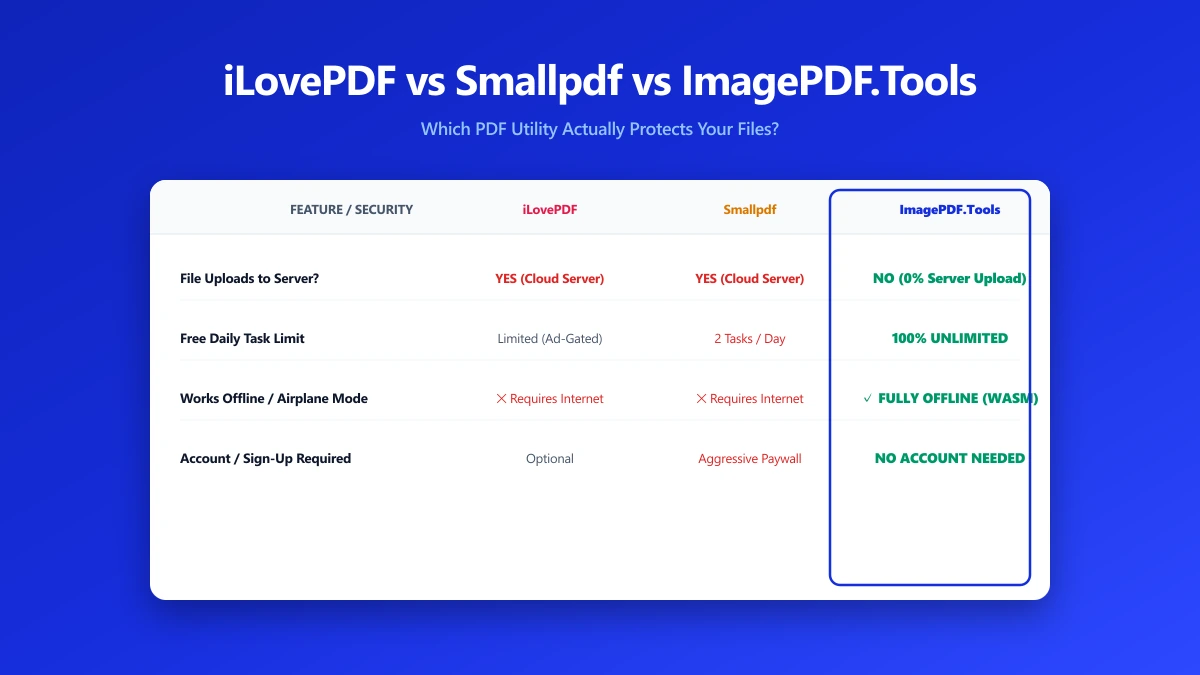
iLovePDF vs Smallpdf vs ImagePDF.Tools: Which One Actually Protects Your Files?
iLovePDF vs Smallpdf vs ImagePDF.Tools compared on price, watermarks, and what happens to your file. See why ImagePDF.Tools is the only one that never uploads it.