iLovePDF vs Smallpdf vs ImagePDF.Tools: Which One Actually Protects Your Files?
Summary
iLovePDF, Smallpdf and ImagePDF.Tools compared on price, daily caps, watermarks and what each one does with your file after you upload it.
Search "compress PDF online" and two names show up first almost every time: iLovePDF and Smallpdf. Both are polished, both are free to start, and most comparisons stop at price and feature count. What they leave out is a third way to do the exact same job: ImagePDF.Tools, which merges, splits, compresses, and rotates PDFs entirely inside your browser, so there's no upload, no account, and no file-retention policy to trust in the first place.
This is a genuine three-way comparison, free-tier limits, watermarks, pricing, and the one factor the other two can't match: what actually happens to your file.
How Each Tool Actually Processes a File
iLovePDF and Smallpdf both work the same way under the hood: you drop a file into the browser, it's uploaded to their servers, the server performs the merge, split, or compression, and the result is sent back for you to download. This is server-side processing, and it's why both companies need infrastructure, storage policies, and file-retention windows in the first place. Neither hides this, both are established, GDPR-compliant services with published retention policies, but the moment you press upload, your file leaves your device and your control of it depends on a policy you didn't write.
ImagePDF.Tools runs the same operations, merge, split, compress, rotate, add page numbers, using WebAssembly directly inside the browser tab. Your PDF is never transmitted anywhere, so there's no server log, no retention window, and nothing to breach, because nothing was ever received.
Full Comparison: iLovePDF vs Smallpdf vs ImagePDF.Tools
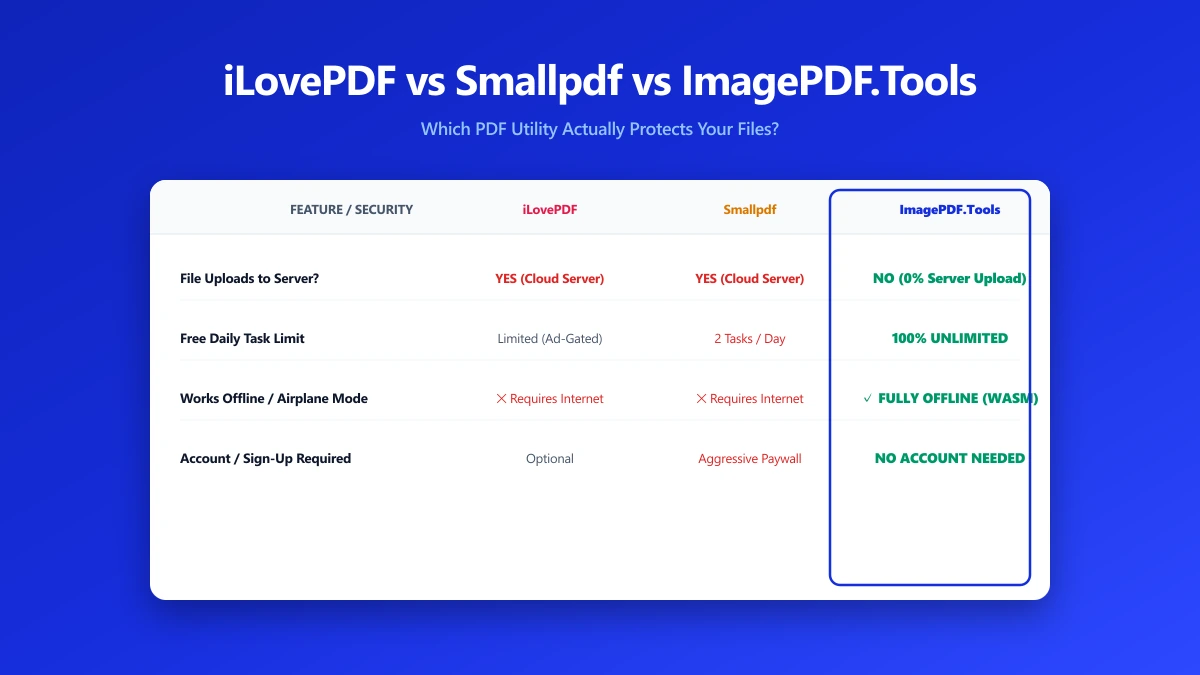
| Factor | iLovePDF | Smallpdf | ImagePDF.Tools |
|---|---|---|---|
| Daily task limit | Unlimited | 2 tasks per day | Unlimited, always |
| Max file size | 100 MB per file | Varies by tool, generally lower | Limited only by your device's memory |
| Watermarks on output | None on standard tools | Added to some free conversions | Never |
| Where your file goes | Uploaded to iLovePDF servers | Uploaded to Smallpdf servers | Nowhere, stays on your device |
| Account required | No, for most tools | No, for most tools | Never |
| Starting price | From $9/month | From $15/month | Free, permanently |
On paper, iLovePDF has the more generous free tier of the two paid tools, no daily task cap, no watermark on core tools. But ImagePDF.Tools beats both on every row that matters for privacy and cost: no upload, no account, no watermark, no price, ever.
Where Each Tool Wins
iLovePDF has the broadest server-side feature set: OCR, e-signatures, and format conversion across Word, Excel, and PowerPoint, all backed by real server infrastructure. If you need those specifically, it's a strong, legitimate pick.
Smallpdf wins on interface polish and cloud integrations, Google Drive and Dropbox sync, plus a well-designed e-signature flow, if you're willing to pay more and upload your files for it.
ImagePDF.Tools wins on everything else: merging, splitting, compressing, and rotating PDFs, the tasks most people actually reach for a PDF tool to do, with zero upload, zero account, zero cost, and zero watermark. For anything you wouldn't want sitting on a stranger's server, it's the only one of the three that doesn't ask you to take that risk.
Verify this yourself. Open DevTools (F12) → Network tab, then try each tool. On iLovePDF or Smallpdf you'll see a large outbound POST request matching your file. On ImagePDF.Tools you won't see one at all, because nothing is ever uploaded.
Why This Matters More Than a Feature List
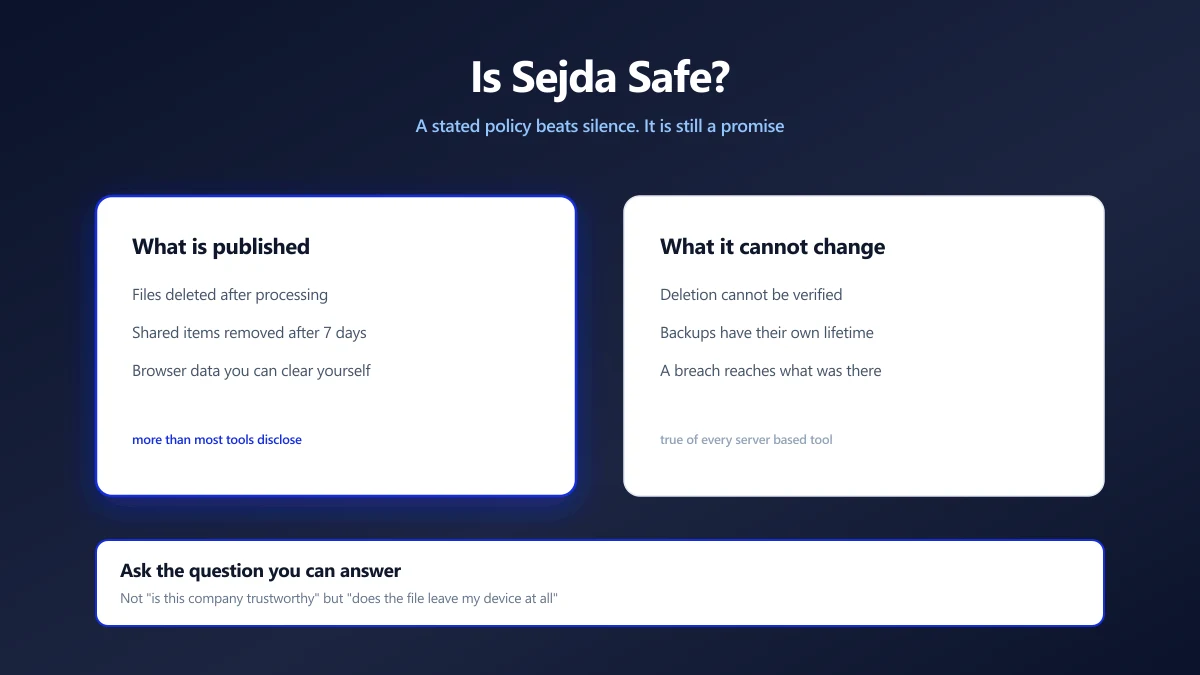
Ask yourself the question every comparison table skips: would you be comfortable emailing this document to a stranger? For a meme or a public flyer, sure. For a bank statement, a signed NDA, or a scanned passport, iLovePDF and Smallpdf ask you to answer yes by default, because uploading is how they work. ImagePDF.Tools removes the question entirely, your file never leaves your device, so there's nothing to trust a retention policy about.
When iLovePDF or Smallpdf Is Still the Right Call
To be fair to both: server-side processing genuinely enables things a browser can't do alone yet, real-time e-signature collaboration and OCR across huge batches among them. If you need those specifically, and the document isn't sensitive, either remains a solid choice. For everything else, merging, splitting, compressing, rotating, there's a free tool that does the job without the upload.
The Bottom Line
iLovePDF and Smallpdf are both capable, legitimate tools, but both require uploading your file to work at all, and both eventually ask you to pay. ImagePDF.Tools does the everyday jobs, merge, split, compress, rotate, watermark, page numbers, entirely in your browser, for free, permanently, with nothing ever uploaded.
Try it now: merge a PDF or compress one for free, then open DevTools → Network and confirm it yourself: zero upload requests.
Frequently asked questions
Is iLovePDF or Smallpdf better?
What is the difference between ImagePDF.Tools and iLovePDF or Smallpdf?
Are iLovePDF and Smallpdf safe to use?
Does Smallpdf add watermarks on the free plan?
Is ImagePDF.Tools really free, or is there a paid tier?
Sources & references
This article was researched and written by Nikola, drawing on the following primary sources and documentation: