
Convert Word to PDF Online for Free
Convert .docx files to PDF right in your browser. Preserve fonts, layout, and formatting for universal sharing and print-ready output.
Three steps. One clean PDF.
Drop your Word file
Upload a .docx file by dragging it onto the tool or clicking to browse. Only .docx is supported, not the older .doc format.
Preview and adjust
See a live preview of how your document will appear as a PDF. Switch between A4 and US Letter page size before saving.
Save your PDF
Click Save PDF. The file is built locally and saved instantly, no account, no wait, no watermark.
When converting to PDF matters.
A PDF locks your formatting in place so it looks identical on every device, in every viewer, for every recipient.
Submitting job applications
Employers and applicant tracking systems expect PDFs. Converting your resume and cover letter ensures formatting is locked and looks identical on every device.
Sending contracts and agreements
A PDF cannot be accidentally edited the way a Word file can. Converting contracts to PDF protects the integrity of the document before sharing.
University and college submissions
Academic portals, assignment dropboxes, and grant applications typically require PDF. Converting your Word essay takes seconds.
Invoices and quotes
Sending an invoice as a PDF prevents formatting from shifting in the recipient's version of Word and ensures totals are displayed correctly.
Reports and presentations
Converting a report to PDF makes it easy to share via email or link, with confidence it will look identical for every reader.
Archiving documents
PDFs are a stable, long-lived format. Converting Word documents to PDF before archiving ensures they remain readable independent of future Word versions.
How it works under the hood.
When you drop a .docx file, mammoth.js parses the Office Open XML structure entirely in your browser, turning text, headings, lists, tables, and inline images into the preview you see on screen, without any server involvement.
The conversion itself runs in a Web Worker, off the main thread. Pandoc, compiled to WebAssembly, converts the .docx into Typst markup, and the Typst typesetting engine, also WebAssembly, lays it out and writes the PDF at your chosen page size (A4 or US Letter). Where your browser allows it, the fonts your document names are read from your system and embedded, so the output stays close to the original.
Your document never leaves your browser tab. No server receives it, and closing the tab clears all data from memory.
Questions answered.
Does converting Word to PDF upload my file?
Which Word formats are supported?
Will the formatting be preserved?
Can I choose the page size?
Is there a file size limit?
Will the PDF have a watermark?
What happens to images in my Word document?
Why does the PDF look slightly different from my Word document?
More tools you might need.
Related Guides & Tutorials
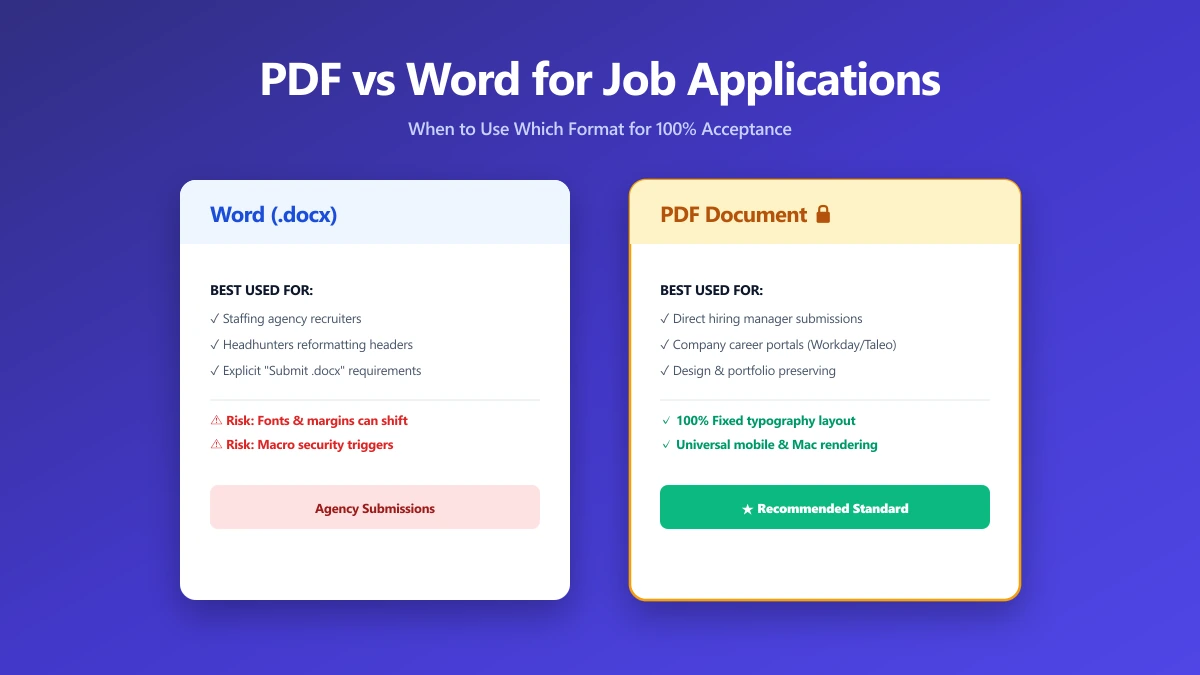
Should I Use PDF or Word for Job Applications?
PDF protects your layout, Word is sometimes required. A decision guide by employer type, plus what to do when the posting does not say either way.
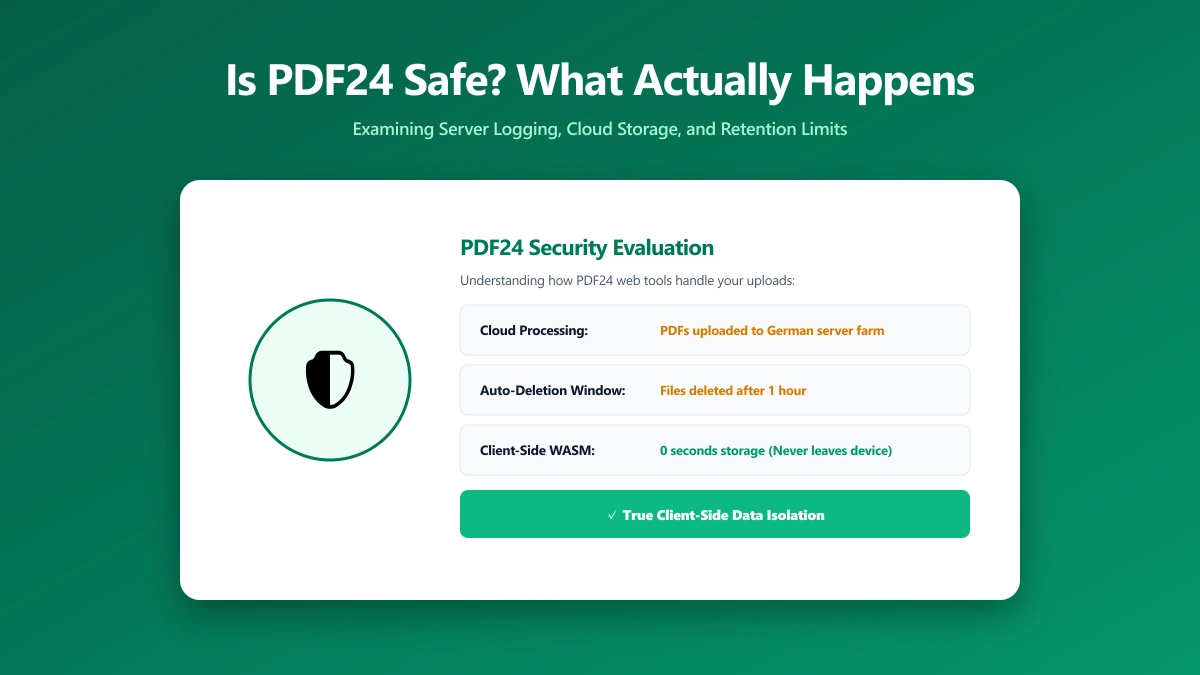
Is PDF24 Safe? What Actually Happens to Your PDFs When You Use It
Is PDF24 safe to use? Here is exactly what its own FAQ says happens to your file, how long it is kept, and how ImagePDF.Tools does the same PDF jobs without uploading anything at all.
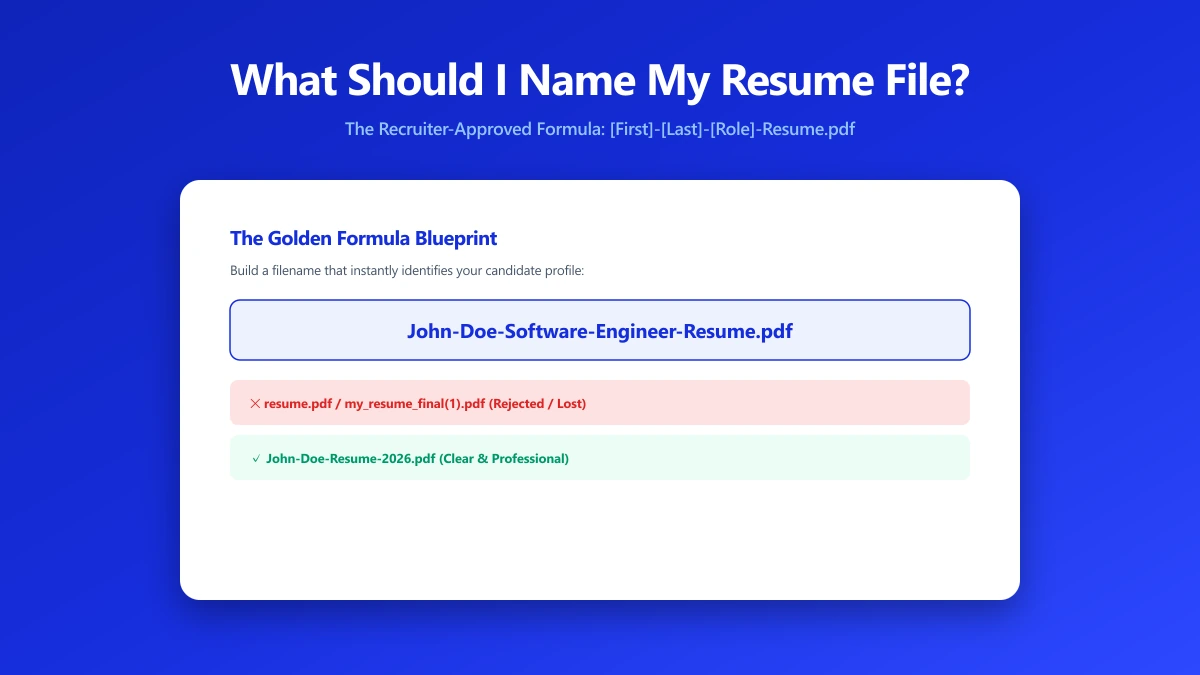
What Should I Name My Resume File? A Naming Formula That Works
Naming a resume file wrong can get it skipped by an ATS or a recruiter. Here is the exact naming formula to use, and the filenames to avoid.