
Merge PDF Files Online for Free
or drop files here
Drag to reorder, rotate pages, and unlock encrypted files. Preview, then save a single cohesive document, all inside your browser.
Three steps. One merged PDF.
Add your PDFs
Drop two or more PDF files onto the tool, or click Browse PDFs. Add more files at any time with the + card.
Reorder and rotate
Drag cards to set the final page order. Rotate pages 90° and unlock password-protected PDFs directly on each card.
Merge and save
Click Merge PDFs. Preview the full document, then save it to your device. Everything builds inside your browser.
When merging PDFs saves the day.
Whether you are joining chapters, combining reports, or bundling application documents, one merged PDF is always easier to share.
Combining reports
Merge chapter exports, slide handouts, or section drafts into one complete document for distribution or review.
Joining book chapters
Authors and editors working in separate chapter files can combine them into one cohesive document for review or submission.
Contracts and agreements
Combine a contract body, appendices, and signature pages into one document for signing or archival.
Reordering pages
Drag file cards to set the final order. A numbered badge shows the merge sequence so you can confirm before saving.
Application packets
Combine a CV, cover letter, portfolio, and certificates into one file for job applications or grant submissions.
Invoices and receipts
Bundle multiple invoices into a single PDF for accounting, expense reports, or submission to a finance team.
How it works under the hood.
When you add files, PDF.js renders the first page of each file to a canvas and creates a thumbnail preview, entirely in your browser with no upload. For password-protected files, PDF.js decrypts the content locally using the password you provide, so you can see what you are adding before you merge.
When you click Merge, pdf-lib copies the raw page objects from each source PDF into a new output document. No page is re-rendered or re-compressed, so text stays selectable, images keep their original resolution, and fonts are preserved exactly as they appear in the originals.
The finished PDF is created as a Blob directly in your browser. Your files never leave your device at any point.
Questions answered.
How many PDFs can I merge at once?
Does merging reduce PDF quality?
Can I merge password-protected PDFs?
Can I rotate pages before merging?
Is my PDF uploaded to a server?
Can I preview the merged PDF before saving?
More tools you might need.
Related Guides & Tutorials
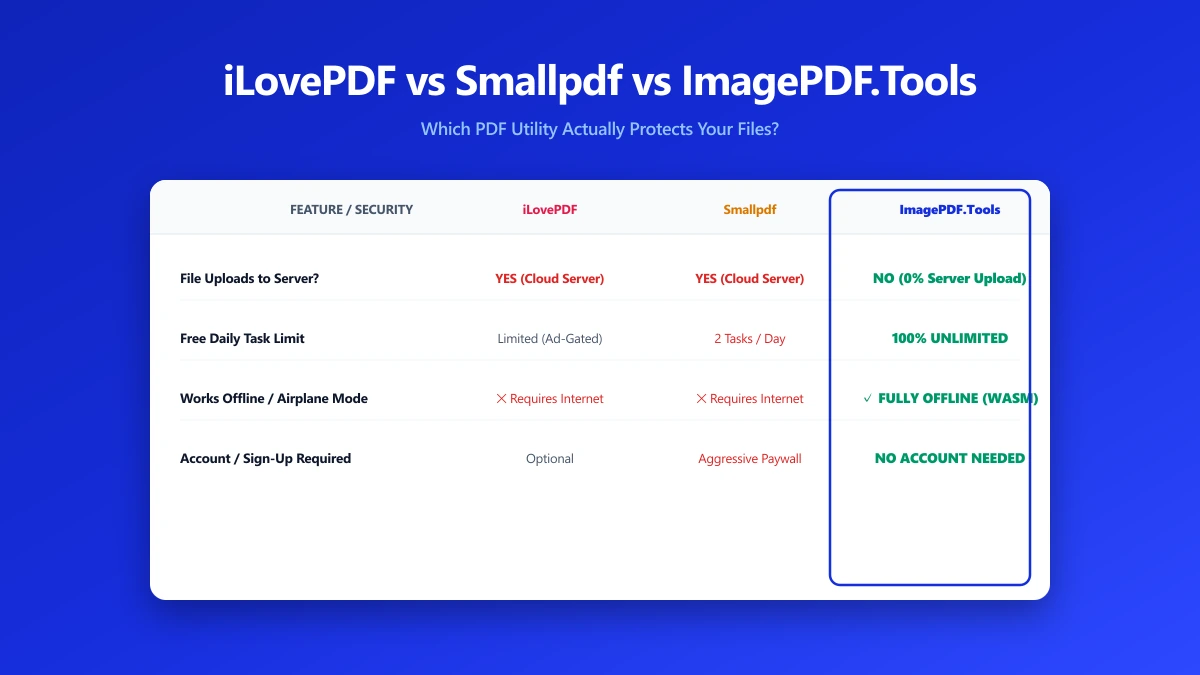
iLovePDF vs Smallpdf vs ImagePDF.Tools: Which One Actually Protects Your Files?
iLovePDF vs Smallpdf vs ImagePDF.Tools compared on price, watermarks, and what happens to your file. See why ImagePDF.Tools is the only one that never uploads it.
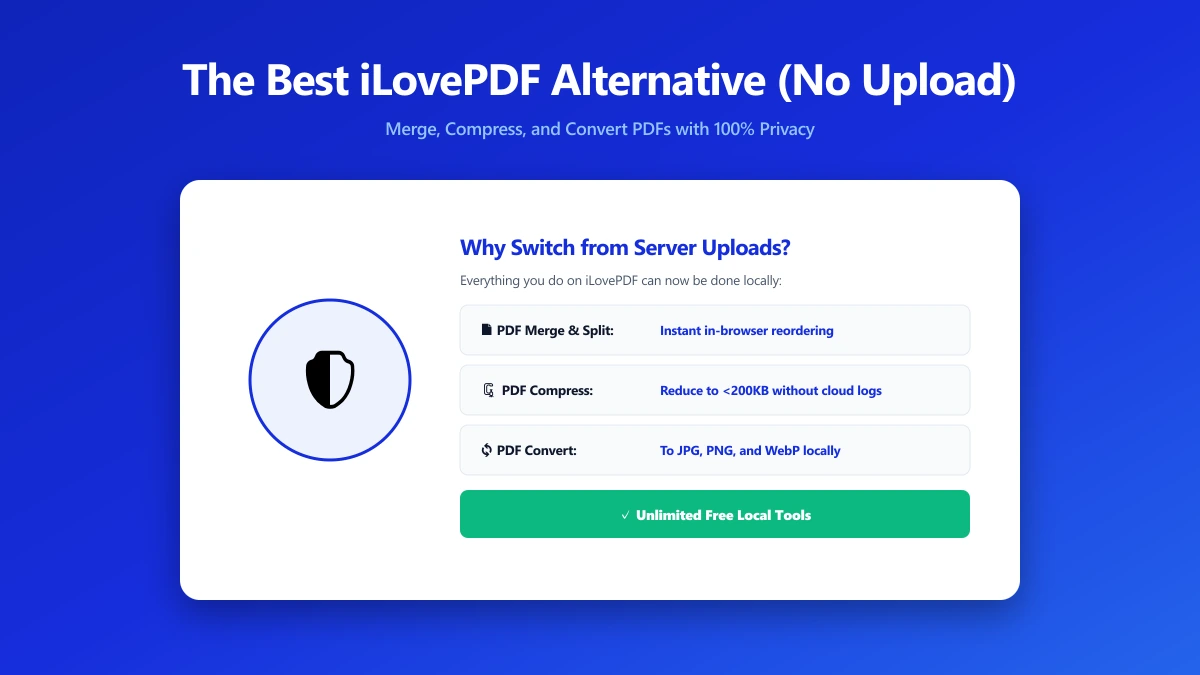
The Best iLovePDF Alternative for Anyone Who Would Rather Not Upload Their PDF (2026)
Looking for an iLovePDF alternative? ImagePDF.Tools merges, splits, compresses, and edits PDFs entirely in your browser, no upload, no account, no daily limit. Full comparison inside.
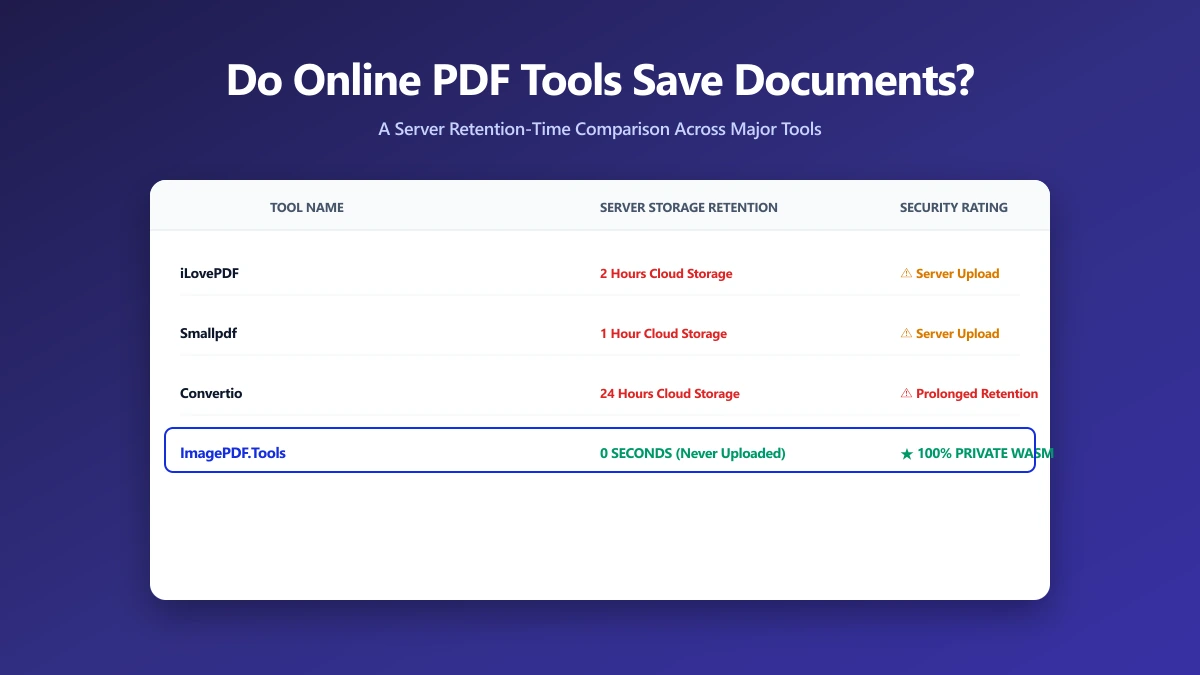
Do Online PDF Tools Save Your Documents? A Retention-Time Comparison
Do online PDF tools save your documents after you use them? Almost all of them, for anywhere from 1 hour to 24 hours. Here is a full, sourced comparison across every major tool, and the one that saves nothing at all.