
Convert PNG to JPG Online for Free
or drop files here
Shrink PNG files by converting to JPEG. Ideal for photos and images without transparency. Browser-native, nothing uploaded.
Three steps. Instant results.
Drop your PNG
Drag and drop PNG files onto the converter, or click to browse. No batch limit, convert as many files as you need.
Output format: JPEG
The format is set to JPEG automatically. Adjust the quality slider: quality 80 is the optimal starting point for most images.
Save your JPEG
Your converted JPEG saves directly to your device. Close the tab and browser memory clears completely. Nothing is stored or logged.
PNG to JPEG: the right use cases.
PNG uses lossless compression, every pixel is stored exactly, but at the cost of large file sizes. For photographs and complex images without transparency, JPEG delivers the same visual result at a fraction of the size.
Photography and portraits
Photos saved as PNG are unnecessarily large. Converting to JPEG reduces size dramatically, typically 60-80%, with no perceptible quality loss at typical screen sizes.
Website hero images
Large banner images saved as PNG slow page load times. Converting to JPEG at quality 80-85 gives fast-loading images with excellent visual quality for web delivery.
E-commerce product photos
Product photography without transparent backgrounds is best served as JPEG on Shopify, WooCommerce, and Amazon, where PNG files are unnecessarily large.
Email marketing images
Embedded images in email newsletters need to be small. PNG photos in emails slow down rendering. Converting to JPEG keeps campaigns lightweight and fast.
Social media uploads
Instagram, Facebook, and X recompress images on upload. A pre-converted JPEG gives you control over the quality and avoids double-compression artefacts from platform processing.
Reducing cloud storage costs
Archiving large photo libraries as PNG consumes far more storage than necessary. Converting to JPEG at quality 85 can cut your storage footprint by 50-70% with near-identical visual output.
Lossy vs lossless: why JPEG wins for photos.
PNG uses lossless compression, meaning every pixel is stored exactly as it is. For photographs, this is unnecessary overhead. A photo encoded as JPEG at quality 80 is typically 60-80% smaller than the same photo saved as PNG, with no visible difference on any screen or printed at standard sizes.
The conversion runs entirely in your browser via the Canvas API. Your PNG is decoded to raw pixels, then re-encoded as JPEG at your chosen quality. Nothing leaves your device at any point.
Questions answered.
Why convert PNG to JPEG?
How much smaller is JPEG than PNG?
Will I lose transparency when converting PNG to JPEG?
What quality setting should I use?
Can I convert PNG screenshots to JPEG?
Will converting PNG to JPEG change the image dimensions?
Is my image uploaded to a server?
Can I convert multiple PNG files at once?
More tools you might need.
Related Guides & Tutorials
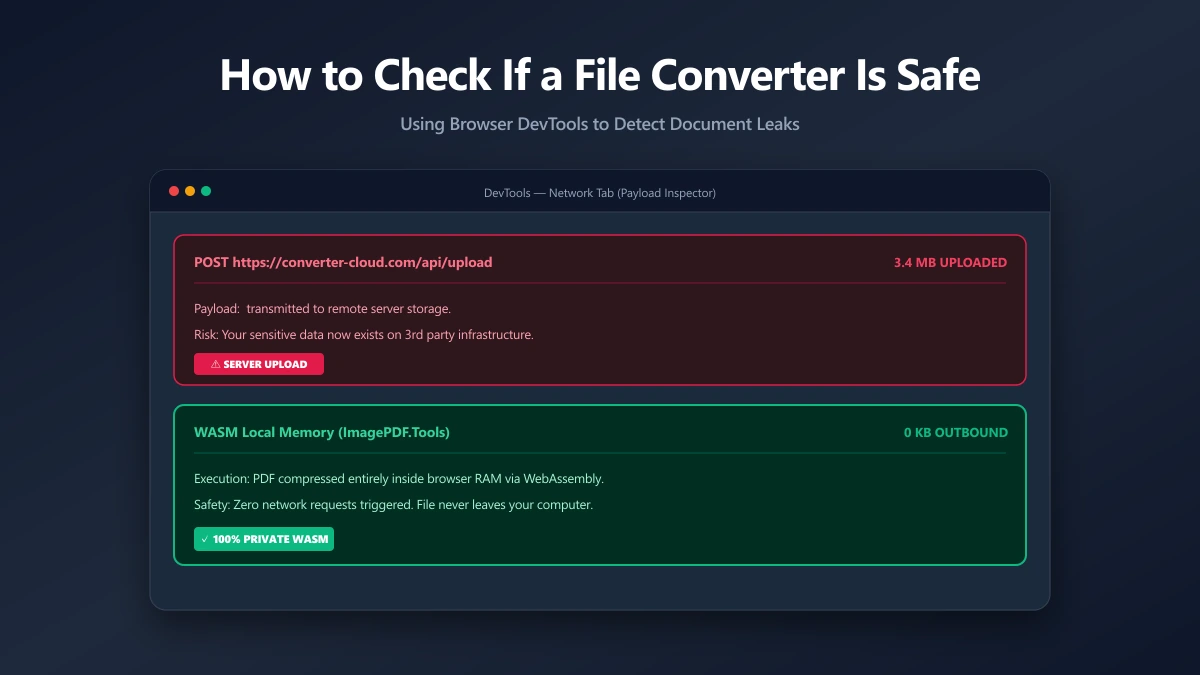
How to Check If an Online File Converter Is Safe
Are online file converters safe? Many upload your files to a server. Learn to spot the risk, verify in-browser processing, and pick a private tool.
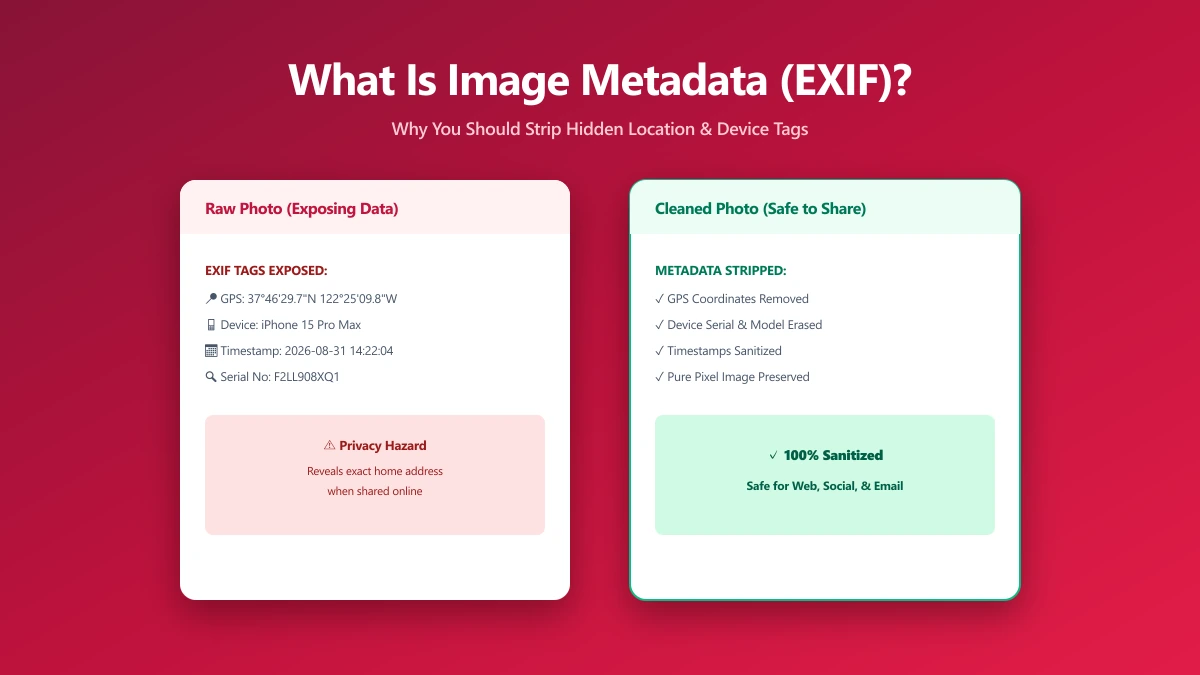
What Is Image Metadata? (And Why You Should Remove It Before Sharing)
Every JPEG you share embeds hidden EXIF data, GPS location, device model, timestamp. Learn what image metadata reveals and how to strip it in seconds.
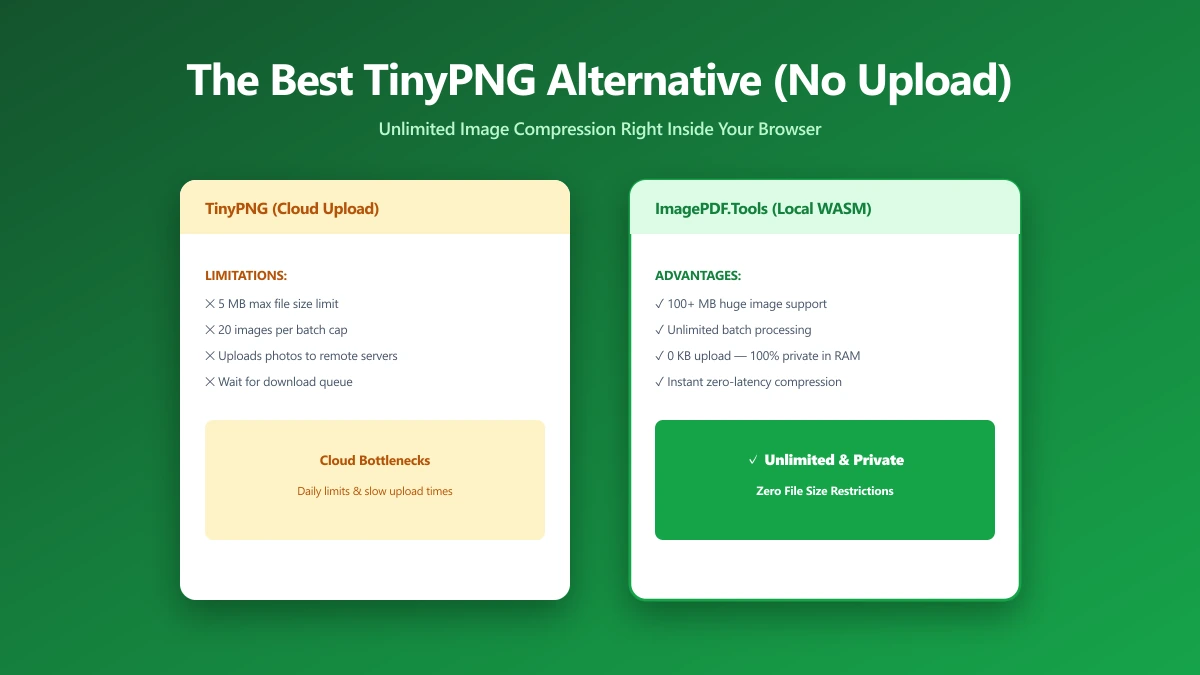
The Best TinyPNG Alternative That Never Uploads Your Images (2026)
Looking for a TinyPNG alternative? ImagePDF.Tools compresses PNG and JPEG in your browser, no upload, no batch cap, no account. Here is how it compares and how to verify it.