
The Best TinyPNG Alternative That Never Uploads Your Images (2026)
Summary
Looking for a TinyPNG alternative? ImagePDF.Tools compresses PNG and JPEG in your browser, no upload, no batch cap, no account.
TinyPNG earned its reputation for a reason: its smart lossy compression genuinely shrinks PNG and JPEG files hard while keeping them looking clean. But it has two limits people run into fast, it uploads every image to its servers to do the work, and its free web tier caps how many images you can do at once and how big each can be. If either of those is a problem for you, ImagePDF.Tools does the same core job entirely in your browser, with no upload and no batch cap.
This is a straight comparison: what TinyPNG does well, where it holds you back, and why a browser-based compressor is the better fit for anything private or high-volume.
What TinyPNG Does, and Where It Stops
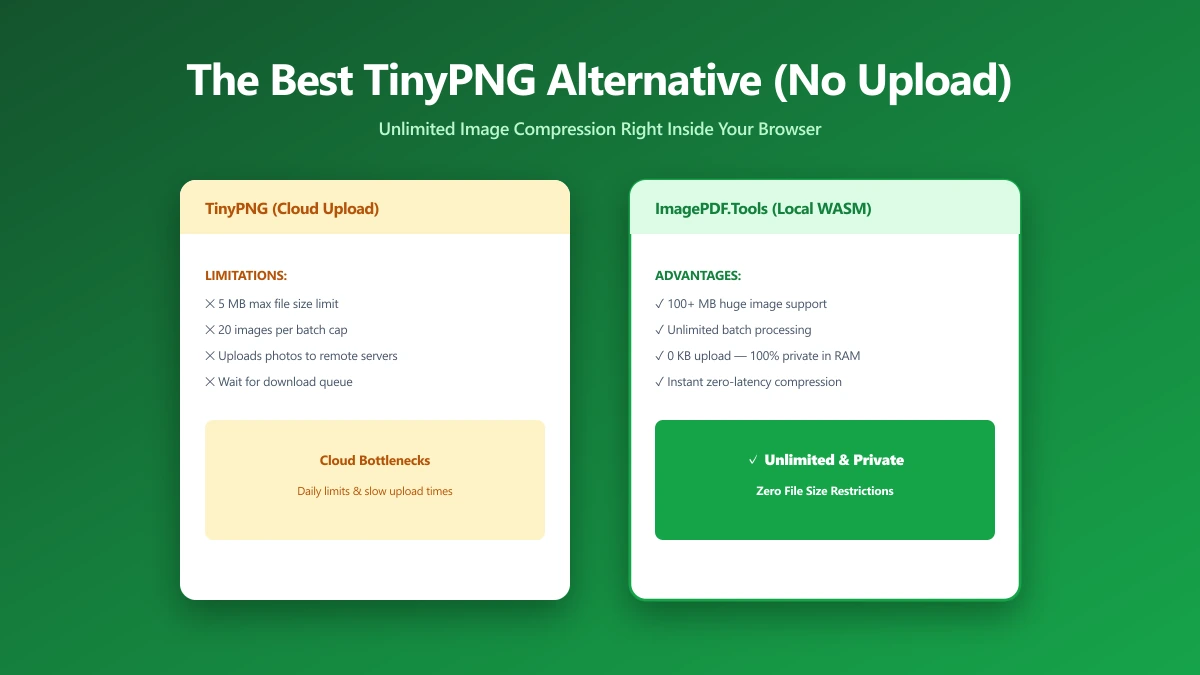
TinyPNG works server-side: you upload an image, its servers apply quantisation and lossy compression, and you download the smaller result. The compression itself is excellent. The friction is everything around it, your image is uploaded to a third party, the free web interface limits you to a modest batch of images at a time with a per-file size cap, and heavier use pushes you toward a paid API plan.
For a few public images, none of that matters. For a folder of product shots, screenshots of internal dashboards, or photos with people and locations in them, "upload each one to someone else's server" is exactly the part you want to avoid, and the batch cap turns a five-minute job into a chore.
The Browser-Based Alternative
ImagePDF.Tools compresses images using the browser's own Canvas API and WebAssembly, right inside the page. When you compress a PNG or compress any image, the file is read, recompressed, and saved without ever being transmitted. That single architectural difference removes three of TinyPNG's limits at once: there is no upload, no server-imposed batch cap, and no account or API key to manage.
TinyPNG vs ImagePDF.Tools
| Factor | TinyPNG | ImagePDF.Tools |
|---|---|---|
| Where the image goes | Uploaded to TinyPNG servers | Never leaves your device |
| Batch size (free web) | Limited number per batch | No fixed cap |
| Per-file size limit (free web) | Capped | Limited only by your device memory |
| Account or API key | Needed for heavier / automated use | Never |
| Compression quality | Excellent (smart lossy) | Adjustable quality slider, lossy or near-lossless |
| Price | Free tier, then paid API | Free, permanently |
| How to verify privacy | Trust the stated policy | DevTools shows zero upload requests |
The honest summary: TinyPNG's compression engine is outstanding and worth using for public assets when its limits do not bite. ImagePDF.Tools wins whenever the images are private, the batch is large, or you simply do not want files leaving your device, without giving up meaningful quality.
Compression quality is not a zero-sum trade with privacy. Browser compression uses the same lossy techniques a server does, the file just never has to travel to reach them. You keep the small file size and lose only the upload.
When to Reach for the Browser Tool
- ●Private or unreleased images, product photography, internal screenshots, anything you would not post publicly yet.
- ●Large batches, where a server-imposed per-batch cap makes an upload tool tedious.
- ●Images with people or locations, where the embedded metadata (and the image itself) should not be uploaded to a third party.
- ●Offline or flaky-connection work, browser compression keeps working with no network at all once the page has loaded.
Verify Any Compressor in 30 Seconds
The claim "we never upload your images" is easy to make and just as easy to check. You do not have to trust it:
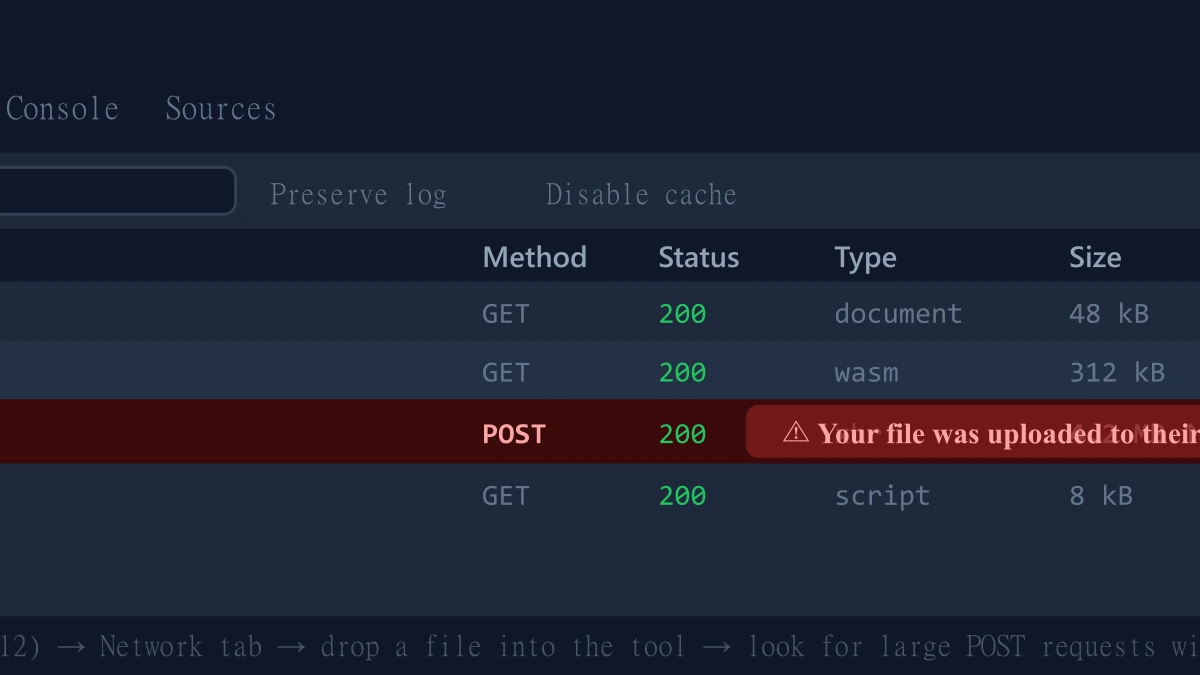
- 1.Open the compressor, press F12, and go to the Network tab in DevTools.
- 2.Enable "Preserve log".
- 3.Drop in a test image and run the compression.
- 4.Look for a large outbound
POSTrequest the size of your file, that is an upload. On ImagePDF.Tools there is no such request.
If you also want to convert those PNGs to a smaller modern format while you are at it, our guide on converting PNG to WebP covers when that is worth doing, and the WebP converter runs in the browser too.
The Bottom Line
TinyPNG is a great compression engine wrapped in an upload-based, capped free tier. If your images are public and few, it is fine. The moment they are private, numerous, or both, the upload and the batch limit stop being minor details. ImagePDF.Tools gives you the same small file sizes with no upload, no batch cap, no account, and no cost, and lets you prove the privacy claim yourself in half a minute.
Try it free: compress a PNG or compress any image, then check the Network tab and watch nothing get uploaded.
Frequently asked questions
What is the best TinyPNG alternative that does not upload images?
Is browser-based image compression as good as TinyPNG?
Does TinyPNG upload my images to its servers?
Is there a limit on how many images I can compress at once?
Is ImagePDF.Tools free to compress images?
Sources & references
This article was researched and written by Nikola, drawing on the following primary sources and documentation:
Ready to try it?
All tools run entirely in your browser, no uploads, no account required.
Compress PNGMore in Privacy & Security
How to Remove Hidden Metadata, GPS Location, and Author Info From PDF and Images
How to Lock PDF Form Fields Permanently After Signing (Flattening Guide)

How to Fix "At Least One Signature Has Problems" Error in Adobe Acrobat