
What Should I Name My Resume File? A Naming Formula That Works
Summary
Naming a resume file wrong can get it skipped by an ATS or a recruiter. Here is the exact naming formula to use, and the filenames to avoid.
A recruiter scanning a downloads folder full of applicants doesn't open every file to figure out whose resume is whose, the filename does that job. "resume_final_v2.docx" tells them nothing and gets lost fast.
The fix is a simple, consistent naming formula. Here's exactly what to use, and the mistakes that quietly hurt your chances before anyone reads a word of the resume itself.
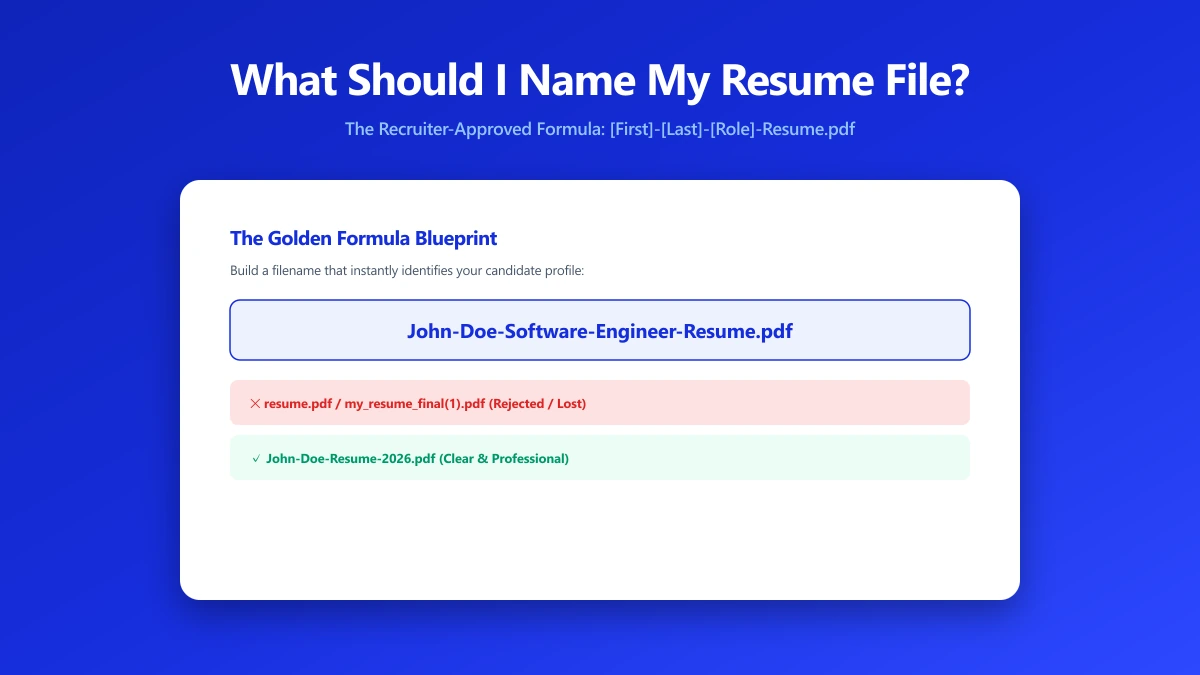
The Naming Formula to Use
Keep it simple: your full name, the word "Resume," and nothing else. This format is both human-readable at a glance and consistent enough for a recruiter to sort dozens of them.
| Element | Example |
|---|---|
| Good format | JaneDoe-Resume.pdf |
| Also fine | Jane_Doe_Resume.pdf |
| Add a role for multiple versions | JaneDoe-Resume-MarketingManager.pdf |
Filenames to Avoid
- ●Generic names: "resume.pdf", "CV.docx", or "Untitled document" tell a recruiter nothing once it's sitting in a folder with 200 other applications.
- ●Version clutter: "resume_final_v3_FINAL(2).docx" signals disorganization and looks unfinished, even if the content inside is polished.
- ●Spaces and special characters: some upload forms and applicant tracking systems handle spaces, parentheses, or accented characters poorly. Hyphens or underscores are safer.
- ●No name at all: if your name isn't in the filename, it's the first thing a recruiter has to add manually before they can even search for it later.
If you're applying to multiple roles with tailored versions, add the role or company to the end, not the beginning, so every file still starts with your name and sorts together.
Does the Filename Actually Affect ATS Parsing?
Most modern applicant tracking systems parse resume content regardless of filename. The filename still matters for a different reason: it's what the human recruiter sees the moment they open the folder or download queue, often before the ATS ranking even factors in.
A clear, professional filename is a small, free signal of attention to detail. It costs nothing to get right and it's one of the few parts of a job application entirely within your control.
Renaming and Saving Your Resume Correctly
- 1.Finish editing your resume in Word, Google Docs, or whichever editor you use.
- 2.Rename the file using the format above before doing anything else:
FirstnameLastname-Resume.docx. - 3.Convert it to PDF using the Word to PDF tool, the exported file keeps your chosen filename.
- 4.Double-check the final filename before attaching it to an email or upload form, some tools silently append their own suffix.
The Bottom Line
Use your full name plus "Resume," skip version numbers and generic labels, and stick to hyphens or underscores instead of spaces. It's a five-second fix that removes one more reason your application gets overlooked.
Ready to finalize yours? Convert your resume to PDF free, entirely in your browser, with your filename preserved exactly.
Frequently asked questions
What is the best filename format for a resume?
Should I include the date in my resume filename?
Does the resume filename affect ATS ranking?
Should I use spaces or hyphens in a resume filename?
Is it safe to rename and convert my resume online?
Sources & references
This article was researched and written by Nikola, drawing on the following primary sources and documentation:


