
MLS Photo Size Requirements: The Exact Dimensions Agents Should Upload in 2026
Summary
Most MLS boards want listing photos near 2048x1365 pixels. Upload raw camera files instead and they often get badly auto-downscaled. Here is the spec.
Real estate photos get compared side by side constantly, in MLS search results, on Zillow, in a buyer's saved-listings feed.
A listing with soft, oddly-cropped, or inconsistently sized photos looks less trustworthy than one with clean, sharp images, and the difference is often just a matter of hitting the right pixel dimensions before upload.
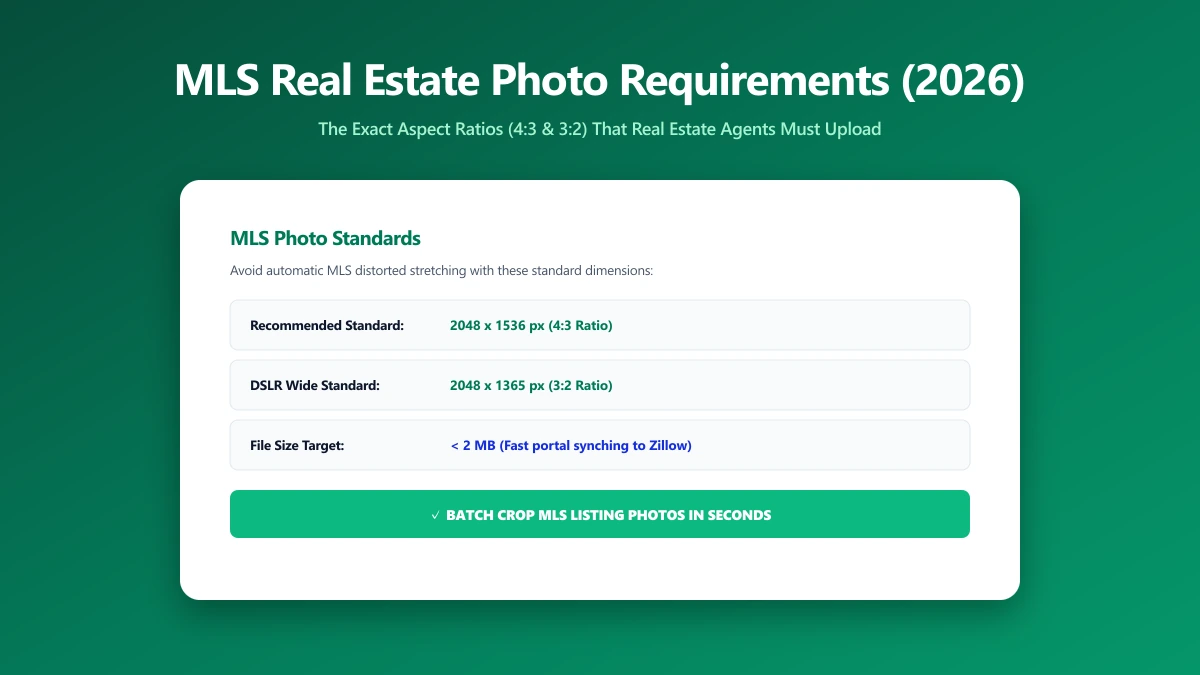
The Dimensions Most MLS Boards Expect
Requirements vary by MLS board, but 2048×1365 pixels at a 3:2 aspect ratio is a commonly cited standard, with file sizes generally expected between roughly 100KB and 3MB.
Upload something far outside that range, an 8000-pixel-wide raw camera file, for example, and many MLS systems will auto-downscale it in ways that introduce compression artifacts or awkward cropping you did not choose.
| Factor | Common guidance |
|---|---|
| Dimensions | 2048×1365 px (3:2 aspect ratio) is a widely cited target |
| File size | Roughly 100KB–3MB depending on the board |
| Format | JPEG |
| Orientation | Landscape preferred for most primary listing photos |
How to Resize Listing Photos Correctly
- 1.Open the Resize Image tool and drop in your listing photo.
- 2.Set the target to 2048 pixels on the long edge for a standard 3:2 photo, adjusting to your specific MLS board's stated requirements if different.
- 3.Save the resized image, then check the file size. If it is still above your board's cap, run it through the image compressor as a second step.
- 4.Upload the resized, compressed file directly, avoiding the MLS system's own automatic downscaling.
Resizing and compressing are two different operations. Resizing changes the pixel dimensions; compressing reduces file size at the same dimensions by adjusting quality. Doing both, in that order, gives you the most control over the final result.
Why Consistent Sizing Matters for a Listing
Buyers scroll through dozens of listings in one session. Photos that are consistently sized, sharp, and correctly cropped read as more professional and more trustworthy, even before a buyer consciously notices why. Letting an MLS system auto-resize your originals hands away that control.
Verify Nothing Was Uploaded
Listing photos are often of a property not yet publicly listed. Press F12, open the Network tab, resize a photo, and confirm there is no outbound POST request the size of your file.
The Bottom Line
Hitting the right pixel dimensions before upload, rather than letting an MLS system auto-resize your photos, is the difference between a sharp, professional listing and a soft, inconsistent one. Try it now: resize a photo, free, entirely in your browser.
Frequently asked questions
What is the standard photo size for MLS listings?
What file size should MLS listing photos be?
Why do my MLS photos look different after uploading?
Should I resize before or after editing my real estate photos?
Is it safe to resize real estate photos online before a listing goes live?
Sources & references
This article was researched and written by Nikola, drawing on the following primary sources and documentation:
Ready to try it?
All tools run entirely in your browser, no uploads, no account required.
Resize Image

