
How to Edit a PDF Without a Watermark on the Way Out
Summary
Free PDF editors that stamp your document are selling you the removal. Why the watermark exists, how to spot one before you start, and how to avoid it.
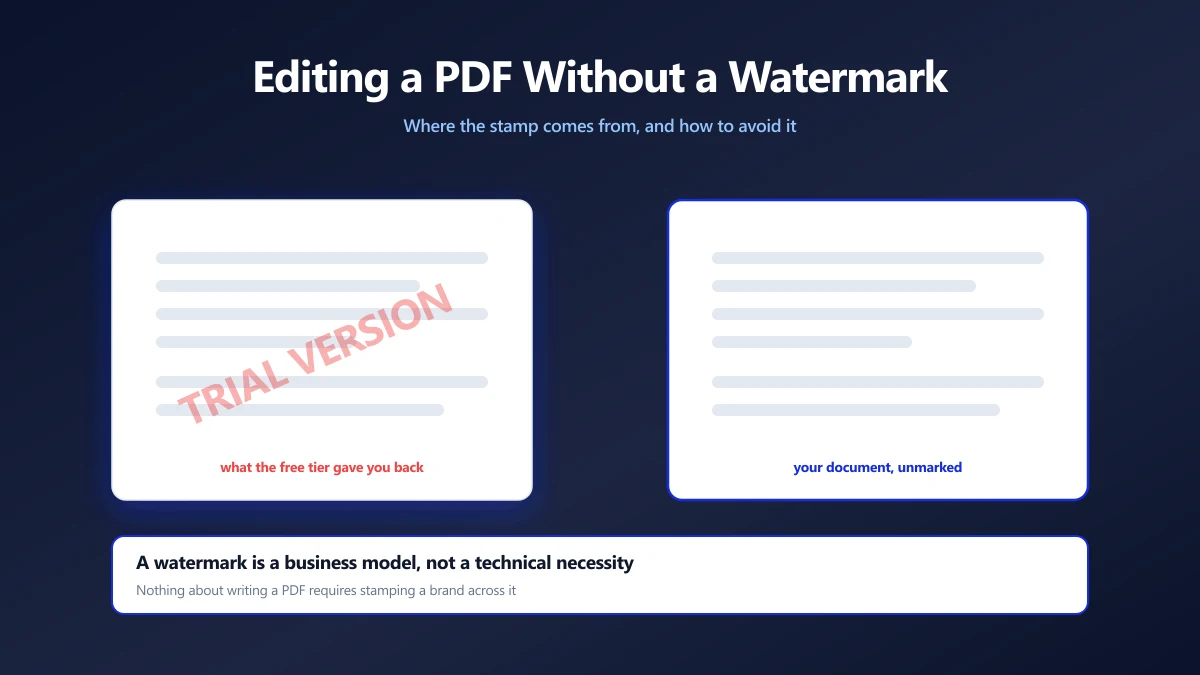
You found a free editor, fixed the typo, hit save, and got back a document with a diagonal brand name across every page.
Now you cannot send it. The edit took a minute and the watermark has cost you the afternoon, because you are back where you started and out of trust.
Here is why the stamp is there, how to spot a tool that will apply one before you do the work, and how to edit a PDF without a watermark at all.
The Watermark Is a Price Tag
It helps to be clear about what is happening, because it is not a technical limitation.
Writing a PDF costs nothing extra to do cleanly. Every library that can stamp a page can also not stamp it. The watermark is added deliberately, as the thing you pay to remove, and the free tier exists to get you far enough into the work that paying feels cheaper than starting again.
This is why the stamp usually appears at save rather than on screen. You have to have finished the work before the price is mentioned, or the pressure does not function.
Four Ways a Free Tier Charges You
The watermark is the visible one. The others cost you something less obvious.
| What you meet | What it costs | When you find out |
|---|---|---|
| A watermark on save | The document is unusable as sent | After the work is done |
| Two free files a day | Your time, in artificial scarcity | On the third file |
| An account before download | Your email, and a marketing relationship | At the last step |
| An upload with no stated retention | A copy of the document, held for an unknown time | Rarely, unless you read the policy |
The last one is the one people mind least and should mind most. A watermark is visible and annoying. A retained copy of a contract is invisible and permanent. We went through what the policies actually say in do online PDF tools save your documents.
Spotting the Stamp Before You Do the Work
You can usually tell in under a minute, and it is worth the minute.
- 1.Find the pricing page first. If there is a paid tier, read what it says you get. "No watermark" in the paid column means a watermark in the free one.
- 2.Test with a throwaway file. Make a one page PDF with a line of text, run it through, and open the result. One minute now, no wasted work later.
- 3.Look for the word in the FAQ. Tools that do not watermark tend to say so plainly, because it is a selling point. Silence on the subject usually is not good news.
- 4.Be wary of "free forever" next to a subscription. Something has to separate the tiers, and if it is not features it is usually your output.
The throwaway file test catches more than watermarks. It also shows you whether the tool rasterises your text into an image, which is the other common way a free edit comes back unusable.
If You Already Have a Watermarked File
The honest answer first: removing a watermark from someone else's output is harder than it looks, and often not worth attempting.
The stamp is drawn into the page content, in the same layer as your text. It is not a sticker sitting on top that can be peeled away. Tools that claim to strip it usually either rasterise the page, losing your real text, or paint a white box over the mark, which fails the moment anyone selects the text underneath.
The reliable route is to go back to the file you started with and redo the edit somewhere that does not stamp it. If the original is gone, redo the edit on the watermarked copy in a tool that leaves it alone, and accept the stamp on that one page.
If the watermark belongs to the document rather than to a tool, a draft mark, a confidentiality notice, or a licence stamp on something you bought, removing it is a different question entirely, and not one a tool makes acceptable.
Editing Without Any of This
A browser based editor has no reason to stamp your work, because there is no server cost to recover. Your device does the processing, so there is no per file expense to meter.
- 1.Open the PDF editor and drop your file in. No account, no email, nothing to dismiss.
- 2.Make the change: edit the text, add a note, place a signature, cover something up.
- 3.Apply and save. What lands in your downloads folder is your document with your edit, and nothing else added.
- 4.Open the saved file and check it, as you would with any tool.
And if you actually want a watermark, for a draft or a confidential circulation, that is a deliberate act with its own tool: add one on purpose, with your text and your opacity.
What to Check in the Output
A clean save is more than an absent stamp. Three things tell you the tool treated your document properly:
- ●The text is still text. Use find in page on the saved file. If search finds nothing, your page was flattened into an image and the edit cost you more than a watermark would have.
- ●The file size is sane. A document that triples in size has almost certainly been rasterised.
- ●The untouched pages are untouched. Page 12 should be byte for byte what it was if you only edited page 3.
Check the Output, Not the Marketing
A watermark is a business decision, not a technical one. Any tool that can write a PDF can write it clean, so a stamp on your document tells you what the tool is for rather than what it can do.
Test with a throwaway file before you commit real work, and check the saved output rather than the landing page. Open the editor and try it with a one page file first, exactly as we would recommend you treat any tool you have not used before.
Frequently asked questions
How do I edit a PDF without a watermark?
Why do free PDF editors add watermarks?
Can I remove a watermark from a PDF?
How can I tell if a PDF editor will watermark my file?
Is a watermark the only way free PDF tools charge you?
How do I check that an edited PDF saved cleanly?
What if I want a watermark on purpose?
Sources & references
This article was researched and written by Nikola, drawing on the following primary sources and documentation:


