
How to Scan a Document With Your Phone (and Get a Small, Clean File)
Summary
A phone scan beats a flatbed for file size, if you get the light right. The conditions that matter, and how to turn the result into a small, clean PDF.
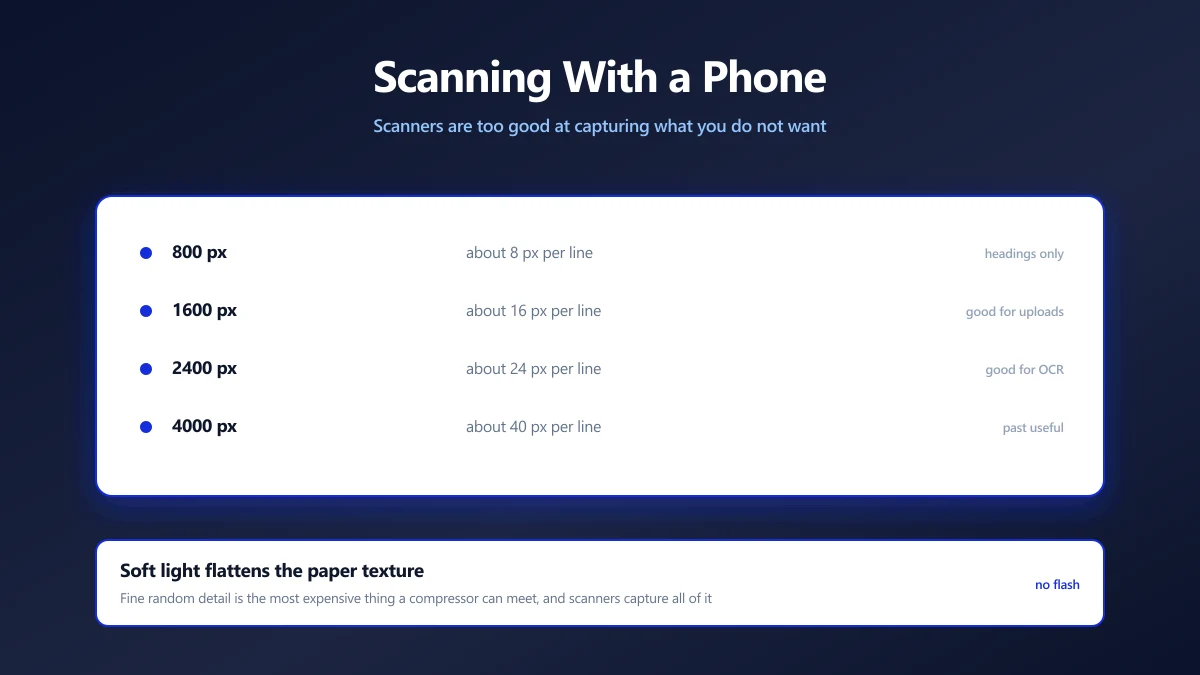
Almost every form that wants a document will accept a photograph of one, and a phone in decent light produces a better result than most home scanners.
It also produces a far smaller file, for a reason that surprises people: scanners are too good at capturing things you do not want.
Here is why that is, the conditions that make a phone scan clean, and how to turn the photo into a document sized sensibly for an upload.
Why a Phone Photo Compresses Better Than a Scan
A flatbed scanner presses the page flat under a bright, even light and records everything: the paper's fibre texture, dust on the glass, the faint grey of the stock, the slight yellowing at the edges.
All of that is fine random detail, and fine random detail is the most expensive thing a compressor can encounter. It cannot be predicted from neighbouring pixels, so it has to be stored more or less literally.
A phone photo in soft light flattens most of that. The paper reads as a smooth light area, which compresses to almost nothing, and the ink stands out against it. Same information, a fraction of the bytes.
This reverses if the light is harsh. A photo with a bright hotspot and deep shadows has a lot of tonal variation across the page, which costs bytes and hides text. The light is doing most of the work here.
The Conditions That Matter
- ●Indirect daylight. Near a window, but not in a beam of sun. Overcast daylight is close to ideal.
- ●No flash. It creates a hotspot that both wastes bytes and obscures whatever is underneath it.
- ●Phone parallel to the page. Directly above, not at an angle. Angled photos need correcting later and lose sharpness in the process.
- ●Your own shadow out of the frame. Stand to the side rather than directly over the page, or the document sits in your shadow.
- ●Fill the frame. The page should occupy nearly the whole picture. Empty desk costs pixels and contributes nothing.
- ●Plain, contrasting surface. A dark desk under white paper makes the edges obvious, which helps if anything later needs to crop to them.
Turning It Into a Document
- 1.Crop to the page edges with the crop tool. Everything outside the paper is waste.
- 2.Rotate it upright if the phone saved it sideways, using rotate.
- 3.Resize if it is enormous. About 1600px on the long edge keeps text comfortably readable for a full page. Use resize.
- 4.Convert to PDF with image to PDF, which is what most portals prefer for documents.
- 5.Compress if there is a size limit using the PDF compressor.
Several pages? Photograph them all under the same conditions before you start editing. Consistent lighting across pages looks far more like a real scan than pages shot at different times of day.
How Much Resolution a Page Actually Needs
More pixels is not better here, it is just bigger. The useful threshold is the point where text stays readable after compression.
| Long edge | Body text | Verdict |
|---|---|---|
| 800 px | Around 8 px per line | Headings only, body text is lost |
| 1600 px | Around 16 px per line | Readable, sensible for uploads |
| 2400 px | Around 24 px per line | Comfortable, good for OCR |
| 4000 px | Around 40 px per line | Beyond useful for a document |
If the document will be read by software rather than a person, aim at the higher end. Recognition accuracy falls off quickly below about 20 pixels per line, which is worth knowing before you run OCR over it.
Make It Searchable, If You Will Need It Again
A photographed page is an image. Nothing in it can be searched, selected or copied, which is fine for a one off upload and frustrating for anything you file away.
Running OCR adds a text layer underneath the image, so the document looks identical and becomes searchable. Worth doing for anything going into an archive rather than straight into a form.
Keep the Document on Your Phone
The documents people scan this way are bank statements, payslips, tenancy agreements, medical letters and identity documents. Many popular scanning apps upload to their own cloud by default, sometimes as the only way to export a PDF.
Photographing with the ordinary camera and converting in the browser avoids that entirely. The page never leaves your device, and there is no account attached to it.
Light First, Everything Else Second
A phone scan beats a flatbed for file size because soft light flattens the paper texture that scanners capture so faithfully. Get indirect daylight, keep the phone parallel, stay out of your own shadow, and fill the frame.
Then crop, resize to about 1600px, and convert. Start with image to PDF once you have the photograph.
Frequently asked questions
Is a phone photo good enough to scan a document?
What lighting should I use?
What resolution does a scanned page need?
Should I upload an image or a PDF?
How do I make a phone scan searchable?
Why not use a scanner app?
Sources & references
This article was researched and written by Nikola, drawing on the following primary sources and documentation:
Ready to try it?
All tools run entirely in your browser, no uploads, no account required.
Image to PDF

