
How to Sign a PDF for Free (Without Printing It)
Summary
Draw, type or photograph your signature and place it on the page. What counts as a legal e-signature, and what an image of your name is not.
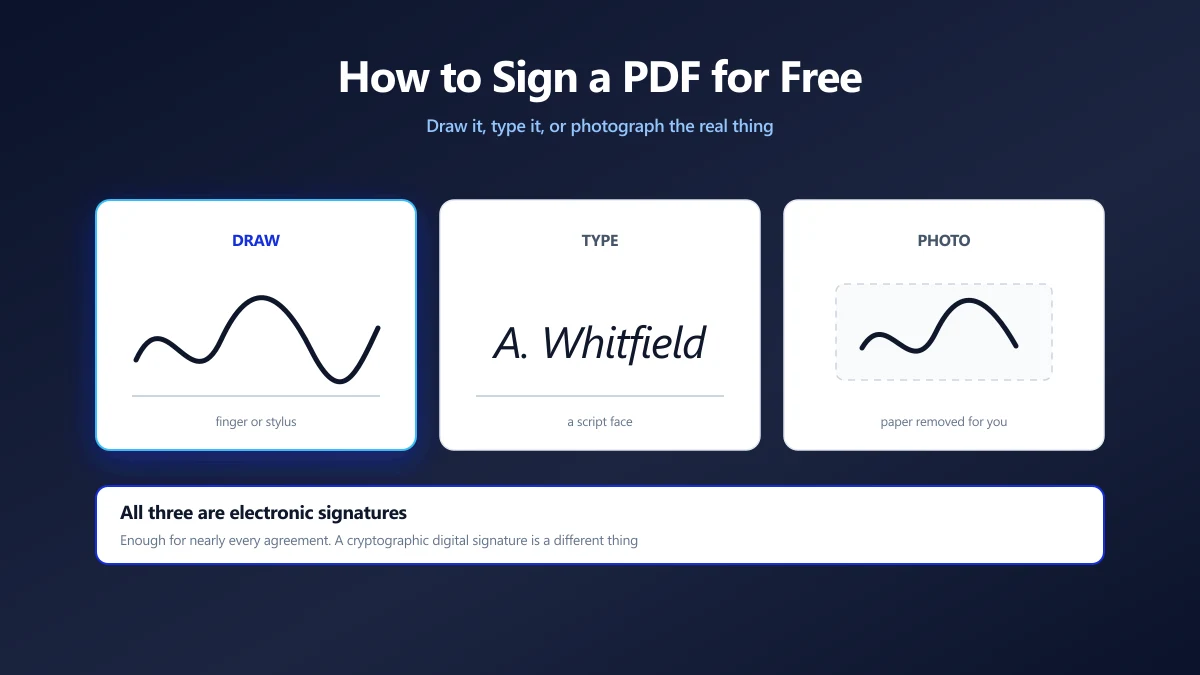
The contract arrives as a PDF. You print it, sign it, photograph it crooked, and email back something that looks like it was recovered from a skip.
There is no need for any of that, and there has not been for years. You can put your signature on the page itself in about thirty seconds.
Here is how to sign a PDF for free, which of the three methods suits which document, and the one distinction that actually matters legally.
Three Ways to Make the Signature
They produce different looking marks, and each suits a different kind of document.
| Method | Looks like | Best for |
|---|---|---|
| Draw | Your real hand, if you have a touchscreen or stylus | Anything. Best result on a phone or tablet. |
| Type | Your name in a script face | Internal forms, approvals, anything low stakes. |
| Photo | Your actual signature, lifted off the paper | Contracts and anything a person will scrutinise. |
Drawing with a mouse is the one combination to avoid. A mouse cannot do handwriting, and the result looks like a seismograph. On a desktop, use the photo route instead.
How to Sign the Document
- 1.Open the PDF editor and drop your file in.
- 2.Choose the signature tool, then draw, type or upload a photo of your signature.
- 3.Place it on the page and drag the corners until it sits at a sensible size on the line.
- 4.Apply the changes and save. The signature is drawn into the page, so it travels with the file.
Photographing a Real Signature
This gives the best looking result, because it is your actual signature rather than an approximation of it.
Sign a blank white sheet with a dark pen, photograph it in daylight, and upload the photo. The paper is removed for you: the tool estimates the lighting across the image, separates ink from background, and gives you the strokes on a transparent background so they sit on the document rather than in a grey rectangle.
Sign bigger than you normally would and fill the frame. A large signature photographed close up has more detail to work with, and it is scaled down on the page anyway.
Signing Something Dark
Black ink on a dark or coloured background disappears. The ink colour is yours to choose, white included, which is the one that saves you on a dark letterhead or a design proof.
An Image of Your Name Is Not a Digital Signature
This is the distinction almost every article on this subject skips, and it is the one worth understanding.
| Electronic signature | Digital signature | |
|---|---|---|
| What it is | A mark showing intent to sign | A cryptographic seal over the file |
| What it proves | That someone signed | Who signed, and that no byte has changed since |
| Needs | Nothing | A certificate from a trusted authority |
| Survives editing | Yes, it is part of the page | No, any change invalidates it by design |
Placing a signature image is an electronic signature. It is what the overwhelming majority of signed PDFs in the world actually contain, and for most agreements it is exactly what is being asked for.
A digital signature is a different mechanism entirely, and it needs a certificate issued to you by a certificate authority. If a counterparty asks for a digitally signed or certified PDF, they mean that, and no free browser tool can produce it.
If the PDF you are signing already carries someone else's digital signature, adding anything to the page invalidates it. Check before you edit, and ask the sender how they want the signed copy returned.
Does a Typed or Drawn Signature Hold Up?
In most jurisdictions, yes, for most documents. The law generally cares about intent rather than about ink.
In the United States the ESIGN Act of 2000 says a signature may not be denied legal effect purely because it is electronic. In the EU, the eIDAS Regulation sets out three tiers, from a simple electronic signature up to a qualified one backed by a certificate.
The exceptions are worth knowing: wills, some property transfers, court filings and certain family law documents are commonly carved out and may still need wet ink or a witness. If the document is one of those, ask before you sign it on screen.
Making It Look Right on the Page
- ●Match the line. Sit the signature on the ruled line rather than above or through it. Slightly overlapping the line looks more natural than floating clear of it.
- ●Keep it modest. A signature two thirds the width of its field looks signed. One that spans the page looks pasted on.
- ●Date it where asked. Use the text tool for the date field rather than writing the date into the signature image, so it stays legible.
- ●Check the other pages. Many agreements want initials on every page. Place the first, then duplicate it rather than redrawing.
Why It Matters That This Happens in Your Browser
Think about what is in the documents you sign: your address, your salary, your bank details, your passport number, the terms of your employment.
Then think about what you are handing over when a signing service asks you to upload one. Not just the contract, but a clean image of your signature, which is a reusable thing in a way a password is not. You cannot rotate your signature after a breach.
A browser based editor reads the file locally, composes the page in memory and writes the result to your own disk. The document and the signature stay on your machine, so there is nothing held anywhere to leak. The same argument in full is in are online PDF converters safe.
Sign It, Check It, Send It
Draw if you have a touchscreen, photograph if you are at a desk, and type only when the document is informal. Whichever you pick, the mark is an electronic signature, which is what nearly every agreement means when it asks you to sign.
Reopen the saved file before you send it, so you see what your counterparty will see. Open the editor and drop your document in to start. If it needs to be smaller for email afterwards, compress it as a separate step.
Frequently asked questions
How do I sign a PDF for free?
Is a drawn or typed signature on a PDF legally binding?
What is the difference between an electronic signature and a digital signature?
How do I get a clean signature from a photo?
Can I sign a PDF on my phone?
Will signing a PDF break an existing signature on it?
Is it safe to sign confidential documents online?
Sources & references
This article was researched and written by Nikola, drawing on the following primary sources and documentation:


