CleverPDF Alternative: 20 Tools in One Site Also Means 20 Uploads of Your Files
Summary
CleverPDF bundles about 20 tools into one site, but each one still uploads your file to a server. Here's a browser-based alternative for core PDF tasks.
CleverPDF's pitch is convenience: roughly 20 different PDF and file tools in one place, one site to remember instead of a dozen different ones.
That convenience has a flip side, every one of those 20 tools works the same way, upload your file, wait for processing, save the result back to your device. ImagePDF.Tools covers the core tasks without that step.
What CleverPDF Does Well
Having one destination for compress, merge, split, and convert, rather than bouncing between several single-purpose sites, is a genuinely convenient design. CleverPDF's breadth covers a wide range of format conversions in one place.
The Trade-Off Behind That Convenience
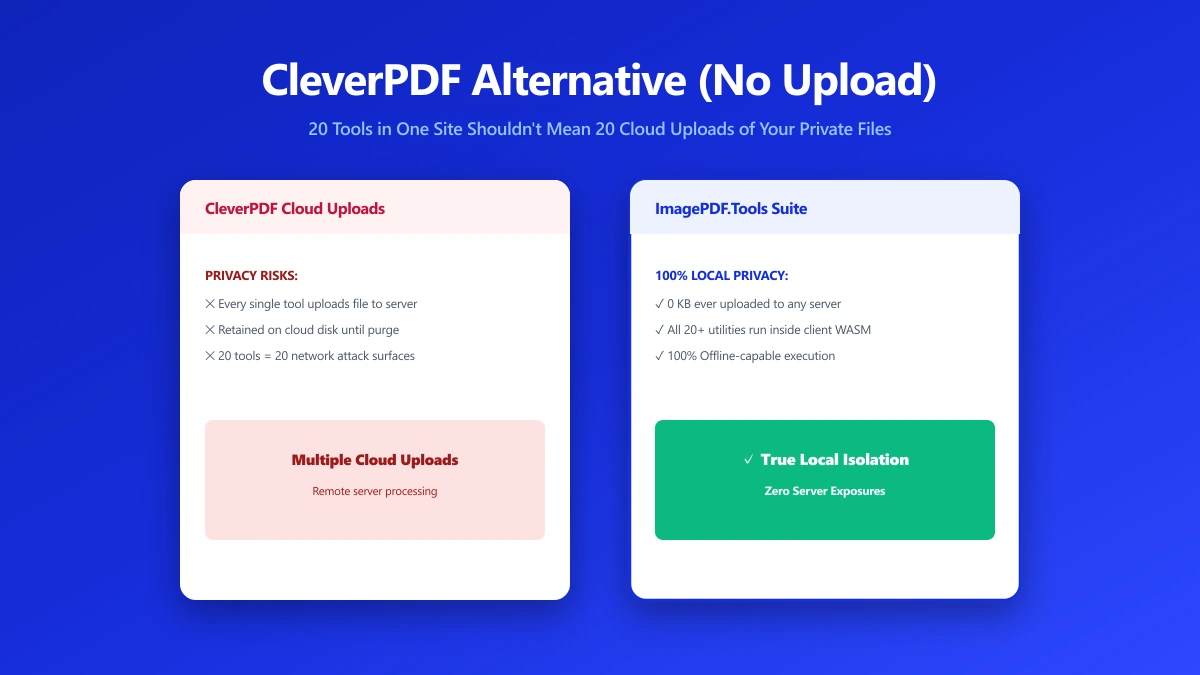
Bundling many tools into one site does not change the underlying architecture of any individual one, each is still a server-side operation, meaning your file is uploaded to CleverPDF's servers regardless of which of the 20 tools you use.
More tools in one place is not the same as more privacy.
CleverPDF vs ImagePDF.Tools
| Factor | CleverPDF | ImagePDF.Tools |
|---|---|---|
| Tool catalog breadth | ~20 tools in one site | Core PDF and image toolkit |
| Where your file goes | Uploaded to CleverPDF servers, every tool | Never leaves your device |
| Account required | No, for basic use | Never |
| Price | Free tier, then paid plans | Free, permanently |
When CleverPDF Is Still the Right Call
For an obscure format conversion outside the core PDF and image toolkit, CleverPDF's breadth may be your only option. For the everyday jobs, compress, merge, convert, that breadth is not the deciding factor, the upload is.
Verify It Yourself in 30 Seconds
- 1.Open the tool, press F12, and click the Network tab in DevTools.
- 2.Tick "Preserve log" so nothing clears between steps.
- 3.Run a compression on a test PDF.
- 4.Watch for a large outbound
POSTrequest the size of your file, that is an upload. On ImagePDF.Tools there is no such request.
The Bottom Line
More tools in one place is real convenience, but it does not change the fact that every one of them uploads your file. For the everyday jobs, ImagePDF.Tools handles the same work with zero uploads.
Try it now: compress a PDF, free, with no upload.
Frequently asked questions
Does CleverPDF upload my files to a server?
What is the best CleverPDF alternative with no upload?
Is having more tools in one site more private?
Does ImagePDF.Tools have as many tools as CleverPDF?
Is ImagePDF.Tools free?
Sources & references
This article was researched and written by Nikola, drawing on the following primary sources and documentation:
Ready to try it?
All tools run entirely in your browser, no uploads, no account required.
Compress PDF