How to Compress an ID Document Scan to 100KB and Keep It Readable
Summary
KYC portals want your ID under 100KB, then reject it as unreadable. The resolution floor that keeps text legible, and how to compress down to it.
Bank onboarding, tenancy applications, KYC checks and visa portals all ask for the same thing: a clear scan of an identity document, under a limit that is usually 100KB.
Compress it hard enough to fit and a human reviewer rejects it as unreadable. Keep it readable and the upload bounces. The two requirements look like they are in direct conflict.
They are not, but the way out is not a better quality slider. It is understanding the resolution floor below which text stops being text, and working just above it.
The Resolution Floor for Readable Text
There is a hard limit to how few pixels a character can occupy and still be recognised, by a person or by software.
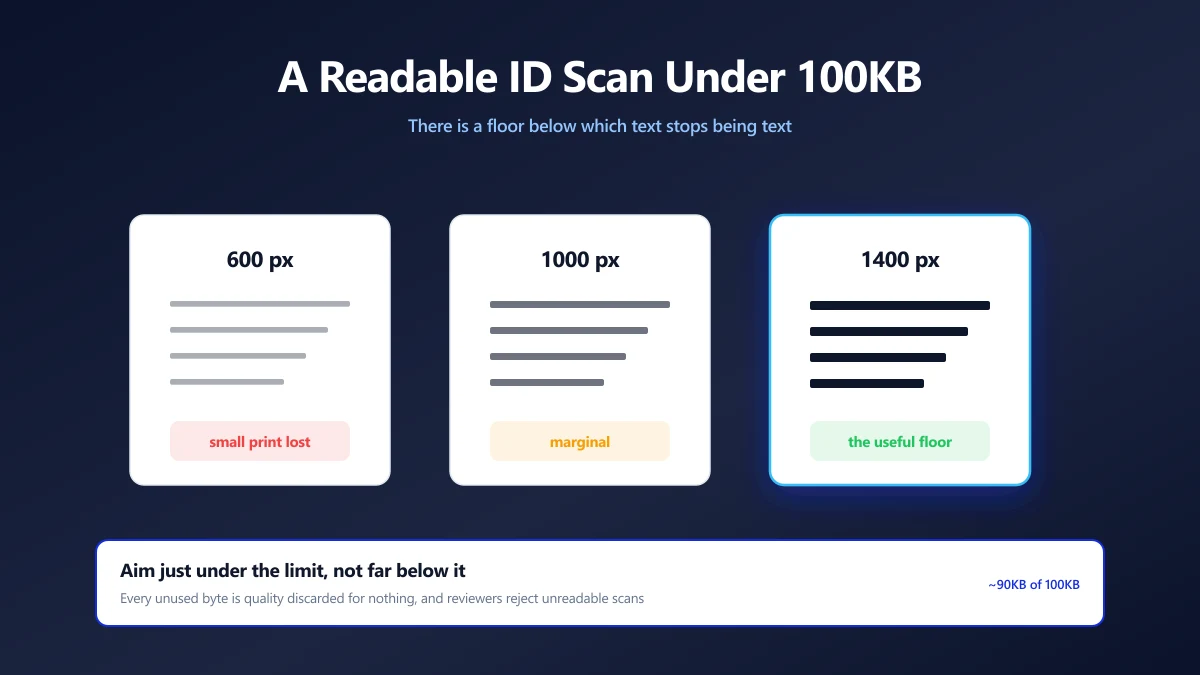
As a practical rule, printed text needs roughly 20 to 25 pixels of height per line of type to stay comfortably readable after JPEG compression. Below that, the letterforms blur into each other and no quality setting recovers them, because the information is gone at the sampling stage rather than the encoding stage.
| Scan width | Text height on the card | Readable after compression? |
|---|---|---|
| 600 px | About 8 px per line | No, the small print is lost |
| 1000 px | About 14 px per line | Marginal, large print only |
| 1400 px | About 20 px per line | Yes, this is the useful floor |
| 3000 px | About 42 px per line | Yes, and far larger than needed |
This is why cropping matters so much here. A card photographed on a desk might be only half the frame. Crop to the card and the same pixel budget is spent entirely on the document rather than on the table.
Getting Under 100KB at a Usable Resolution
- 1.Crop to the document edges. Nothing outside the card carries information a reviewer needs. Use the crop tool.
- 2.Straighten it. A skewed card wastes pixels on the empty triangles around it, and reviewers mark crooked scans down.
- 3.Resize the long edge to about 1400px. That is the floor where small print survives. Use the resize tool.
- 4.Compress to just under the limit. Open the 100KB compressor, which stops just under the limit rather than far below it.
- 5.Read your own file at 100%. If you cannot read the document number, neither can the reviewer.
Aim for about 90KB rather than 40KB. Every byte you leave unused is quality you threw away for nothing, and reviewers reject unreadable scans far more often than portals reject files that are close to the limit.
Photograph Rather Than Scan, If You Can Control the Light
Counterintuitively, a phone photo often compresses better than a flatbed scan of the same card, and it is usually the easier route.
A scanner captures paper texture, dust and the subtle grey of the card stock as fine detail, and fine random detail is the most expensive thing to compress. A phone photo in even light, cropped tight, has flatter areas that compress efficiently.
The conditions that matter: diffuse daylight rather than a ceiling light directly overhead, the phone parallel to the card rather than at an angle, and no flash. Flash produces a hotspot that both wastes bytes and obscures the part of the card underneath it.
When the Portal Wants a PDF Instead
If the form accepts a PDF, take it. A PDF containing one image is only marginally larger than the image, and PDFs get more generous limits on most portals because they are expected to hold documents.
Convert with image to PDF, then run PDF compression if you still need to shed weight. Our guide to what each compression level trades away covers how far you can push it.
The Part Worth Taking Seriously
A scan of a passport, driving licence or national ID is the single most valuable document most people own, from the point of view of someone trying to open an account in your name.
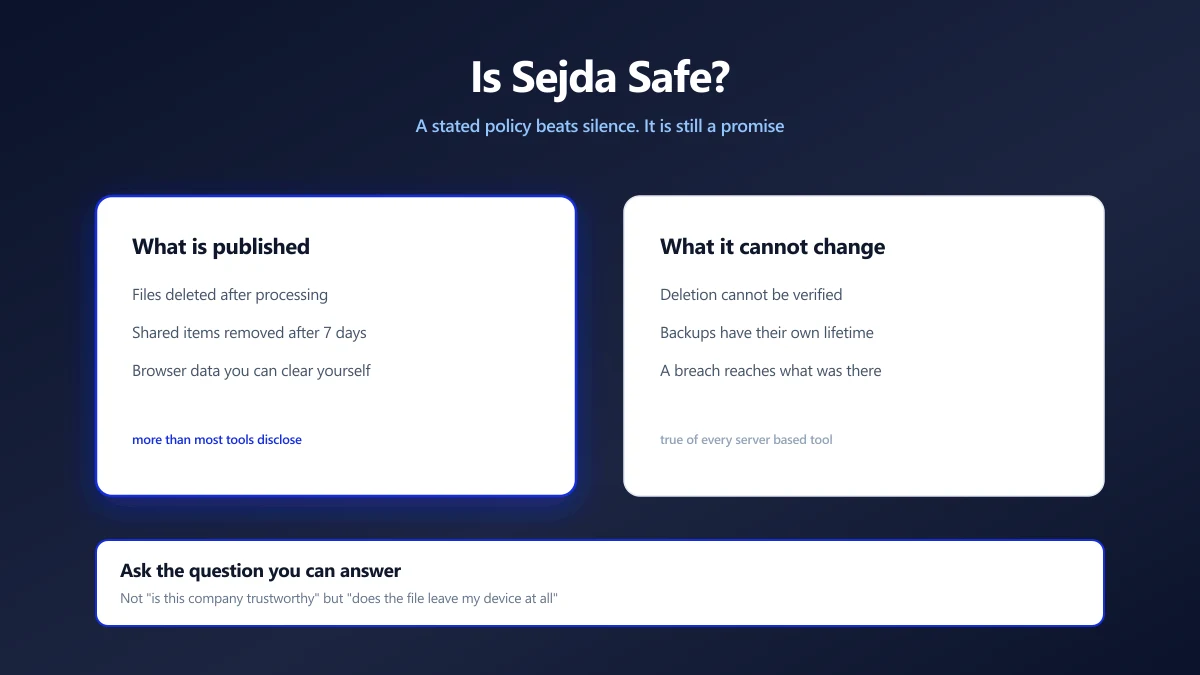
Uploading it to a free image compressor, to save 40KB, means a copy now exists on infrastructure you know nothing about, governed by a policy you did not read, for a period nobody stated. If that service is later breached, the file is not a photo of a holiday. It is your identity document.
A browser based compressor reads the file locally and re-encodes it locally. Nothing is transmitted, so there is no second copy to be breached. For this category of file the difference is not academic, and we made the full argument in are online converters safe.
If you have already uploaded an ID scan to a tool you cannot identify, treat it the way you would a leaked password: know that it is out there, and be alert to account opening attempts in your name.
Sit Just Under the Limit, Not Far Below It
Crop to the card, straighten it, resize to about 1400 pixels on the long edge, then compress until you are just under the limit. That sequence keeps the small print legible, which is the requirement a human reviewer actually applies.
Read your own file before you submit it. Open the compressor and see where your scan lands.
Frequently asked questions
How do I compress an ID scan to 100KB without making it unreadable?
Why does my scan look fine on screen but get rejected as unreadable?
Should I aim well under the size limit to be safe?
Is a phone photo or a flatbed scan better for this?
Can I submit a PDF instead of an image?
Is it safe to compress an ID document online?
Sources & references
This article was researched and written by Nikola, drawing on the following primary sources and documentation:
Ready to try it?
All tools run entirely in your browser, no uploads, no account required.
Compress Image