
Google Business Profile Photo Size Guide: Logo, Cover, and Interior Photos (2026)
Summary
What size should Google Business Profile photos be? Google recommends 720x720px, 10KB to 5MB, JPG or PNG. Here is the exact spec, by photo type, for 2026.
A shopper comparing two nearby businesses on Google Maps often decides based on photos alone before reading a single review. A blurry logo or a stretched, pixelated cover photo quietly costs you that decision.
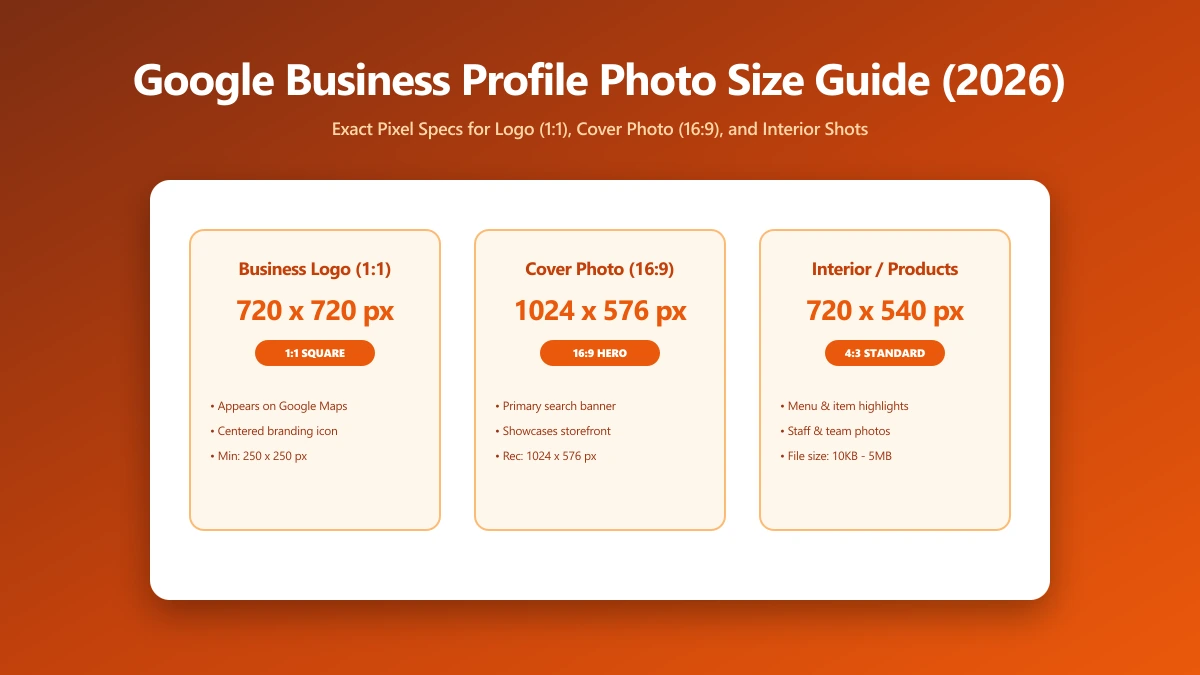
Google publishes exact specs for Business Profile photos, and most small businesses upload something that technically works but looks noticeably worse than it should. Here is the exact spec, by photo type.
The Exact Specs Google Publishes
Google's official guidance recommends photos at 720 pixels wide by 720 pixels tall, with a hard minimum of 250x250 pixels. File size must fall between 10KB and 5MB, and the accepted formats are JPG and PNG.
| Factor | Google's spec |
|---|---|
| Recommended resolution | 720 x 720 px |
| Minimum resolution | 250 x 250 px |
| File size | 10KB to 5MB |
| Format | JPG or PNG |
| Quality standard | In focus, well lit, no heavy filters or alterations |
Google does not publish a separate dimension spec per photo type. The logo, cover photo, and interior photos all share the same 720x720 recommended, 250x250 minimum, and 10KB to 5MB rules. What differs by type is how the photo is used, not the technical requirement itself.
Logo Specs
Your logo appears next to your business name across Search, Maps, and the knowledge panel, almost always small. Upload it at the full 720x720 recommendation anyway, a low-resolution logo looks noticeably softer once Google scales it for different placements.
Keep your logo simple and centered within its own frame before uploading. Google crops and scales logos into a small circular or square placement across different surfaces, and a logo with tight cropping or excess surrounding whitespace can end up looking off-center or cut off.
Cover Photo Specs
The cover photo sits at the top of your profile, though Google notes it will not always display first, the algorithm sometimes promotes a different photo instead. It still needs to meet the same official spec: at least 250x250, ideally 720x720 or larger, JPG or PNG, under 5MB.
Practitioners commonly recommend a landscape orientation, close to 16:9, for cover photos specifically, since that is how the image tends to crop across desktop and mobile layouts. This is common guidance rather than a published Google requirement, but it avoids awkward cropping in practice.
Additional and Interior Photos
Interior shots, team photos, and product images all follow the same official dimension and file size rules. There is no separate Google spec for this category, the difference is entirely in how many you upload and how current they stay.
Industry data consistently ties more photos to more engagement, profiles with photos tend to draw meaningfully more direction requests and website clicks than ones without. Keep this category updated rather than uploading five photos once and never returning.
Managing listings on more than one platform? Our guides cover the exact specs for Etsy product photos and MLS real estate photos too.
Common Mistakes That Fail the Spec
A few upload mistakes account for most of the blurry or rejected Business Profile photos we see. Knowing them in advance saves a second trip back to the resize tool.
- ●Uploading straight from an iPhone in HEIC format, which Google does not accept, convert to JPG or PNG first.
- ●Screenshotting a photo instead of uploading the original file, which drops resolution well below the 720x720 recommendation.
- ●Re-uploading an image pulled from your own website, which may already be compressed down near the 10KB floor and look soft.
- ●Uploading a portrait photo as a cover image, which crops awkwardly compared to a landscape orientation.
None of these take more than the two minutes the resize step below requires. The payoff is a profile that looks intentional rather than assembled in a hurry.
How Many Photos Is Enough
Google does not publish a minimum photo count, but the direction-request and click data below points to a practical answer: more current, well-sized photos generally outperform a handful uploaded once at setup and never revisited.
A reasonable baseline is one logo, one cover photo, and at least five to ten interior or product photos, refreshed every few months so returning customers see something current instead of a listing that looks abandoned.
What Happens After You Upload
Google states that new photos can take up to 24 to 48 hours to appear on Search and Maps after upload, and your business needs to be verified before photos display publicly at all. Budget for that delay before a launch or event.
How to Resize a Photo to Hit the Target
- 1.Open the Resize Image tool and drop in your photo.
- 2.Set the dimensions to at least 720x720 for a logo, or 720px on the shorter side for a cover or interior photo.
- 3.Save the resized image, then check the file size. If it is over 5MB, run it through the image compressor to bring it under Google's cap.
- 4.Upload the resized file directly to your Business Profile.
Resizing and compressing solve different problems. Resizing changes pixel dimensions to hit Google's 720x720 target. Compressing reduces file size to stay under the 5MB cap without changing dimensions. A large modern phone photo often needs both.
Why This Actually Affects Whether You Get Chosen
Google Maps is frequently a side-by-side comparison, your listing next to two or three competitors on the same screen. A sharp, correctly sized logo and a set of current interior photos read as more established and trustworthy than a stretched or missing one, even when the business itself is comparable.
Verify Nothing Was Uploaded
Business photos are often taken before a rebrand or a new location goes public. Press F12, open the Network tab, resize a photo, and confirm there is no outbound POST request the size of your file.
The Bottom Line
Google's photo spec is exact: 720x720 recommended, 250x250 minimum, 10KB to 5MB, JPG or PNG. Hitting it, for the logo, cover photo, and every interior shot, is the difference between a profile that looks professional and one that looks neglected.
Try it now: resize a photo, free, entirely in your browser.
Frequently asked questions
What size should Google Business Profile photos be?
What is the minimum photo resolution Google Business Profile accepts?
What file size limit does Google Business Profile have for photos?
What image format does Google Business Profile require?
Is it safe to resize business photos online before uploading to Google?
Sources & references
This article was researched and written by Nikola, drawing on the following primary sources and documentation:
Ready to try it?
All tools run entirely in your browser, no uploads, no account required.
Resize Image

