PDFescape Alternative: Compress PDFs Without the Page-Count or File-Size Caps
Summary
PDFescape's free tier caps page count, file size, and monthly documents, plus ads. Here's a browser-based alternative with no caps and nothing uploaded.
PDFescape has been a familiar name in free online PDF editing for years, a browser-based tool that predates a lot of the current crop of competitors. Its free tier comes with real limits, though, capped page counts and file sizes, plus ads around the editor.
ImagePDF.Tools handles the same everyday tasks without either constraint.
What PDFescape Does Well
PDFescape's free web editor requires no account for basic use and covers a reasonable range of tasks, filling forms, basic editing, and annotation, directly in the browser. For light, occasional use within its limits, it is a functional, no-install option.
Where the Free Tier Caps Bite
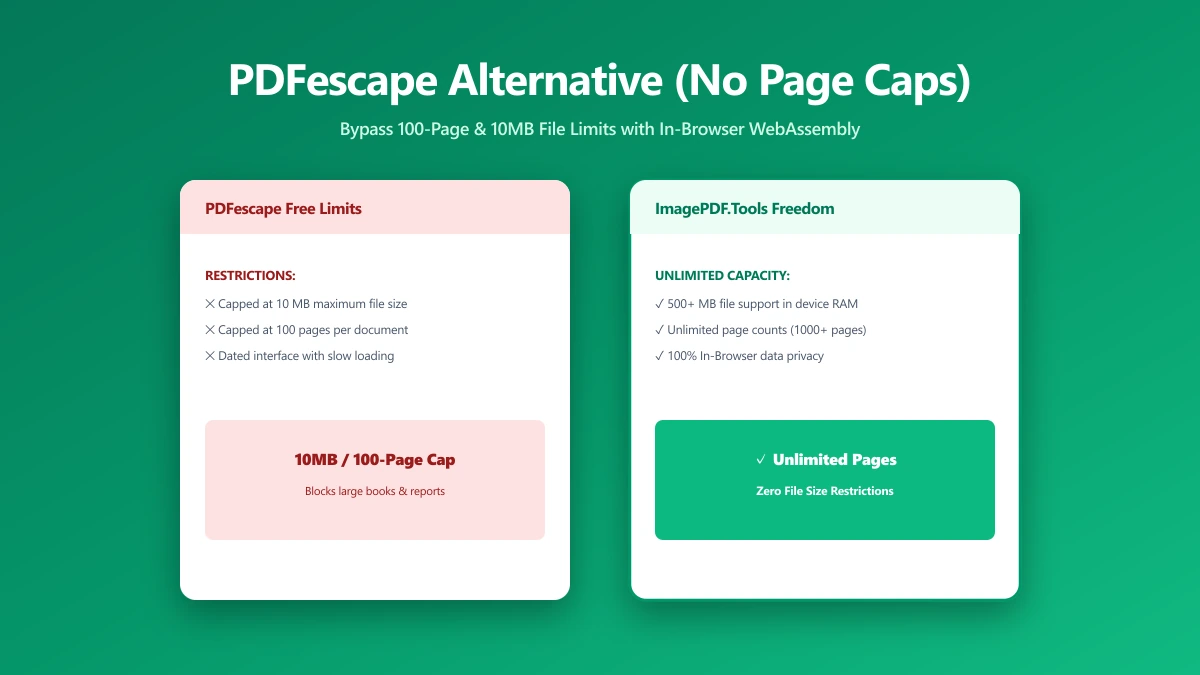
PDFescape's free plan limits both the number of pages and the file size you can work with in a single document, along with a monthly document limit.
Hit either cap and you are pushed toward a paid plan. For a large scanned document, or simply for someone doing more than a couple of PDF tasks a month, the free tier runs out quickly.
PDFescape vs ImagePDF.Tools
| Factor | PDFescape (free) | ImagePDF.Tools |
|---|---|---|
| Page count limit | Capped on the free tier | No fixed limit |
| File size limit | Capped on the free tier | Limited only by your device's memory |
| Ads | Yes, on the free tier | Free users may see ads; Pro users, none |
| Where your file goes | Uploaded to PDFescape's servers | Never leaves your device |
| Starting paid price | Paid plan required beyond free caps | Free, permanently |
When to Switch
- ●Larger documents, past PDFescape's free page-count or file-size ceiling.
- ●Regular use, beyond PDFescape's free monthly document limit.
- ●Sensitive files, where uploading to a server is the part you would rather skip.
- ●Avoiding a paid upgrade just to remove caps on everyday tasks.
Verify It Yourself in 30 Seconds
- 1.Open the tool, press F12, and click the Network tab in DevTools.
- 2.Tick "Preserve log" so nothing clears between steps.
- 3.Run a compression on a test PDF.
- 4.Watch for a large outbound
POSTrequest the size of your file, that is an upload. On ImagePDF.Tools there is no such request.
The Bottom Line
PDFescape is a functional free editor within its limits, but those limits, page count, file size, and a monthly cap, show up fast for anyone doing real work. ImagePDF.Tools handles the same everyday jobs with no caps and no upload.
Try it now: compress a PDF, free, with no upload.
Frequently asked questions
What are PDFescape's free tier limits?
Does PDFescape upload my files to a server?
What is the best PDFescape alternative with no page limit?
Does PDFescape show ads?
Is ImagePDF.Tools free for large PDF files?
Sources & references
This article was researched and written by Nikola, drawing on the following primary sources and documentation:
Ready to try it?
All tools run entirely in your browser, no uploads, no account required.
Compress PDF