
How to Rearrange Pages in a PDF Without Splitting It First
Summary
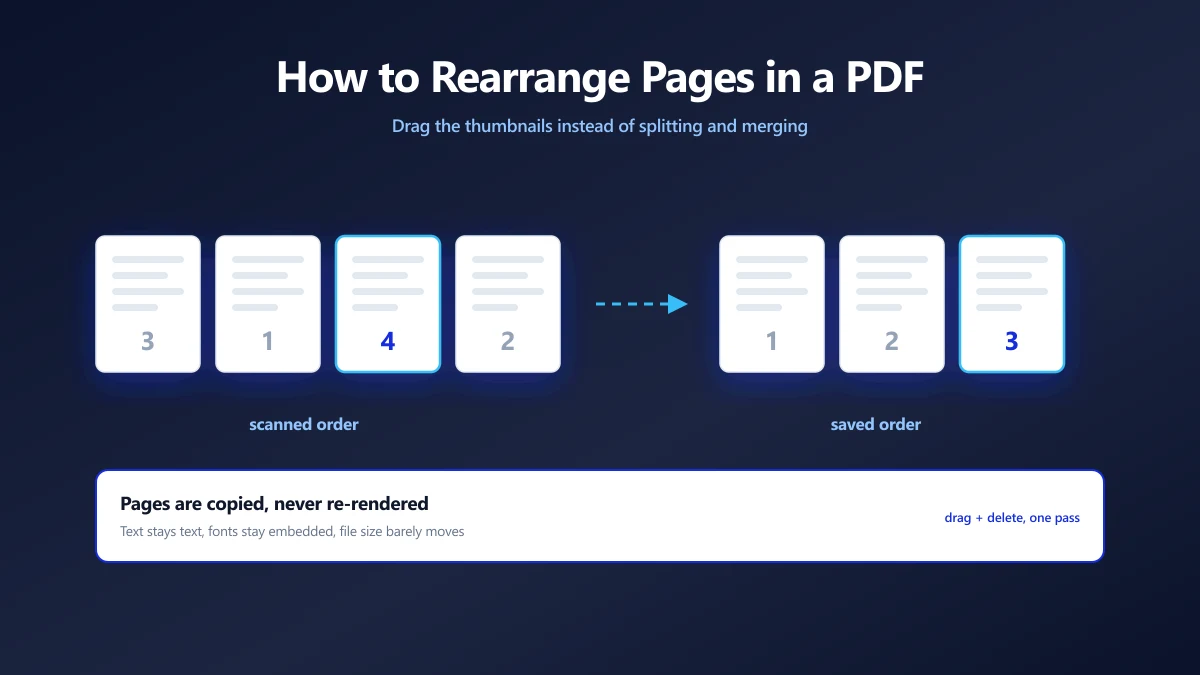
Pages in the wrong order? Drag the thumbnails instead of splitting and merging. How reordering works, what it does to the file, and the duplex scan fix.
The appendix ended up in the middle. The signature page is last when it should be second. Someone scanned the stack upside down and now page 40 opens the document.
The usual advice is to split the PDF, then merge the pieces back in the right order. That works, and it is far more work than the job deserves.
You can drag the pages instead. Here is how rearranging pages in a PDF actually works, what it changes in the file, and the one scanning problem it solves faster than anything else.
Reordering, Splitting and Merging Are Three Different Jobs
People reach for the wrong one constantly, usually because a tool only offered them one. The difference is simply how many documents you start and finish with.
| You have | You want | The operation |
|---|---|---|
| One document | The same pages, different order | Reorder |
| One document | Several documents | Split |
| Several documents | One document | Merge |
| One document | The same pages, minus a few | Reorder, and delete as you go |
If you are about to split a file and immediately merge the parts back together, you wanted to reorder. One pass, no intermediate files to clean up afterwards.
How to Rearrange the Pages
The whole operation is visual. You are looking at the document, not typing page numbers at it and hoping.
- 1.Open the organize PDF tool and drop your file in. Thumbnails render locally, so the document never leaves your machine.
- 2.Drag any thumbnail to its new position. The others shuffle around it as you move.
- 3.Hover a page you do not want and click the × to drop it from the output.
- 4.Save. You get one PDF, with the pages in the order you left them on screen.
Deleting Pages Is Part of the Same Pass
Blank versos from a duplex scan, the fax cover sheet, the page of internal notes that should never have gone to the client: remove them here rather than splitting around them.
There is no undo for a deleted page inside the tool. If you remove one by mistake, reload and drop the original file in again. Keep the original until you have checked the output.
On a Phone
Touch dragging works, with one difference worth knowing: tap and hold a thumbnail first, then move it. A quick swipe scrolls the list instead of picking a page up.
What Reordering Does to the File
This is the part that decides whether you can trust the output, and the answer is reassuring.
Pages are copied across as objects. The text stays text, the fonts stay embedded, vector graphics stay vector, and images keep the encoding they already had. Nothing is rasterised and nothing is recompressed, so there is no quality cost at all.
Open the result and use find in page. If the original was a text PDF, search still works. That is the quick test that tells you a tool copied your pages rather than re-rendering them into pictures.
The File Size Barely Moves
Unlike splitting, where shared fonts and logos get duplicated into every part, reordering keeps one document with one set of shared resources. Expect the output to land within a few kilobytes of the original.
If it needs to be smaller, that is a separate job for a PDF compressor, and it is worth reading what each compression level trades away before you choose a setting.
What Does Not Survive
- ●Internal links and cross references. A link pointing at page 30 still points at position 30, which is now a different page.
- ●Bookmarks. The outline tree targets page objects, and most tools drop it rather than guess where each entry now belongs.
- ●Digital signatures. Any signature is invalidated by any change to the document. Reordering is a change. This is the signature doing its job.
The Duplex Scan Problem
This is the job reordering was made for, and almost everyone meets it eventually.
A sheet fed scanner with no duplex unit gives you two stacks: all the odd pages, then all the even ones. Merge them and you get 1, 3, 5, 7 followed by 2, 4, 6, 8. The document is complete and unreadable.
scanned:   1  3  5  7  |  2  4  6  8
wanted:    1  2  3  4     5  6  7  8

fix: drag each even page up behind its odd partner,
     or reverse the second stack first if the scanner
     fed it back to front
One detail saves a lot of dragging: many scanners return the second pass in reverse, so the evens arrive as 8, 6, 4, 2. Check the last page of your file before you start. If it is page 2, the stack is reversed, and knowing that changes which end you work from.
For a long duplex scan, merge the two stacks into one file first, then interleave here. Dragging is quick for tens of pages, less so for hundreds.
Jobs That Look Like Reordering But Are Not
Three near neighbours, each with its own tool, so you do not fight the wrong one:
- ●Pages that are sideways. That is rotation, not order. Rotate the PDF instead.
- ●Pages from another file. Reordering works within one document. Combine first with merge PDF, then arrange the result.
- ●A few pages out of many. If you want to keep six pages of sixty, select those pages rather than deleting fifty four by hand.
After reordering, a document often needs its numbering rebuilt so the printed numbers match the new sequence. Adding page numbers is the usual next step.
Why Do This in the Browser
Look at what people actually reorder: contracts before signature, medical records before a referral, tax packs before filing, evidence bundles before a hearing.
A server based tool needs the whole document uploaded before it can show you a single thumbnail. A browser based one reads the file with JavaScript, renders the thumbnails on your own machine, and writes the new document in memory. There is no copy on anyone else's infrastructure, which means no retention policy to read and nothing to leak.
We made the longer version of that argument in are online PDF converters safe.
Get the Order Right in One Pass
Reordering is the cheapest PDF operation there is. It copies page objects, touches no pixels, costs no quality, and barely moves the file size. The only real caution is that deletions are final and that links, bookmarks and signatures do not follow the pages around.
Check the last page before you start, so you know which way a scanner fed the stack. Then open the organize tool, drop your file in, and drag until the thumbnails read the way the document should.
Frequently asked questions
How do I change the order of pages in a PDF?
Does rearranging pages reduce PDF quality?
Can I delete pages at the same time as reordering them?
Will the file size change after I reorder pages?
Do bookmarks and internal links still work after reordering?
How do I fix a duplex scan where all the odd pages come before the evens?
Can I add pages from a different PDF while reordering?
Sources & references
This article was researched and written by Nikola, drawing on the following primary sources and documentation:
Ready to try it?
All tools run entirely in your browser, no uploads, no account required.
Organize PDF

