
How to Submit a Resume Online: The 6-Step Pre-Send Check
Summary
A 6-step check to run before you upload: format, filename, file size, portal rules, hidden metadata, and a test send. Takes about a minute.
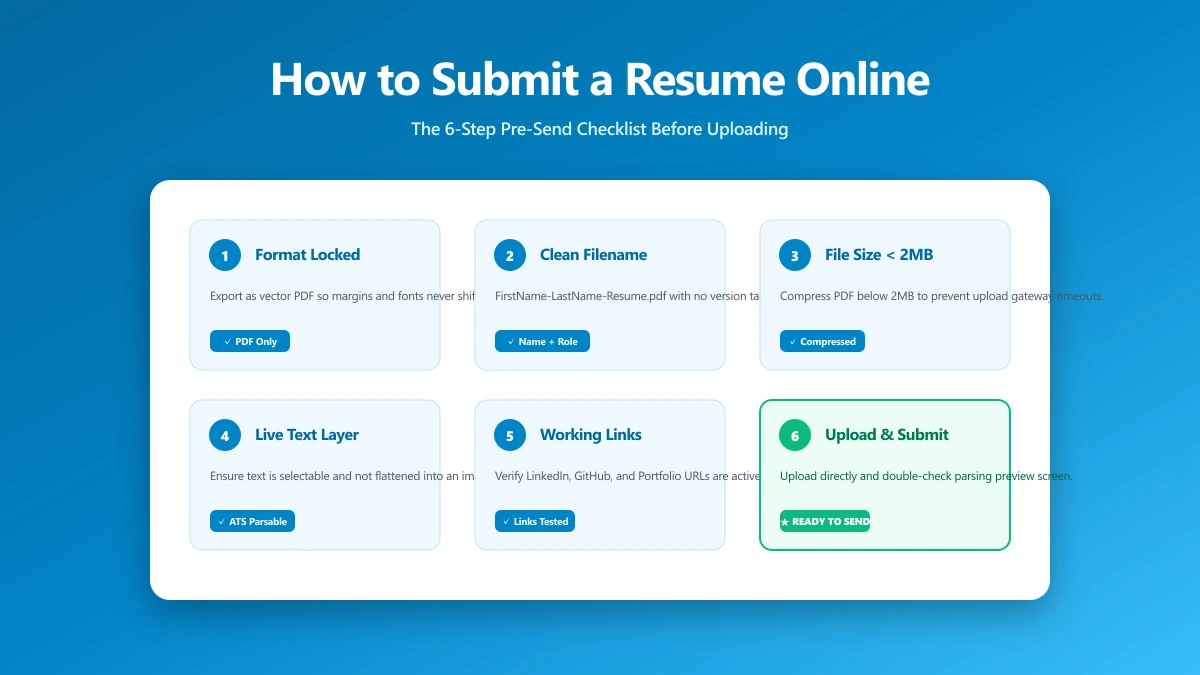
You spent hours on the wording. Then you upload it in thirty seconds, from a phone, on a portal that silently strips your formatting or refuses the file outright.
That last thirty seconds is where avoidable applications die. Not because the resume was weak, but because the file was: wrong format, a filename nobody can sort, or three megabytes when the portal caps at two.
This is the check to run before you press submit. Six steps, about a minute, and it applies whether you are emailing a hiring manager directly or feeding a corporate applicant tracking system.
The 60-Second Pre-Send Check
Run these in order. Each one takes seconds, and each one fixes a failure that is invisible to you but obvious to the person on the other end.
| # | Check | What good looks like |
|---|---|---|
| 1 | File format | PDF, unless the posting explicitly asks for .docx |
| 2 | Filename | Your name, the word Resume, and the role |
| 3 | File size | Comfortably under the portal limit, usually 2 MB to 5 MB |
| 4 | Portal rules | You have read the accepted formats on the posting itself |
| 5 | Hidden metadata | No author name or file path you did not intend to send |
| 6 | Test send | You opened your own attachment before submitting |
Step 1: Send PDF Unless You Are Told Otherwise
PDF fixes your layout. A Word document re-flows against whatever fonts and page setup the reader happens to have, which is how a one-page resume arrives as a page and a half with a heading stranded at the bottom.
The exception matters though. Some agencies and older tracking systems still ask for .docx, and a few explicitly reject PDFs. When the posting names a format, that instruction beats every general rule, including this one.
We go through the trade-off in detail in should I send my resume as a PDF or Word doc, including the cases where Word is genuinely the better answer.
Export to PDF rather than printing to PDF. Exporting keeps the text selectable, which is what lets a tracking system read it. Printing can flatten the page into an image that parses as blank.
Step 2: Name It So a Stranger Can Sort It
Your filename is the first thing a recruiter sees, before the document even opens. In a folder of eighty applications, resume.pdf is indistinguishable from the other eleven files with that exact name.
A filename that works reads like a label written for someone else: your name, the word Resume, and ideally the role.
- ●Good:
Jane-Doe-Resume-Product-Designer.pdf - ●Workable:
JaneDoe_Resume.pdf - ●Bad:
resume final v3 (2).pdf - ●Worse:
Untitled document.pdf
The full naming formula, including what to do about spaces and version numbers, is in what should I name my resume file. If you want the recruiter's side of it, why recruiters reject poorly named resume files covers what actually happens in the inbox.
Step 3: Get Under the Upload Limit
Portals enforce a hard ceiling and most do not tell you what it is until you have already failed the upload. Two megabytes is a common cap, and an embedded headshot or a high-resolution logo will clear that on its own.
The fix is compression, not deletion. A resume PDF is mostly text, so the size is almost always coming from one or two embedded images rather than the words.
Our PDF compressor runs entirely in your browser, so the file never leaves your device, which matters more than usual for a document carrying your address and phone number. How to compress a resume PDF for ATS walks through doing it without breaking the formatting.
Step 4: Read the Posting, Not the Advice
General guidance is a default, not an instruction. The posting in front of you overrides it, and government and enterprise portals in particular publish their own rules.
USAJOBS, for example, documents exactly which document types it accepts and how large they can be. Where a portal publishes rules like that, follow them literally, including file type, page count, and any naming convention they specify.
- 1.Check the accepted file formats before you export anything.
- 2.Check the maximum file size and page count.
- 3.Check whether they ask for a specific filename pattern, some do.
- 4.Check whether a cover letter goes in the same file or a separate upload.
Step 5: Look at What the File Is Carrying
Documents remember more than you wrote in them. A PDF exported from a word processor usually carries an author name, sometimes a company name from a previous employer, and occasionally the full path of the folder it was saved in.
None of that is visible when you open the file, and all of it travels with the upload. If your resume was originally drafted on a work machine, the author field can quite literally name your current employer to the company you are interviewing with.
You can inspect and clear those fields with our metadata editor, or strip them outright with remove metadata. Both run locally in the browser, so the document is never uploaded to check it.
This applies to the photo too, if you attach one. Images from a phone can carry GPS coordinates recording where the picture was taken.
Step 6: Open Your Own Attachment
The last step is the one people skip, and it catches everything the first five missed. Save the finished file, close it, and open it again from wherever it landed.
Better still, email it to yourself and open it on your phone. That is closer to how a recruiter will first see it, and it exposes fonts that did not embed, images that turned fuzzy, and page breaks that moved.
- ●Does it open without a password prompt or a repair warning?
- ●Can you select the text with your cursor? If not, a tracking system cannot read it either.
- ●Is it still the right number of pages?
- ●Does the filename still look right in the attachment list?
The Mistakes That Cost People Interviews
Almost all of these are mechanical, which is the frustrating part. They have nothing to do with whether you can do the job.
| Mistake | What the employer sees | Fix |
|---|---|---|
| Sending a scanned or printed PDF | A resume that parses as an empty document | Export from the source file instead |
| Generic filename | One of a dozen files called resume.pdf | Name it with your name and the role |
| Oversized file | A failed upload, or no application at all | Compress the PDF before uploading |
| Wrong format for the portal | A rejected upload with a vague error | Follow the format named in the posting |
| Stale metadata | Your previous employer in the author field | Strip the metadata before sending |
| Never opening the export | Broken fonts and shifted layout | Open the final file yourself first |
The Short Version
Export to PDF unless told otherwise. Name the file for a stranger. Compress it under the limit. Follow the posting rather than the general advice. Clear the metadata. Then open the thing yourself before you send it.
That is the entire check, and it takes about a minute. If your file is over the limit, start with the PDF compressor, since size is the failure that stops the application outright rather than merely making a poor impression.
Frequently asked questions
Should I use PDF or Word for job applications?
What resume file names do hiring managers hate?
How do I name my resume file professionally?
Will a poorly named resume file hurt my job chances?
What file size should my resume be?
Does my resume file carry hidden information?
Sources & references
This article was researched and written by Nikola, drawing on the following primary sources and documentation:
Ready to try it?
All tools run entirely in your browser, no uploads, no account required.
Compress PDF

