
How to Compress Huge Photoshop PSD Files for Client Email Preview (Export Guide)
Summary
Do not email a 500 MB PSD. Export a JPG, PNG or PDF proof that fits under attachment limits, and slim the PSD itself when a client really needs the layers.
A client reviewing a design does not need the PSD. Send a flattened proof instead: a JPG or PNG for a single design, or a PDF when there are several artboards or pages. A JPG of a poster at 1920 pixels wide is usually somewhere between 300 KB and 1.5 MB, well inside Gmail's 25 MB attachment limit, and it opens on any phone without Photoshop.
When the client genuinely needs layers, for example to hand the file to their own designer or printer, trim the PSD first and send it as a share link rather than an attachment. Both routes are covered below.
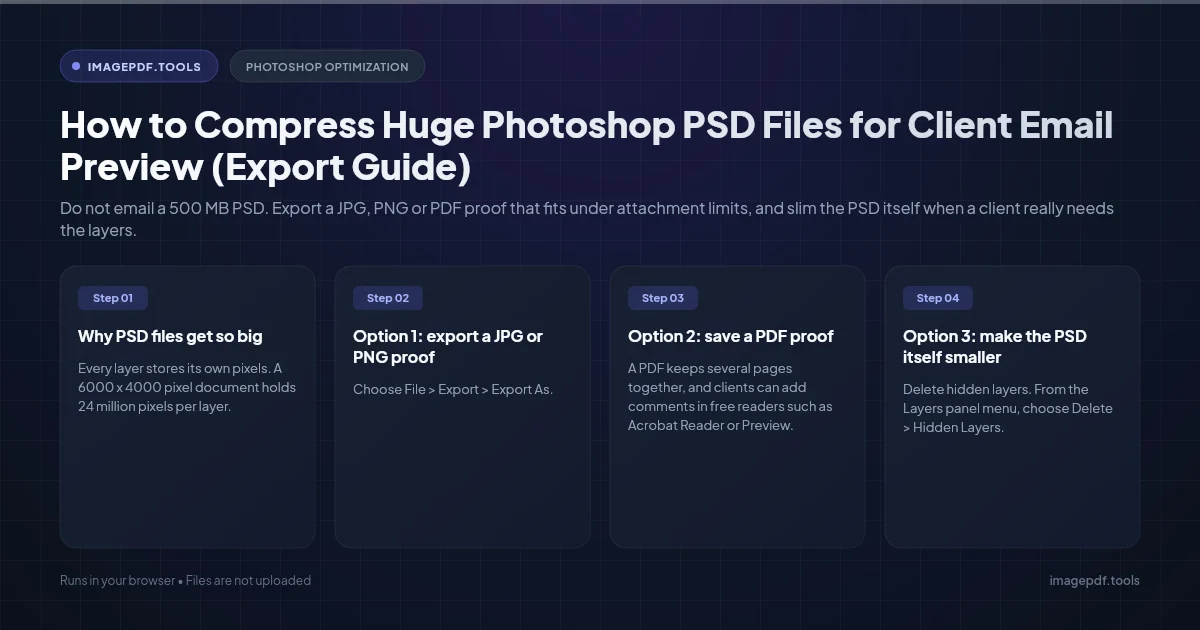
Why PSD files get so big
- ●Every layer stores its own pixels. A 6000 x 4000 pixel document holds 24 million pixels per layer. Ten full-size layers means ten times that, before any adjustments.
- ●Bit depth. A document in 16 bits per channel holds twice the pixel data of the same document in 8 bits.
- ●Embedded smart objects. A smart object keeps its whole source file inside the PSD. A 60 MB camera raw file placed as a smart object adds roughly its full size, even if it appears as a small picture on the canvas.
- ●Maximize Compatibility. This setting saves an extra flattened copy of the whole image, so apps such as Lightroom, InDesign and file previews can display the PSD.
- ●Hidden and off-canvas pixels. Hidden layers, unused masks, extra channels and parts of layers that extend past the canvas edge are all saved.
One thing that does not add to the size: your undo history. The History panel lives only in memory and is gone once you close the file.
Option 1: export a JPG or PNG proof
- 1.Choose File > Export > Export As.
- 2.Pick JPG for photos and designs with gradients, or PNG for flat graphics with sharp text, logos, or anything that needs transparency.
- 3.For JPG, set Quality to about 80. Higher values grow the file faster than they improve what the client can see.
- 4.Under Image Size, set the width to 1920 or 2400 pixels for review on screen.
- 5.Tick Convert to sRGB, so colors look the same in email apps and browsers as they do in Photoshop.
- 6.Click Export.
For a document with several artboards, use File > Export > Artboards to Files, or select the artboards in the Layers panel and export them together from Export As.
If the exported proof is still bigger than you would like, run it through Compress Image. It re-encodes JPEG and PNG files in your browser, shows the new size before you save, and never uploads the image, which is worth having for unreleased client work. To send several proofs as one attachment, Image to PDF puts them into a single PDF in the order you choose.
Option 2: save a PDF proof
A PDF keeps several pages together, and clients can add comments in free readers such as Acrobat Reader or Preview.
- 1.Choose File > Save a Copy and pick Photoshop PDF as the format.
- 2.In the Save Adobe PDF dialog, start from the [Smallest File Size] preset.
- 3.Clear Preserve Photoshop Editing Capabilities. With it on, the PDF carries the layered document so it can reopen in Photoshop, and that is what makes it huge.
- 4.In the Compression section, choose bicubic downsampling to 150 pixels per inch, JPEG compression, and an image quality of Medium or High.
- 5.Click Save PDF.
For a multi-artboard document, File > Export > Artboards to PDF makes one PDF with a page per artboard. If any PDF proof comes out heavier than expected, Compress PDF re-encodes the images inside at the quality you choose while leaving text sharp.
Option 3: make the PSD itself smaller
Work on a copy, using File > Save As, so your full working file stays intact. Then:
- 1.Delete hidden layers. From the Layers panel menu, choose Delete > Hidden Layers.
- 2.Remove pixels outside the canvas. Select the Crop tool, turn on Delete Cropped Pixels in the options bar, and apply a crop that matches the canvas.
- 3.Deal with heavy smart objects. Rasterize the ones you will not edit again, or use Layer > Smart Objects > Convert to Linked, which moves the source into its own file.
- 4.Drop to 8 bits if you can. Image > Mode > 8 Bits/Channel halves the pixel data. Skip this if the file still needs heavy color grading.
- 5.Turn off the extra composite. In Edit > Preferences > File Handling on Windows, or Photoshop > Settings > File Handling on a Mac, set Maximize PSD and PSB File Compatibility to Ask, and answer no for this copy.
- 6.Check compression is on. In the same panel, make sure Disable Compression of PSD and PSB Files is not ticked.
Without the compatibility composite, Lightroom, InDesign and system previews may show a blank image or a warning instead of the design. Only switch it off for copies that will be opened in Photoshop.
Which format to send
| Format | Best for | How to send it |
|---|---|---|
| JPG | Photos, gradients, single designs | Attachment, usually under 2 MB |
| PNG | Logos, interface mockups, sharp text, transparency | Attachment, often a few MB |
| Several pages or artboards, written feedback | Attachment, compressed if needed | |
| Trimmed PSD | Handoff to another designer or printer | Share link from cloud storage |
Sending a file that is still too big
A trimmed PSD often still exceeds 25 MB. In Gmail, attachments over the limit are replaced by a Google Drive link automatically. Otherwise, send a link from Dropbox, OneDrive, Google Drive, Creative Cloud or WeTransfer. Links also let you replace the file with a new version without sending another email.
Put the version and date in the file name, for example acme-poster-v3-2026-10-25.jpg. Clients forward proofs, and the name is often the only thing that tells people which round they are looking at.
Frequently asked questions
Why does my client see a blank or white image when they open the PSD?
What resolution should a client proof be?
Should I watermark client proofs?
Does Export As include my camera and file metadata?
Why do the colors in my exported JPG look different from Photoshop?
Sources & references
This article was researched and written by Nikola, drawing on the following primary sources and documentation:
Ready to try it?
All tools run entirely in your browser, no uploads, no account required.
Compress ImageMore in Productivity
What Is the Best YouTube Thumbnail Size, Resolution, and Aspect Ratio? (2026 Specs)
How to Convert Scanned PNG Receipts to Searchable PDF With OCR (Tax & Expense Guide)
Why Do Instagram Photos Look Blurry After Uploading and How to Prevent Compression