
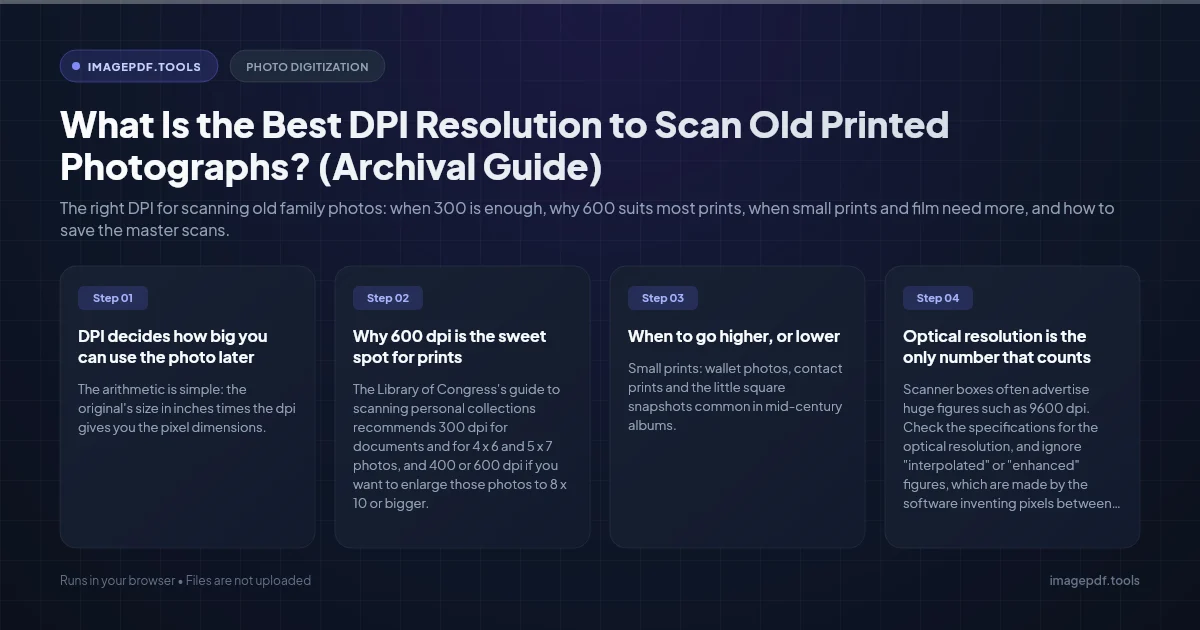
What Is the Best DPI Resolution to Scan Old Printed Photographs? (Archival Guide)
Summary
The right DPI for scanning old family photos: when 300 is enough, why 600 suits most prints, when small prints and film need more, and how to save the master scans.
Scan most old photo prints at 600 dpi. That is enough to reprint them larger than the original, crop into a single face from a group shot, and view them full screen on a 4K TV, while keeping files a manageable size. 300 dpi is fine if you only want to reprint at the same size or look at them on a phone. Go to 1200 dpi for small prints such as wallet photos, and 2400 dpi or more for negatives and slides, which need a scanner that can light film from behind.
Going higher than that for an ordinary print rarely helps. A print only holds so much detail, and past that point the scanner records paper texture, dust and scratches in ever greater detail while the files grow fourfold every time you double the dpi.
DPI decides how big you can use the photo later
The arithmetic is simple: the original's size in inches times the dpi gives you the pixel dimensions. Divide those pixels by 300 and you get the largest print you can make at full photo quality.
| Original print | 300 dpi | 600 dpi | 1200 dpi |
|---|---|---|---|
| Wallet, 2.5 x 3.5 in | 750 x 1050 | 1500 x 2100 | 3000 x 4200 |
| 4 x 6 in | 1200 x 1800 | 2400 x 3600 | 4800 x 7200 |
| 5 x 7 in | 1500 x 2100 | 3000 x 4200 | 6000 x 8400 |
| 8 x 10 in | 2400 x 3000 | 4800 x 6000 | 9600 x 12000 |
A 4 x 6 scanned at 300 dpi gives 1200 x 1800 pixels: a same-size reprint, and not quite enough to fill a 1080p TV in landscape. At 600 dpi you get 2400 x 3600 pixels, enough for an 8 x 12 inch print at 300 ppi. A wallet photo at 300 dpi is only 750 x 1050 pixels, smaller than a phone screen, which is why small prints need a higher setting.
File size climbs fast. An uncompressed 24-bit color TIFF uses three bytes per pixel, so a 4 x 6 at 600 dpi is about 26 MB and the same print at 1200 dpi is about 104 MB. Scanning in 48-bit color doubles both numbers. A shoebox of 500 prints at 1200 dpi is around 50 GB before you have made a single backup.
Why 600 dpi is the sweet spot for prints
The Library of Congress's guide to scanning personal collections recommends 300 dpi for documents and for 4 x 6 and 5 x 7 photos, and 400 or 600 dpi if you want to enlarge those photos to 8 x 10 or bigger. In a discussion on the Library's blog, digitization specialists add that a print often holds less detail than people expect: past a certain point, "all you will see are the defects."
600 dpi gives you the enlargement headroom without the waste. It also covers something you cannot predict today: the day someone wants to crop one person out of a crowded family photo, or print a single portrait for a memorial. Old prints are fragile, and every trip across the scanner glass is a risk, so scan each one once at a setting you will not regret.
When to go higher, or lower
- ●Small prints: wallet photos, contact prints and the little square snapshots common in mid-century albums. Use 1200 dpi so the scan is large enough to view and reprint.
- ●Large prints, 8 x 10 and up: 300 to 400 dpi already gives 2400 x 3000 pixels or more. Use 600 dpi only for very sharp originals you expect to enlarge.
- ●Photos printed in books, newspapers or yearbooks: these are made of tiny dots, not continuous tone, and the Library of Congress's specialists note that a newspaper halftone can hold under 200 dpi of real detail. Turn on your scanner's Descreen option to avoid a moire pattern.
- ●35mm negatives and slides: a 35mm frame is only about 1.4 x 0.9 inches. At 2400 dpi it gives roughly 3400 x 2270 pixels (7.7 megapixels); at 4000 dpi, about 5670 x 3780 (21 megapixels). The Library of Congress handout suggests around 1900 dpi for slides as a minimum. Film must be lit from behind, so you need a film scanner or a flatbed with a transparency unit in its lid.
Optical resolution is the only number that counts
Scanner boxes often advertise huge figures such as 9600 dpi. Check the specifications for the optical resolution, and ignore "interpolated" or "enhanced" figures, which are made by the software inventing pixels between the real ones. Setting the scan above the optical figure just makes a bigger file. Even the optical figure is optimistic: the Library of Congress blog post notes that ordinary flatbeds may capture only about half the detail their sampling rate suggests, which is one more reason 1200 dpi on a print seldom beats 600.
Settings that matter more than dpi
- 1.Clean the glass and the photo. Wipe the glass with a microfiber cloth, spraying cleaner on the cloth rather than the glass. Remove dust from prints with a soft brush or air blower. Do not wipe old prints with anything damp.
- 2.Turn off automatic corrections in the master scan. Auto sharpening, heavy noise reduction and automatic color restoration are hard to undo. Scan a straight copy and correct a duplicate later.
- 3.Choose the color mode. 24-bit color for color prints. For black-and-white prints, grayscale is fine, though scanning in color keeps the warm tone of sepia and aged paper.
- 4.Scan the back too when it has handwriting. Names, places and dates on the back are often the most valuable part of an old photo.
- 5.Save a lossless master. TIFF is the usual choice for archives and keeps every pixel. If storage is tight, the Library of Congress handout considers a high-quality JPEG acceptable for personal collections you may want to reprint.
- 6.Name files as you go. Something like 1964-07_grandma-lake-house_001.tif is far easier to search later than scan0412.tif.
Faded color prints from the 1960s to the 1980s often turn red or magenta as their dyes age at different rates. Scan them as they are, then fix the color in a copy using auto levels or per-channel curves in your photo editor. The master stays a faithful record of the print.
Phone scanning apps vs a flatbed
Apps such as Google PhotoScan combine several phone shots to remove glare from glossy prints, and they are quick for sharing a handful of pictures. For an archive, a flatbed is better: the photo lies flat, the lighting is even, and the dpi is fixed and known instead of depending on how close you held the phone.
Making copies to share
Keep the masters on two drives, then make lighter copies for family. A JPEG or WebP around 2000 to 3000 pixels on its long side looks good on any screen and is small enough to send. Compress Image and Resize Image make those copies in your browser from JPEG, PNG or WebP files; they do not open TIFF, so use a JPEG or PNG master or export one first. To send a set of photos as one file, Image to PDF turns them into a simple album PDF.
Frequently asked questions
Is 1200 dpi better than 600 dpi for a 4 x 6 print?
Does changing the dpi number in a photo editor improve a scan?
What dpi should I use for letters and documents in the same box?
How do I scan photos stuck in a magnetic album?
Should I scan at 48-bit color?
Sources & references
This article was researched and written by Nikola, drawing on the following primary sources and documentation:
Ready to try it?
All tools run entirely in your browser, no uploads, no account required.
Compress ImageMore in Productivity
What Is the Best YouTube Thumbnail Size, Resolution, and Aspect Ratio? (2026 Specs)
How to Compress Huge Photoshop PSD Files for Client Email Preview (Export Guide)
How to Convert Scanned PNG Receipts to Searchable PDF With OCR (Tax & Expense Guide)