
Best Free PDF Editor in 2026: What to Actually Look For
Summary
Searching for the best free PDF editor? Compare what real editing needs cover versus what a no-upload browser tool can do, with a practical checklist.
"Best free PDF editor" is a search that covers a lot of ground. Some people want to fix a typo. Others need to fill out a form, add a signature, or reorganize fifty pages of a report.
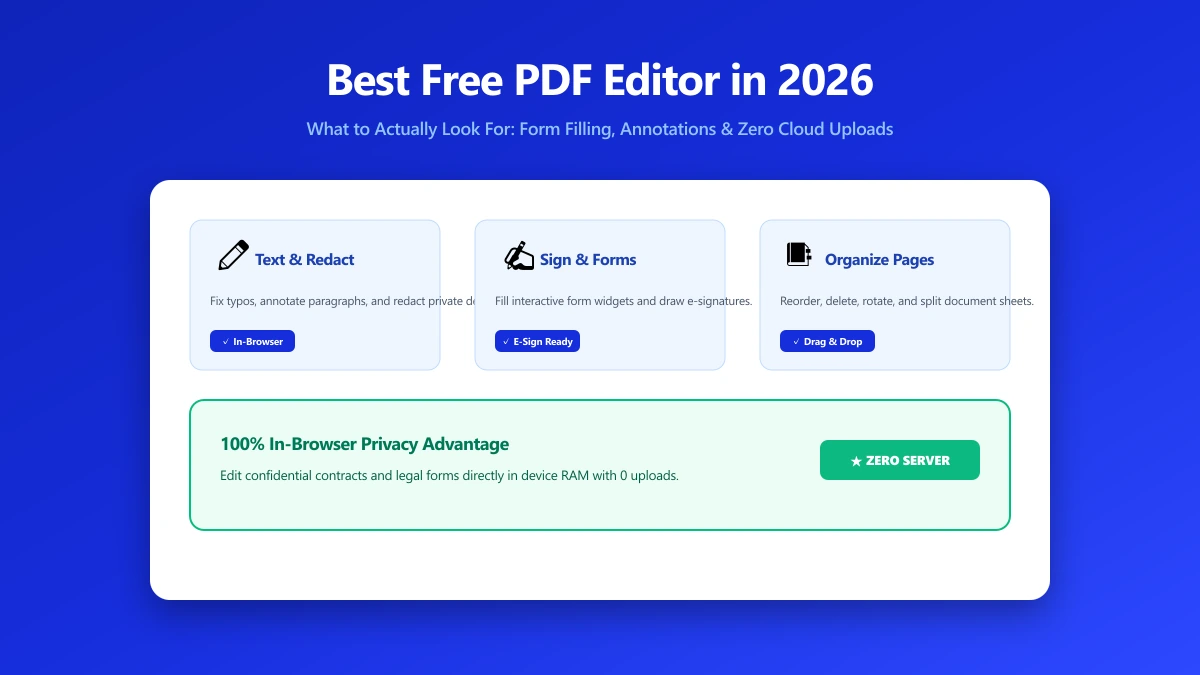
The right answer depends entirely on which of those you actually need. Here is what "PDF editor" really covers, what a browser-based tool can do without an upload, and where ImagePDF.Tools' Edit PDF tool genuinely fits.
What "PDF Editor" Actually Covers
The term gets used for at least five distinct jobs, and most "best PDF editor" roundups blur them together. Knowing which one you actually need narrows the field fast.
- ●Text edits, fixing a typo or updating a figure directly in existing paragraphs
- ●Annotations and markup, comments, highlights, and freehand drawing over a page
- ●Form filling, typing into existing fillable fields or adding text over a flat scan
- ●Watermarking and stamping, adding a logo, date, or confidentiality notice across pages
- ●Page organization, reordering, rotating, deleting, or merging pages into one document
A sixth category, OCR and heavy structural editing of scanned documents, is more computationally demanding, and is where free tools, browser-based or otherwise, tend to show their limits.
Most searches for a "free PDF editor" are actually one of these five jobs in disguise. Matching the tool to the specific job, rather than the broadest label, is what determines whether a free option is genuinely enough.
Most "free" PDF editors are free with a catch: a daily or monthly transaction cap, a watermark on the output, or a required upload to a server you cannot inspect. Few are free, unlimited, and private all at once.
The pattern repeats across nearly every well-known name in this space: a generous-looking free tier that narrows fast once you need more than an occasional single edit, then a subscription built around daily professional use.
A form that needs filling twice in the same week, or a contract that needs one more quick annotation, is often enough to hit a free-tier ceiling somewhere, especially on tools gated by a daily task count.
Desktop Free Editors: The Other Common Route
Free desktop options exist too. LibreOffice Draw can open and edit a PDF's text boxes with mixed fidelity, and most proprietary PDF suites offer a limited trial rather than a genuinely free tier.
These require installing software, learning a new interface, and often re-exporting the file afterward in a way that can shift formatting slightly. A browser-based tool skips the install step, at the cost of the same advanced feature gaps.
| Criteria | Why it matters |
|---|---|
| Upload required? | Determines whether your document ever leaves your device |
| Daily or monthly limit? | Decides whether it is actually usable for regular work |
| Watermark on output? | Can quietly ruin a document you needed clean |
| Account required? | Adds friction and often gates the more useful features |
| Advanced editing (OCR, redaction)? | Rarely genuinely free anywhere, browser or desktop |
What a Browser-Based Editor Can Realistically Do
Modern browsers can render, annotate, and re-save a PDF entirely on your device using WebAssembly and the Canvas API, with no server round-trip required for any of it.
Text additions, annotations, watermarking, and page reordering are all lightweight operations a browser handles comfortably. OCR and large-batch processing are heavier and, even client-side, take noticeably longer than a quick annotation.
ImagePDF.Tools' Edit PDF Tool: Where It Fits
To be direct about it: Edit PDF is built for the everyday jobs, adding text, images, and annotations to a page, not as a full replacement for a desktop editing suite.
It is genuinely useful for filling a form, marking up a draft, or adding a signature block, all without uploading the document anywhere. It is not the tool for OCR on a stack of scanned contracts or advanced redaction workflows.
In practice that means typed text boxes, image insertion, freehand annotation, and basic form-style overlays, everything most people need for a single document, without a subscription or a file ever leaving your browser tab.
If you only need to reorder, rotate, or delete pages rather than edit content, the dedicated <a href="/organize-pdf" class="text-violet-600 dark:text-violet-400 hover:underline font-medium">Organize PDF tool</a> is a faster, more focused option for that specific job.
A Practical Decision Framework
Use this quick framework to match what you actually need to do with the kind of tool built for it, rather than defaulting to whichever name ranks first in a search result.
| You need to... | Best fit |
|---|---|
| Fix a typo or fill a form quickly | Browser-based editor, e.g. Edit PDF |
| Add a watermark or stamp to every page | Browser-based, e.g. Watermark PDF |
| OCR a large batch of scanned documents | Dedicated desktop OCR software |
| Redact sensitive content for legal use | Enterprise desktop suite with an audit trail |
| Reorder, rotate, or delete pages | Browser-based, e.g. Organize PDF |
How to Edit a PDF for Free Without Uploading It
- 1.Open the Edit PDF tool and drop your file onto the page.
- 2.Add text, images, or annotations directly where you need them.
- 3.Use the Watermark PDF tool separately if you also need a stamp across every page.
- 4.Save your edited file. Nothing was ever uploaded during the process.
Verify It Yourself
Press F12, open the Network tab, and edit a test PDF. There is no outbound request matching your file's size, because nothing left your device to begin with.
When You Need Something Heavier
For deep OCR across hundreds of scans, certificate-based signing, or enterprise redaction with an audit trail, a dedicated desktop suite still earns its place. See our guide on what "offline" actually means for a PDF editor for that trade-off in more depth.
For nearly everyone else, the everyday list, typos, annotations, watermarks, page order, a no-upload browser tool is not a compromise. It is simply the more convenient way to do the same job.
The Bottom Line
The best free PDF editor for you depends on the job. For everyday text, annotation, watermarking, and page work, a no-upload browser tool covers it completely, for free, with nothing sent to a server.
Try it now: edit a PDF, free, with no upload, right in your browser.
Frequently asked questions
What is the best free PDF editor that does not require an upload?
Can a browser-based PDF editor really replace desktop software?
Does a free PDF editor always mean my file gets uploaded?
What is the difference between annotating and editing a PDF?
Is ImagePDF.Tools' PDF editor free for unlimited use?
Sources & references
This article was researched and written by Nikola, drawing on the following primary sources and documentation:
More in Productivity
What Is the Best YouTube Thumbnail Size, Resolution, and Aspect Ratio? (2026 Specs)
How to Compress Huge Photoshop PSD Files for Client Email Preview (Export Guide)
How to Convert Scanned PNG Receipts to Searchable PDF With OCR (Tax & Expense Guide)