How Client-Side Processing Saves Your Data (And Our Server Costs)
Summary
When a browser tool processes files locally, your data never leaves your device. What that changes, and how to tell which tools actually do it.
There are two fundamentally different ways to build a browser-based file tool. In the first model, you select a file, it is uploaded to a server, processed there, and a result file is sent back. In the second model, the processing happens inside your browser using JavaScript, WebAssembly, and browser APIs, the file never leaves your device.
Most "free" online tools use the first model. ImagePDF.Tools uses the second. This post explains why, the privacy reasoning, the business reasoning, and the engineering trade-offs that make client-side processing possible at professional quality.
This is not marketing copy. It is a transparent technical explanation of where your files go (nowhere), what we store (almost nothing), and how to verify both claims yourself.
What Happens When You Drop a File Here
When you drop a file into any ImagePDF.Tools tool, this is the complete data flow:
- 1.Your browser reads the file from your filesystem into browser memory using the File API, a local operation with no network involvement.
- 2.The file bytes are passed to a Web Worker (a separate JavaScript thread) that runs the compression or conversion algorithm.
- 3.For PNG: the bytes are passed to UPNG.js, which quantises the palette and re-encodes entirely in-memory.
- 4.For JPEG/WebP: the bytes are decoded and re-encoded by the browser's own OffscreenCanvas encoder.
- 5.The output bytes are returned to the main thread, and the browser creates a local Blob URL, a temporary reference to the result in your browser's memory.
- 6.When you click save, your browser writes that Blob to your filesystem.
At no point in this flow does a network request carry your file data. The bytes travel: filesystem → browser memory → Web Worker → browser memory → filesystem. No server is involved.
The Privacy Argument
Most free online tools are funded by advertising or data monetisation. When you upload a file for processing, several things happen even if the file is "deleted after one hour":
- ●Server logs record the upload: file size, file type, timestamp, IP address, and user agent are typically logged.
- ●Aggregate signals have value: patterns across millions of users, what types of documents are compressed at what times from what geographies, are commercially valuable data even when individual files are deleted.
- ●Security incidents affect your data: every file uploaded to a server is exposed to the risk of that server's security incidents, misconfigured access controls, or backup retention policies.
- ●Legal jurisdiction applies: a server in a jurisdiction with aggressive data retention laws may be required to keep logs or comply with law enforcement requests, regardless of the tool's stated policy.
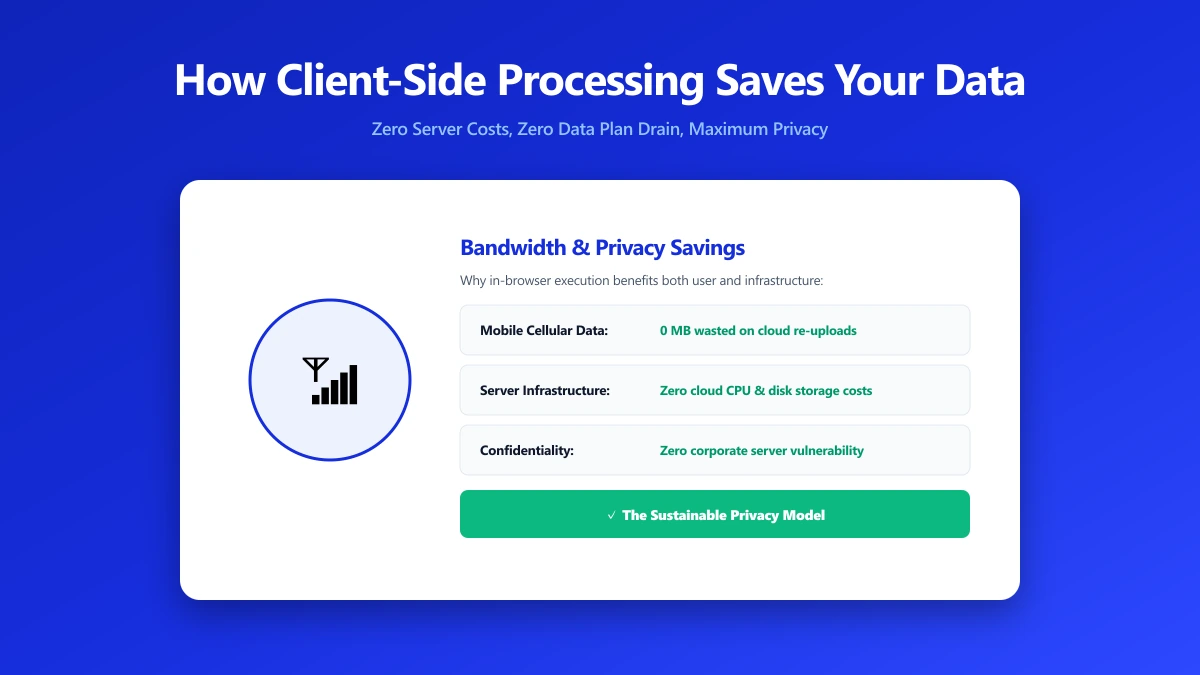
When ImagePDF.Tools processes your file, none of these apply. There is no upload, so there is no upload log. There is no server-side processing, so there is no processing log. There is literally no mechanism that could expose your file content, not because we have good security, but because we never receive the data in the first place.
The Business Case: It's Also Cheaper
Client-side processing is not only more private, it is dramatically cheaper to operate at scale. Server-side processing requires:
| Infrastructure Need | Server-Side Model | Client-Side Model |
|---|---|---|
| Compute | CPU/GPU instances for compression (expensive at scale) | User's own device CPU (zero cost) |
| Storage | Temp file storage for every upload (scales with users) | Not required |
| CDN egress | Delivery of processed files back to users (per-GB cost) | Not required |
| GDPR compliance | Deletion pipelines, audit logs, DPA agreements | Minimal (no file data stored) |
| Security surface | Every server that touches files is a breach liability | No file data to breach |
| Scaling | Requires capacity planning and burst provisioning | Each user brings their own compute |
Our entire backend consists of three Vercel Edge Functions: a Stripe checkout endpoint, a billing portal endpoint, and a Stripe webhook handler. Total backend infrastructure cost is a few dollars per month, regardless of how many files are processed. Every user brings their own CPU, so processing volume has no marginal cost.
Engineering Trade-offs
Client-side processing has real limitations. We don't hide them:
- ●WASM bundle size: The MozJPEG and libwebp binaries are not large, but non-trivial for a first visit on a slow connection. We mitigate this with
rel="prefetch"so it loads silently after the page is interactive. - ●Mobile performance: A 20MP smartphone photo can take 2–5 seconds to compress on a mid-range Android. We use Web Workers to keep the UI responsive and a progress indicator so the wait is predictable.
- ●Browser memory limits: Browsers cap JavaScript heap size. Files over ~100 MB may fail on devices with less than 4 GB RAM. We enforce a 100 MB file size limit.
- ●No server-side fallback: If a WASM module fails to load (rare, but possible on unusual browser configurations), we cannot fall back to server-side processing. The tool fails gracefully and shows an error.
What We Do Store
Transparency requires saying what we do collect, not just what we don't:
| Data Type | What It Contains | Where It Lives | File Content? |
|---|---|---|---|
| Auth (Clerk) | Email address, account creation date, plan tier | Clerk servers | No |
| Payments (Stripe) | Billing information for Pro subscribers | Stripe servers | No |
| Access logs (Vercel) | IP address, request path, timestamp for page loads | Vercel logs | No |
| Analytics (Plausible) | Page views, country, browser type, anonymised | Plausible servers | No |
How to Verify It Yourself
- 1.Open any tool on ImagePDF.Tools
- 2.Open Chrome DevTools (F12) → Network tab → filter dropdown: select "Fetch/XHR"
- 3.Drop any file into the tool and run a compression or conversion
- 4.Watch the Network tab during processing, observe zero requests carrying file data
The only requests you will see: the initial page load (HTML, CSS, JS), the Clerk session check (an auth token, not your file), and for free-tier users, the AdSense script. No request in the Network panel will contain your file bytes at any point. This is independently verifiable, you don't need to trust our privacy policy.
The Bottom Line
Client-side processing is better for privacy, cheaper to operate, and, with WebAssembly, now capable of matching server-side quality. The trade-offs (slower on older mobile devices, memory limits on very large files) are real but manageable. For the overwhelming majority of use cases, processing in the browser is the right architecture.
If you care about where your files go, the answer here is: nowhere. Verify it in your browser's Network tab while you use any of our image and PDF tools.
Frequently asked questions
How do I know my file isn't being uploaded when I use ImagePDF.Tools?
What data does ImagePDF.Tools collect?
Is client-side compression as good as server-side?
What happens to my file after I process it?
Are there files I should NOT process with any online tool?
Sources & references
This article was researched and written by Nikola, drawing on the following primary sources and documentation:
Ready to try it?
All tools run entirely in your browser, no uploads, no account required.
Try the Tools