
The Best PDF24 Alternative If You Want Zero Server Time, Not Just One Hour (2026)
Summary
PDF24 is unlimited and free, rare among PDF tools, but its own FAQ confirms files are uploaded and held on its servers for up to an hour.
PDF24 deserves real credit before any criticism: it is one of the few PDF tools online that is actually unlimited, no daily task cap, no account, no watermark, and it has been that way for years. That alone puts it ahead of most of the tools compared on this site. The one thing unlimited does not mean is no upload, and PDF24's own documentation is clear about where your file actually goes.
ImagePDF.Tools processes the same everyday PDF jobs, compress, merge, split, convert, entirely inside your browser, with zero server time, not a shortened one. Here is the honest comparison.
What PDF24 Gets Right
No daily limit, no account, no watermark, and a genuinely broad tool catalog, PDF24 has built one of the more trustworthy upload-based services out there. It is also transparent about its architecture, which is more than can be said for some competitors.
Where the File Actually Goes
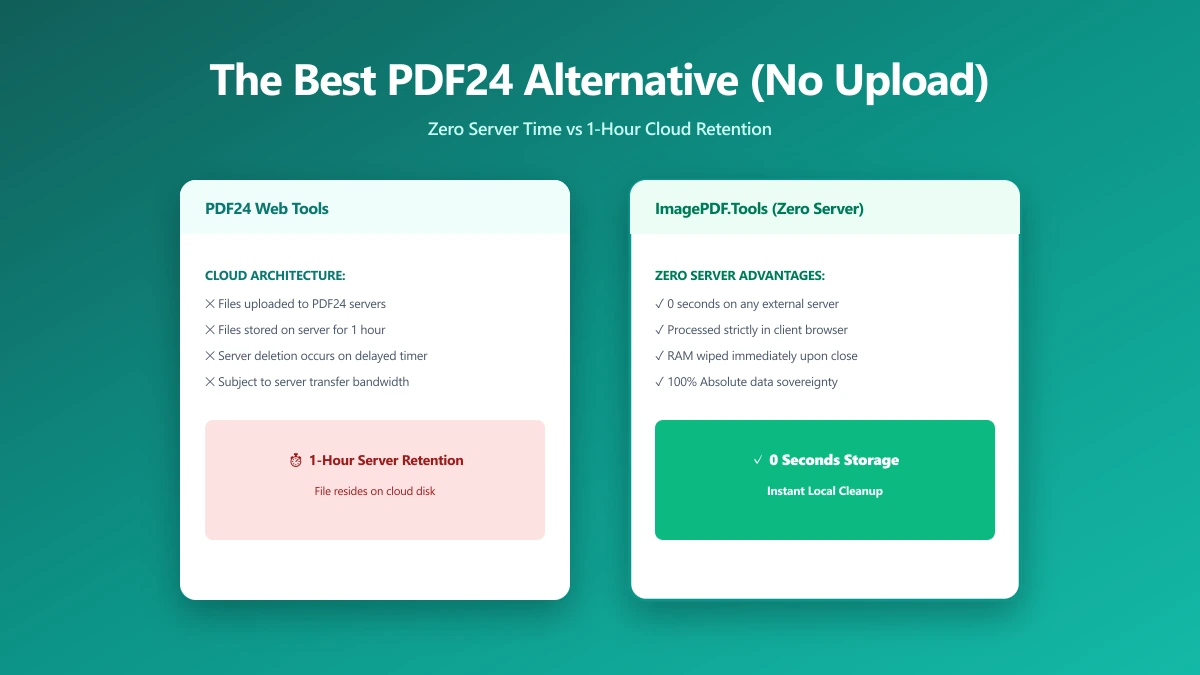
PDF24's own FAQ states it plainly: "The PDF24 Online Tools process files on special PDF24 servers." Uploaded files are automatically deleted after one hour, or sooner if you delete them manually. That is a genuinely reasonable retention window as these things go, but it still means your file leaves your device and sits on a server, however briefly, every time you use the web tools.
To PDF24's credit, it also offers a free Windows desktop app, PDF24 Creator, that processes files locally instead of uploading them. If you are on Windows and comfortable installing software, that path avoids the upload entirely, it is the web tools specifically that go through PDF24's servers.
PDF24 vs ImagePDF.Tools
| Factor | PDF24 (online tools) | ImagePDF.Tools |
|---|---|---|
| Where your file goes | Uploaded to PDF24 servers, deleted within 1 hour | Never leaves your device |
| Daily task limit | None | None |
| Account required | No | Never |
| Watermarks | None | Never |
| Local processing without installing software | No, requires the separate desktop app | Yes, works in any browser |
| Price | Free | Free, permanently |
The honest read: PDF24's web tools are about as good as an upload-based free tool gets, unlimited, no account, short retention. The remaining gap is architectural, a file that is uploaded and deleted in an hour is still a file that left your device, which a browser-based tool avoids by never sending it anywhere in the first place.
When PDF24 Is a Fine Choice
For low-stakes files, or for Windows users who install PDF24 Creator specifically to keep processing local, PDF24 is a legitimately solid option. Its one-hour retention window is short by industry standards, and it does not hide the fact that its web tools are server-based.
When to Switch
- ●Sensitive documents, where even a one-hour server window is more exposure than you want.
- ●Anyone who would rather not install software just to get local processing, on Windows or any other platform.
- ●Mac, Linux, and mobile users, where PDF24's local-processing desktop app is not available at all.
- ●Wanting to verify zero contact, rather than trust a stated deletion window you cannot personally confirm.
Verify It Yourself in 30 Seconds
You do not have to take either tool's word for it:
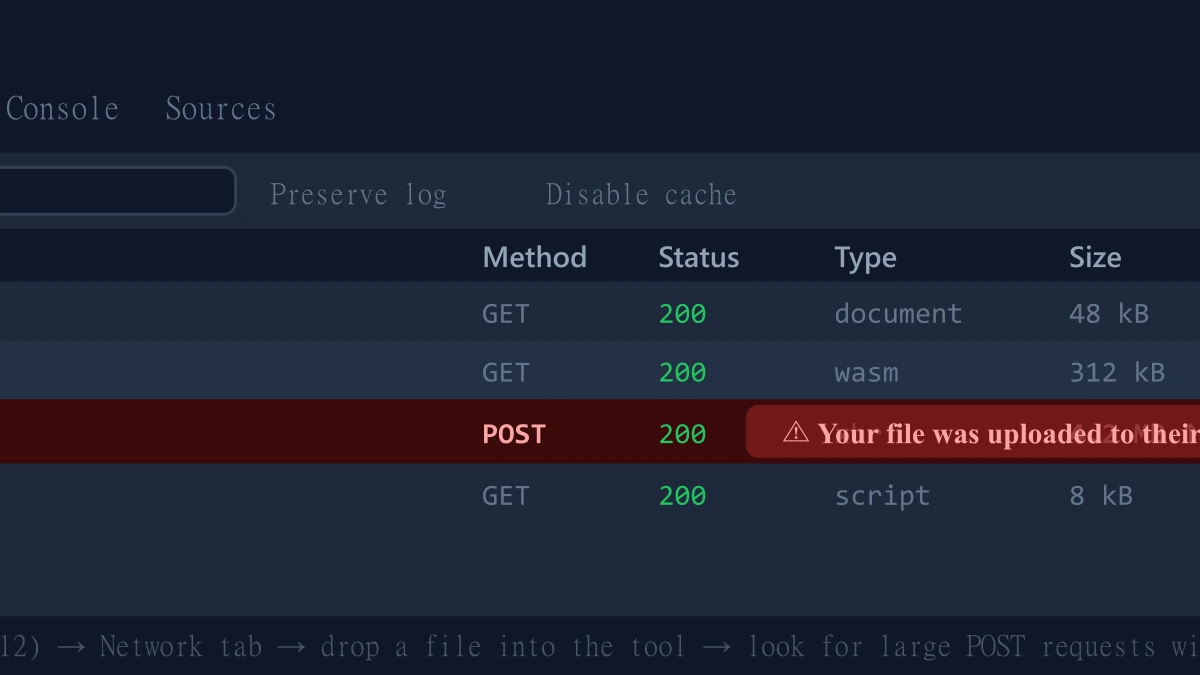
- 1.Open the tool, press F12, and click the Network tab in DevTools.
- 2.Tick "Preserve log" so nothing clears between steps.
- 3.Run a split, merge, or compression on a test PDF.
- 4.Watch for a large outbound
POSTrequest the size of your file, that is an upload. On ImagePDF.Tools there is no such request.
For more on why this distinction matters for private files, see our guide on safely compressing sensitive PDF documents.
The Bottom Line
PDF24 is one of the more honest and genuinely generous upload-based PDF tools available, unlimited, free, and upfront about its one-hour retention window. ImagePDF.Tools removes the upload entirely, the same everyday jobs, with zero server time instead of a short one.
Try it now: split a PDF or compress one, then check DevTools and confirm nothing was uploaded.
Frequently asked questions
Does PDF24 upload my files to a server?
What is the best PDF24 alternative with zero upload?
Is PDF24 safe to use?
Does ImagePDF.Tools have a daily task limit like some PDF24 alternatives?
Do I need to install anything to avoid uploading my PDF?
Sources & references
This article was researched and written by Nikola, drawing on the following primary sources and documentation:
More in Privacy & Security
How to Remove Hidden Metadata, GPS Location, and Author Info From PDF and Images
How to Lock PDF Form Fields Permanently After Signing (Flattening Guide)
How to Fix "At Least One Signature Has Problems" Error in Adobe Acrobat