
The Best Smallpdf Alternative If Two Free Tasks a Day Is Not Enough (2026)
Summary
Smallpdf caps free use at 2 tasks a day and watermarks some conversions. A browser-based alternative with no cap, no watermark and no upload.
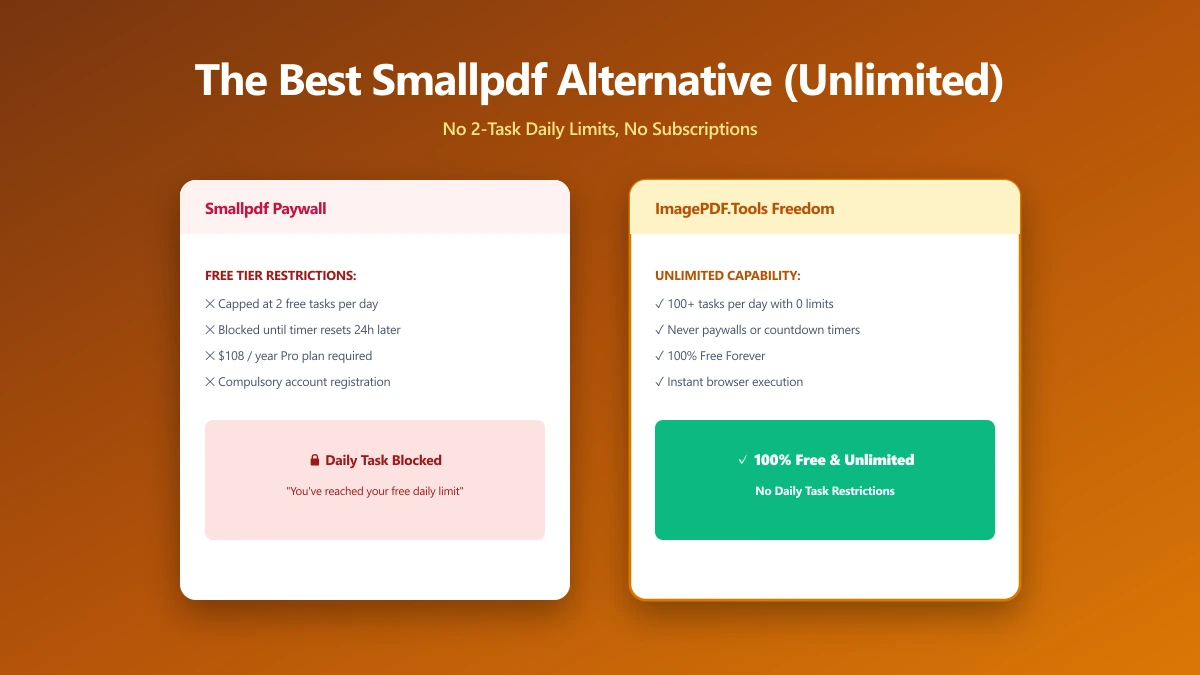
Smallpdf has one of the most polished interfaces in the PDF tool space, clean, fast, easy to hand to someone who has never used a PDF tool before. The catch shows up fast: the free plan allows just two tasks a day, and some free conversions, PDF to Word among them, come back with a watermark. If you use PDF tools more than twice a day, or need a clean output without a badge stamped on it, you hit the wall almost immediately.
ImagePDF.Tools does the same core jobs, compress, merge, split, convert, entirely in your browser, with no daily cap and no watermark. Here is the full comparison.
What Smallpdf Does Well
Smallpdf's interface design is genuinely best-in-class, and its Google Drive and Dropbox integrations make it convenient if your files already live in the cloud. Its e-signature flow is smooth, and for occasional, light use, one or two PDF tasks a day, the free plan is perfectly fine.
The Daily Task Cap, and the Watermark
The friction starts the moment you need a third task the same day, or a clean PDF-to-Word conversion without a watermark. Smallpdf is a server-side tool, exactly like iLovePDF, so every task uploads your file to its servers regardless of which plan you are on. Once the free tasks are used up, the only way forward is a subscription starting at roughly $15 a month, appreciably more than most competitors charge for unlimited access.
The watermark issue is easy to miss until it happens to you. Convert a PDF to Word on the free plan and the output file itself carries a visible watermark, not just a limit on how many times you can do it. That can quietly ruin a document you needed clean.
Smallpdf vs ImagePDF.Tools
| Factor | Smallpdf | ImagePDF.Tools |
|---|---|---|
| Daily task limit | 2 tasks per day | Unlimited, always |
| Watermark on free conversions | Yes, on some (e.g. PDF to Word) | Never |
| Where your file goes | Uploaded to Smallpdf servers | Never leaves your device |
| Account required | No, for most tools | Never |
| Cloud storage integration | Google Drive, Dropbox | Not needed, files stay local |
| Starting paid price | From $15/month | Free, permanently |
The honest read: Smallpdf's polish and cloud integrations are real advantages if you are already living in Google Drive and want a signature flow to match. For everything else, the two-task daily cap and the watermark are exactly the kind of friction a browser-based tool removes entirely.
When Switching Actually Matters
- ●Anyone hitting the two-task daily cap, a single afternoon of PDF work on Smallpdf's free plan is often enough.
- ●Clean output without a watermark, particularly for PDF to Word and similar conversions.
- ●Sensitive documents, contracts, IDs, financial paperwork, where an upload to a third-party server is the part you would rather skip.
- ●Frequent, everyday use that would otherwise mean paying $15+/month just to remove a daily counter.
Verify It Yourself in 30 Seconds
Do not take either tool's privacy claims on faith, check them:
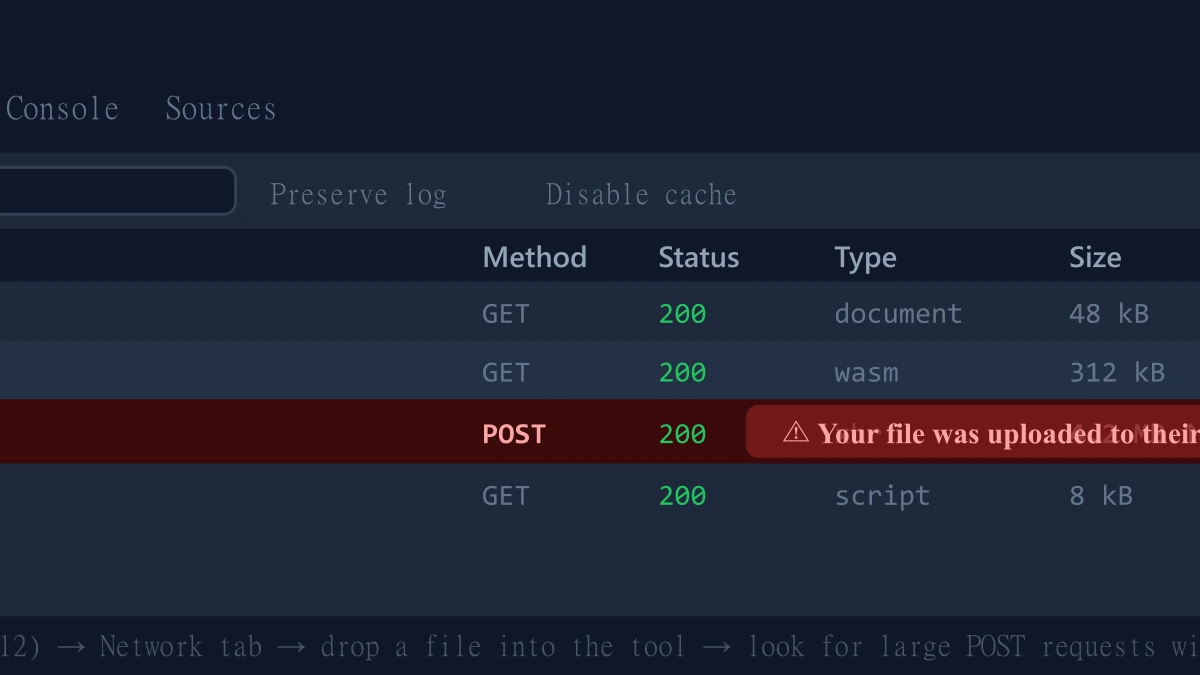
- 1.Open the tool, press F12, and click the Network tab in DevTools.
- 2.Tick "Preserve log" so nothing clears between steps.
- 3.Run a compression or conversion on a test PDF.
- 4.Watch for a large outbound
POSTrequest the size of your file, that is an upload. On ImagePDF.Tools there is no such request.
For a fuller three-way breakdown including iLovePDF, see our guide on iLovePDF vs Smallpdf vs ImagePDF.Tools.
The Bottom Line
Smallpdf is polished and easy to use, right up until the two-task daily cap or a watermarked conversion gets in your way. ImagePDF.Tools does the same core jobs, compress, merge, split, convert, with no daily limit, no watermark, no upload, and no cost, ever.
Try it now: compress a PDF or merge one, then check DevTools and confirm nothing was uploaded.
Frequently asked questions
What is the best Smallpdf alternative with no daily limit?
How many free tasks does Smallpdf allow per day?
Does Smallpdf add a watermark on free conversions?
Is Smallpdf safe to use?
Is ImagePDF.Tools really free, unlike Smallpdf's limited free plan?
Sources & references
This article was researched and written by Nikola, drawing on the following primary sources and documentation:
Ready to try it?
All tools run entirely in your browser, no uploads, no account required.
Compress PDFMore in Privacy & Security
How to Remove Hidden Metadata, GPS Location, and Author Info From PDF and Images
How to Lock PDF Form Fields Permanently After Signing (Flattening Guide)
How to Fix "At Least One Signature Has Problems" Error in Adobe Acrobat