
The Best FreeConvert Alternative for PDFs and Images (No Upload, No Daily Cap) (2026)
Summary
FreeConvert caps free use and uploads every file to its servers. A browser-based alternative that converts locally, with no cap and no account.
FreeConvert covers far more ground than a typical PDF tool, images, video, audio, and documents all in one converter, with a genuinely generous 1 GB file size cap. The free plan's real daily limit is narrower than its own marketing headline suggests, though.
ImagePDF.Tools converts and compresses PDFs and images entirely inside your browser, with no daily cap and no upload. This comparison focuses specifically on the PDF and image overlap between the two tools, since FreeConvert's video and audio conversion tools are outside what we offer.
What FreeConvert Does Well
FreeConvert's format range is genuinely impressive, video, audio, images, and documents in one place, and its 1 GB file size limit is generous compared to most free tools. For a one-off conversion of a large file, it is a capable option.
The Daily Limit Is Smaller Than Advertised
FreeConvert advertises 20 free conversion minutes a day. An independent analysis by MConverter, which tested FreeConvert's actual operation counts rather than relying on the headline figure, found the practical daily cap works out closer to 10 conversions, dropping to around 4 to 5 for larger files, since each conversion consumes minutes faster than the advertised number implies. Files themselves are uploaded to AWS servers in Ireland and held for a stated period of roughly eight hours before deletion.
20 minutes a day sounds like plenty until you learn it translates to roughly 10 actual conversions, and fewer for bigger files. That is easy to burn through in a single afternoon of PDF or image work.
FreeConvert vs ImagePDF.Tools
| Factor | FreeConvert (free) | ImagePDF.Tools |
|---|---|---|
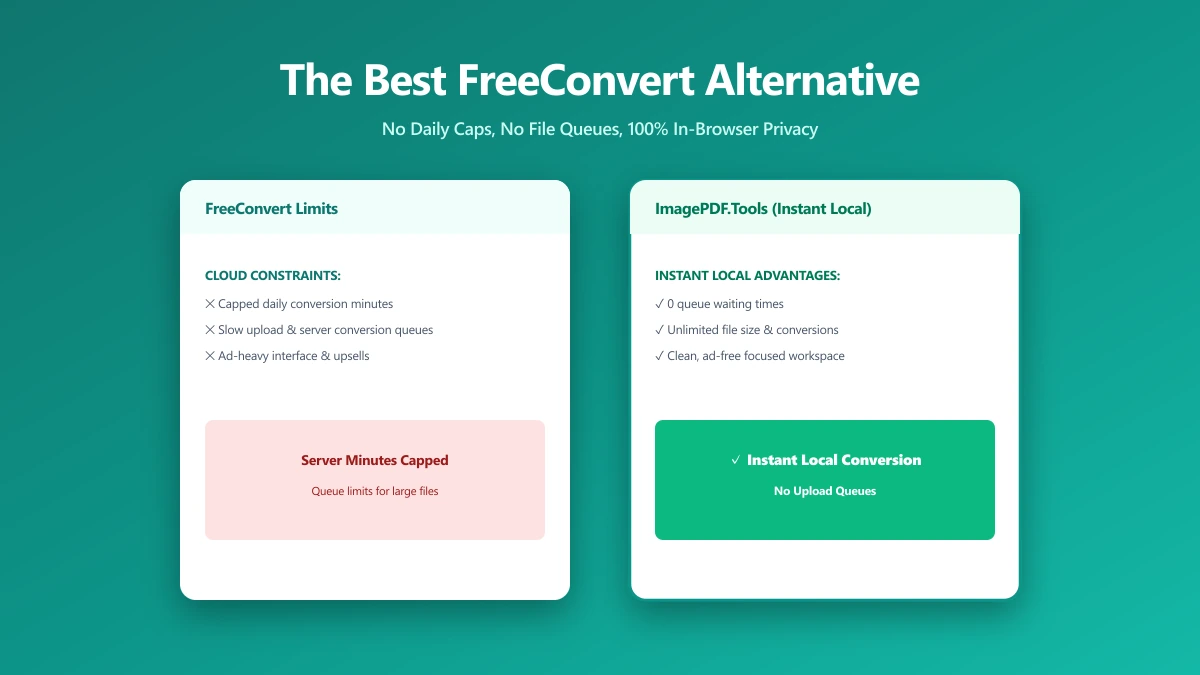
| Advertised daily limit | 20 conversion minutes | Unlimited |
| Real-world daily cap (per independent testing) | ~10 conversions, fewer for large files | Unlimited, always |
| Where your file goes | Uploaded to AWS servers, held ~8 hours | Never leaves your device |
| Max file size | 1 GB | Limited only by your device's memory |
| Starting paid price | $12.99/month | Free, permanently |
The honest read: FreeConvert's format range genuinely exceeds ours for video and audio. For PDF and image conversion or compression specifically, the daily cap and the upload are the two things a browser-based tool removes entirely.
When FreeConvert Still Makes Sense
For video and audio conversion, formats entirely outside what ImagePDF.Tools offers, FreeConvert remains a reasonable, broadly capable choice, and its 1 GB size cap comfortably covers most everyday files.
When to Switch
- ●PDF and image conversion specifically, the overlap where a browser-based tool removes both the upload and the daily cap.
- ●Regular use, where 10 real-world conversions a day runs out faster than a normal editing session.
- ●Sensitive documents or photos, where an eight-hour server retention window is more exposure than necessary.
- ●Avoiding a $12.99/month subscription for tasks that take seconds locally in a browser.
Verify It Yourself in 30 Seconds
Do not take either tool's claims on faith:
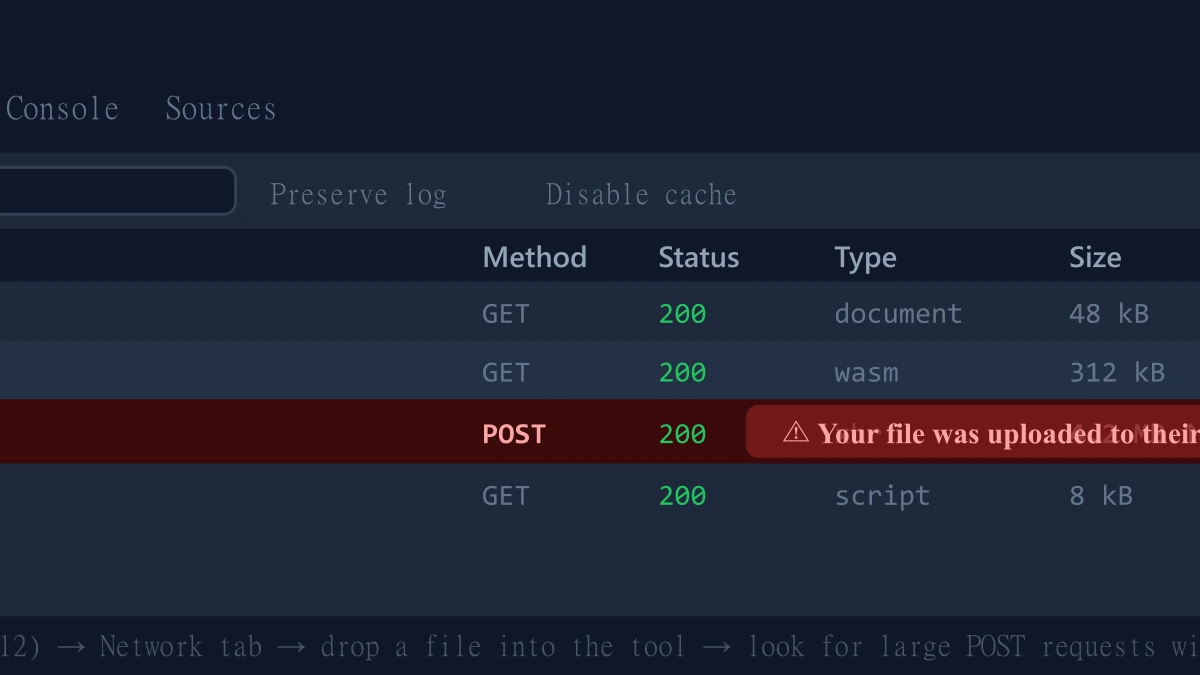
- 1.Open the tool, press F12, and click the Network tab in DevTools.
- 2.Tick "Preserve log" so nothing clears between steps.
- 3.Run a conversion on a test PDF or image.
- 4.Watch for a large outbound
POSTrequest the size of your file, that is an upload. On ImagePDF.Tools there is no such request.
For a deeper look at file-safety habits, see our guide on how to check if an online file converter is safe.
The Bottom Line
FreeConvert's format range is broad, but its real-world daily cap for PDF and image work is tighter than the advertised number, and every file is uploaded regardless. ImagePDF.Tools converts and compresses PDFs and images with no daily cap, no upload, and no cost, ever.
Try it now: convert an image to PDF or compress one, then check DevTools and confirm nothing was uploaded.
Frequently asked questions
What is FreeConvert's actual daily conversion limit?
What is the best FreeConvert alternative for PDFs and images with no daily limit?
Does FreeConvert upload my files to a server?
Is FreeConvert good for video and audio conversion?
Is ImagePDF.Tools free for unlimited PDF and image conversion?
Sources & references
This article was researched and written by Nikola, drawing on the following primary sources and documentation:
Ready to try it?
All tools run entirely in your browser, no uploads, no account required.
Image to PDFMore in Privacy & Security
How to Remove Hidden Metadata, GPS Location, and Author Info From PDF and Images
How to Lock PDF Form Fields Permanently After Signing (Flattening Guide)
How to Fix "At Least One Signature Has Problems" Error in Adobe Acrobat