Why Are SVG Icons Rendering as Blank Boxes or Black Squares in Browsers? (Fix)
Summary
Fix invisible, blank, or solid black SVG icons in Chrome, Safari, and Firefox. Check the MIME type, xmlns, viewBox, fill and currentColor, sprite references, and CSS masks.
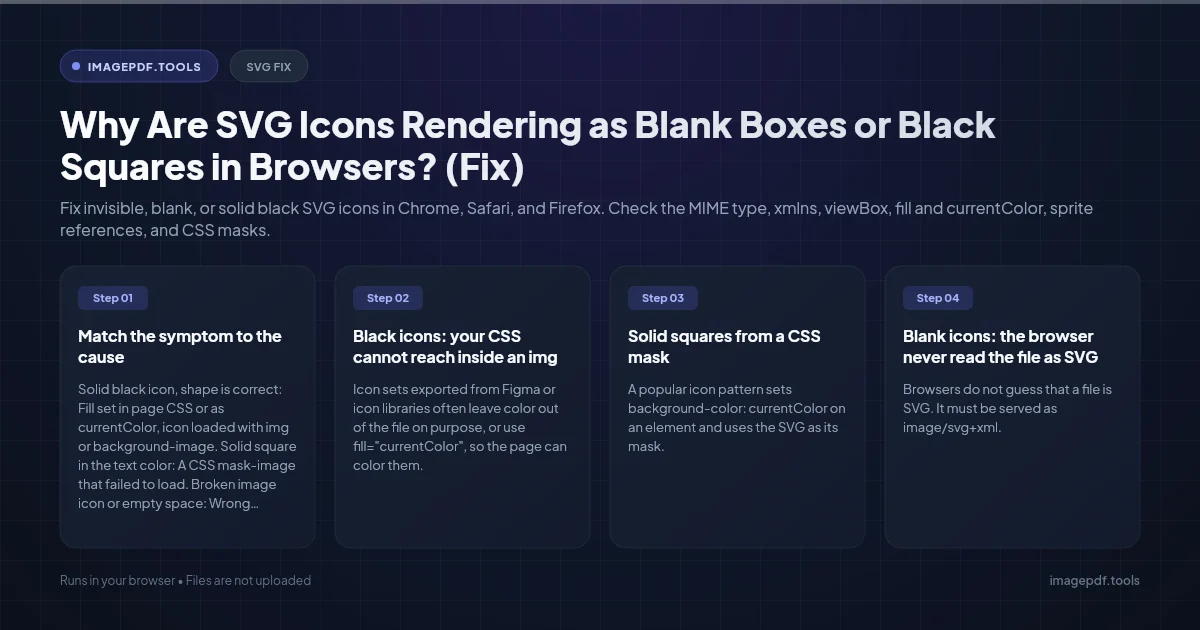
A black square and a blank box are two different failures. A black icon means the browser did draw the SVG, but its shapes got the default fill, which is black. That almost always happens because the color was meant to come from your page's CSS, and the CSS cannot reach the icon. A blank icon means nothing was drawn: the file was not read as SVG, it ended up with zero size, or it points at something the browser could not find.
The quickest test is to open the SVG's URL directly in a new tab. If it shows correctly there, the file is fine and the problem is in how the page embeds it. If it shows an XML error, raw code, or nothing, fix the file or the server first.
Match the symptom to the cause
| What you see | Most likely cause | Where to look |
|---|---|---|
| Solid black icon, shape is correct | Fill set in page CSS or as currentColor, icon loaded with img or background-image | How the icon is embedded |
| Solid square in the text color | A CSS mask-image that failed to load | The mask URL and the -webkit- prefix |
| Broken image icon or empty space | Wrong Content-Type, missing xmlns, or a broken data URI | Network tab and the file's first line |
| Icon is cropped, tiny, or huge | Missing or wrong viewBox | The opening svg tag |
| Sprite icons blank, inline icons fine | Cross-origin use reference, or missing viewBox on the symbol | The use href |
| Gradient or clipped part missing | Duplicate or hidden IDs | id and url(#...) values |
Black icons: your CSS cannot reach inside an img
Icon sets exported from Figma or icon libraries often leave color out of the file on purpose, or use fill="currentColor", so the page can color them. That only works when the SVG is inline in your HTML. When the same file is loaded through <img src> or background-image, it renders as a separate, sealed document. Your stylesheet does not apply, currentColor falls back to black, and any path with no fill is black by default.
You have three fixes, depending on what you need:
- ●Need to recolor it with CSS (hover, dark mode)? Put the SVG inline in the HTML, or inline it through your framework's SVG import, and keep
fill="currentColor". - ●One fixed color is fine? Open the file and replace
currentColorwith a real value such asfill="#4f46e5", and add a fill to any path that has none. - ●Want img-style loading but CSS colors? Use the file as a mask, covered below.
The sealed-document rule has a second effect. An SVG shown through img cannot load anything external: no linked images, no web fonts, no external stylesheet. If your icon contains <image href="photo.png"> or text in a web font, those parts disappear. Convert text to outlines before exporting.
Solid squares from a CSS mask
A popular icon pattern sets background-color: currentColor on an element and uses the SVG as its mask. If the mask does not apply, you are left with the background color filling the whole box, which looks like a square in your text color.
.icon {
  width: 24px;
  height: 24px;
  background-color: currentColor;
  -webkit-mask: url(/icons/search.svg) center / contain no-repeat;
  mask: url(/icons/search.svg) center / contain no-repeat;
}
Keep the -webkit-mask line, because older Safari versions only understand the prefixed property. Check the Network tab for a 404 on the mask URL. Serve the mask file from your own domain if you can, since cross-origin mask images may be blocked unless the server sends CORS headers.
Blank icons: the browser never read the file as SVG
Wrong Content-Type from the server
Browsers do not guess that a file is SVG. It must be served as image/svg+xml. Open DevTools, select the request in the Network tab, and read the response headers. If you see text/plain, text/html or application/octet-stream, fix the server or storage bucket. On Apache, add AddType image/svg+xml .svg. In object storage such as S3, set the object's content type when you upload it.
Missing xmlns on a standalone file
Inline SVG inside HTML works without a namespace, so hand-written icons often leave it off. The same markup saved as a .svg file and loaded through img or CSS needs it, or the browser parses it as plain XML and draws nothing. The opening tag should look like this:
<svg xmlns="http://www.w3.org/2000/svg" viewBox="0 0 24 24" width="24" height="24">A data URI cut short by a # character
If you paste SVG straight into CSS as url("data:image/svg+xml,..."), every # in a color like #fff must be written as %23. An unencoded # ends the URL at that point, so the browser receives half a file. Use single quotes inside the SVG when the CSS value uses double quotes, or encode the whole thing.
Cropped, tiny or zero-size icons: check the viewBox
The viewBox tells the browser which area of the drawing to show and lets it scale. Without one, setting a CSS width changes the size of the frame but not the drawing, so the icon is cropped or sits small in a corner. An inline SVG with no size and no viewBox falls back to 300 by 150 pixels. An inline SVG with a viewBox but no width can collapse in some flex layouts. Give it both: a viewBox that matches the artboard (for a 24 pixel icon, 0 0 24 24) and either width and height attributes or a CSS size.
If the icon was drawn away from the artboard origin in your design tool, the viewBox may point at empty space. Reset the artboard to fit the artwork and export again.
Sprite icons that work locally but not on a CDN
With an SVG sprite you write <use href="sprite.svg#search">. Browsers only follow that reference to a file on the same origin. Move the sprite to a CDN on another domain and every icon goes blank, with no error you can fix through CORS. Serve the sprite from your own domain, or inline it once at the top of the page and reference #search. Also make sure each <symbol> has its own viewBox, or the icons will not scale.
Gradients and clipped shapes that vanish
Design tools give gradients and clip paths IDs such as clip0_12_34 or simply a. Put several such icons inline on one page and those IDs collide: every url(#a) points at the first one in the document. If that first copy is inside an element hidden with display: none, such as a closed menu, some browsers render the reference as nothing. Give each icon unique IDs. SVGO's prefixIds plugin can do this automatically.
Clean up the file once it renders
Exports from Illustrator and Figma carry editor metadata and long decimal coordinates. After the icon renders correctly, our Compress Image tool can shrink it in your browser: it removes comments and the metadata, title and desc elements, and rounds numbers to the precision you choose. Two cautions. Very low precision can distort small icons, so compare before and after. And if the icon relies on its <title> for screen readers, give it an aria-label or alt text on the page instead. For a whole icon library in a build pipeline, SVGO does the same job from the command line.
Frequently asked questions
Why does my SVG look right in Illustrator or Figma but not in the browser?
Can I change the color of an SVG loaded with an img tag?
Do I still need xlink:href in sprite references?
Why is my icon black only in dark mode?
Sources & references
This article was researched and written by Nikola, drawing on the following primary sources and documentation:
Ready to try it?
All tools run entirely in your browser, no uploads, no account required.
Compress Image